Unable to remove "search tabs" on Google Chrome
br2046
Posted messages
2
Status
Member
-
br2046 Posted messages 2 Status Member -
br2046 Posted messages 2 Status Member -
Hello,
I had cleared "search tabs" a few weeks ago by following a procedure from a user on a previous forum, unfortunately it has resurfaced and I can't get rid of it anymore.
Here is the procedure I successfully followed back then:
How to disable Search Tabs?
Open Google Chrome or a new tab.
Clear everything in the address bar and copy/paste:
chrome://flags/
Then press the Enter key or right-click then paste to access chrome://flags/
In the "Search flags" box, type or copy/paste -► Enable Tab Search
Default setting
Enable Tab Search ==► Default
To disable Search Tabs:
Scroll down the small arrow and select ==►Disabled
Click at the bottom right on ==►RELAUNCH.
EXCEPT TODAY, I CAN NO LONGER FIND: "Enable Tab Search"

I don’t know what to do to get rid of it.
Thank you.
I had cleared "search tabs" a few weeks ago by following a procedure from a user on a previous forum, unfortunately it has resurfaced and I can't get rid of it anymore.
Here is the procedure I successfully followed back then:
How to disable Search Tabs?
Open Google Chrome or a new tab.
Clear everything in the address bar and copy/paste:
chrome://flags/
Then press the Enter key or right-click then paste to access chrome://flags/
In the "Search flags" box, type or copy/paste -► Enable Tab Search
Default setting
Enable Tab Search ==► Default
To disable Search Tabs:
Scroll down the small arrow and select ==►Disabled
Click at the bottom right on ==►RELAUNCH.
EXCEPT TODAY, I CAN NO LONGER FIND: "Enable Tab Search"

I don’t know what to do to get rid of it.
Thank you.
3 answers
-
Hello,
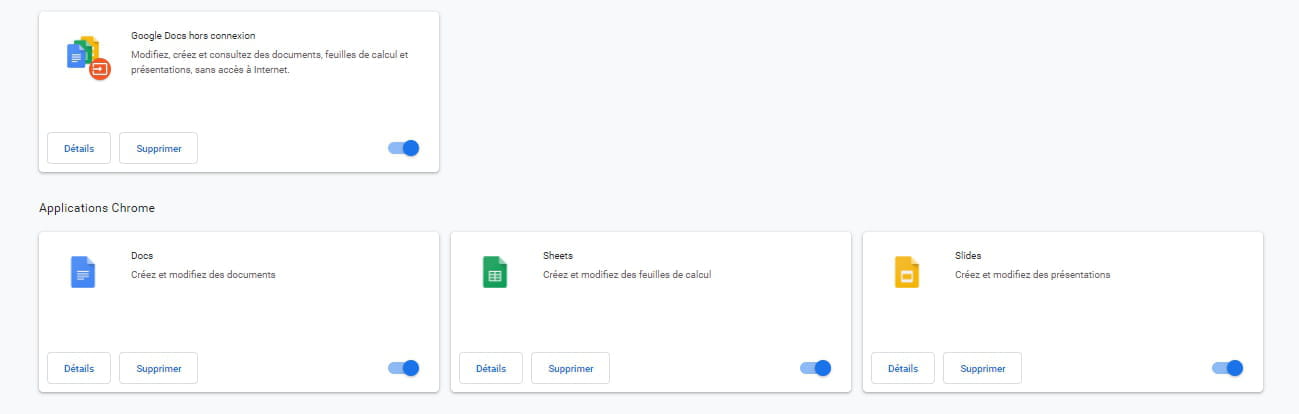
remove the Tab Search extension in Google Chrome.
To remove it see THIS PAGE paragraph Uninstall an extension.
bazfile
Moderator/Security Contributor.
a hello, a response, a thank you are always appreciated.