Packard Bell iMedia S2185 - Unrecognized Network Card
Solved
Apuerio
Posted messages
19
Status
Member
-
Apuerio Posted messages 19 Status Member -
Apuerio Posted messages 19 Status Member -
Hello,
After liquefying my eyes and brain on an indefinite number of topics regarding my problem, I’m coming for help because I can’t manage by just applying the suggestions found on other topics.
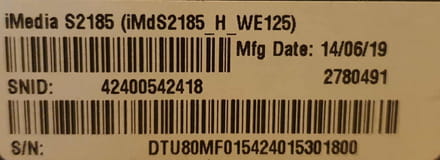
I have a Packard Bell iMedia S2185 running Windows 8.1 x64 - S/N: DTU80MF015424015301800 - that I restored using Windows’ recovery tool.
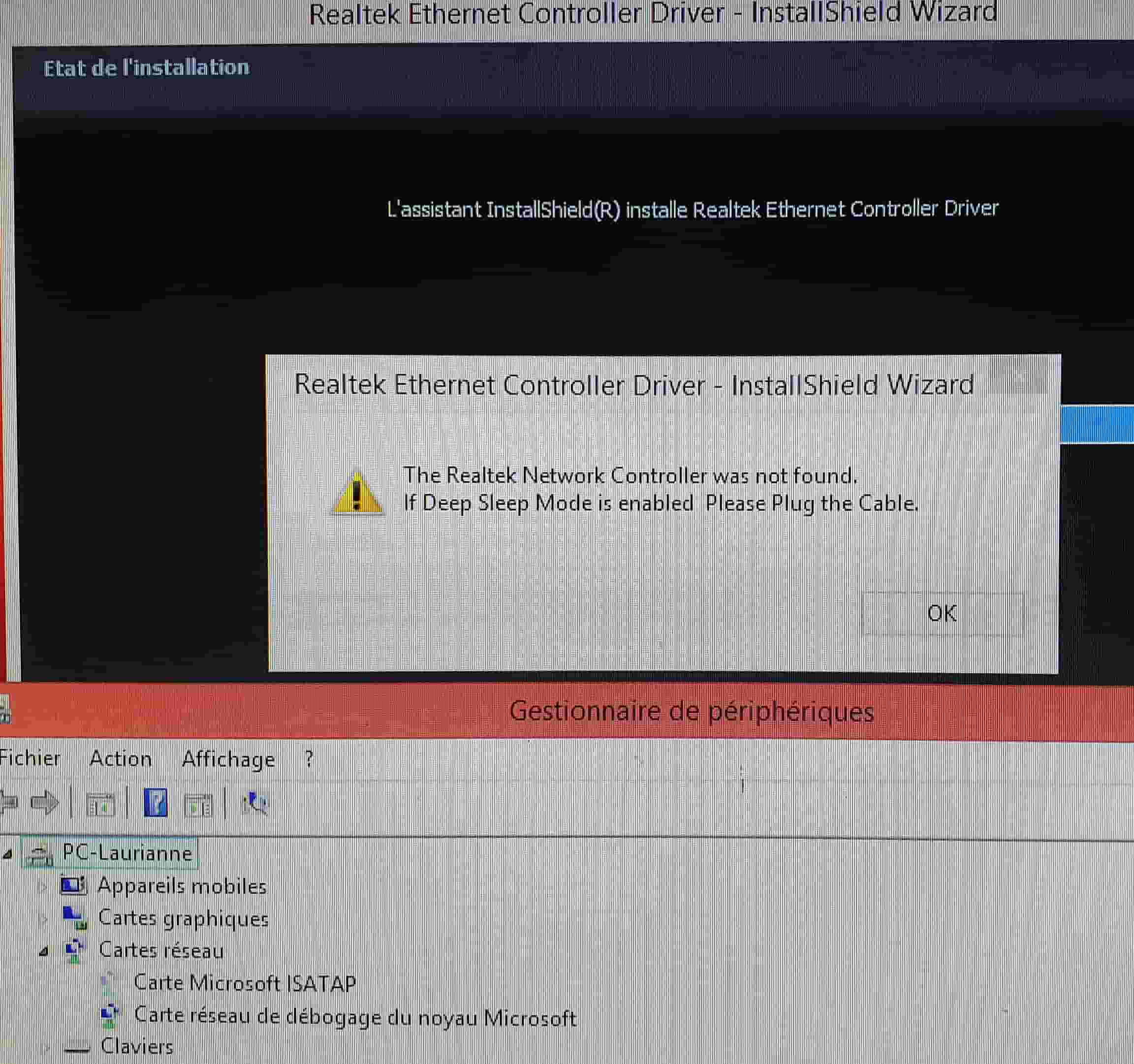
My problem is that the network card is not detected (issue already present before system restoration): I have tried installing a plethora of drivers but none detect it. I also tried my luck with utilities like "ma.config," but offline, it doesn’t work well. I also attempted with Aida64Extreme, but still nothing.
In the device manager, by displaying hidden devices (otherwise, no apparent network card), I see this in the network adapters tab:
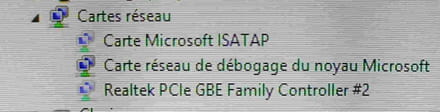
- Microsoft ISATAP Adapter
Hardware ID: *ISATAP
- Microsoft Kernel Debug Network Adapter
Hardware ID: root\kdnic
- Realtek PCIe GBE Family Controller #2
Hardware ID:
PCI\VEN_10EC&DEV_8168&SUBSYS_08001025&REV_11
PCI\VEN_10EC&DEV_8168&SUBSYS_08001025
PCI\VEN_10EC&DEV_8168&CC_020000
PCI\VEN_10EC&DEV_8168&CC_0200
I understood that the problem comes from the Microsoft ISATAP Adapter (maybe a language issue?), so I found this:
https://fr.drvhub.net/devices/network/microsoft/isatap-adapter
Except that I have no idea how to use this archive... and Google doesn’t seem to be in a helpful mood.
Finally, after installing everything and anything without really understanding what I was doing, I did a new system restore that I haven’t touched yet in order to ask the community with a "healthy" machine as a starting point and I stopped there, otherwise the beast might have made a one-way trip to the ground floor without taking the stairs.
If a kind soul has the patience and knowledge to help me (and does so ^^), I would be infinitely grateful.
Otherwise, I will buy a new network card... but that’s not a glamorous solution.
After liquefying my eyes and brain on an indefinite number of topics regarding my problem, I’m coming for help because I can’t manage by just applying the suggestions found on other topics.
I have a Packard Bell iMedia S2185 running Windows 8.1 x64 - S/N: DTU80MF015424015301800 - that I restored using Windows’ recovery tool.

My problem is that the network card is not detected (issue already present before system restoration): I have tried installing a plethora of drivers but none detect it. I also tried my luck with utilities like "ma.config," but offline, it doesn’t work well. I also attempted with Aida64Extreme, but still nothing.
In the device manager, by displaying hidden devices (otherwise, no apparent network card), I see this in the network adapters tab:
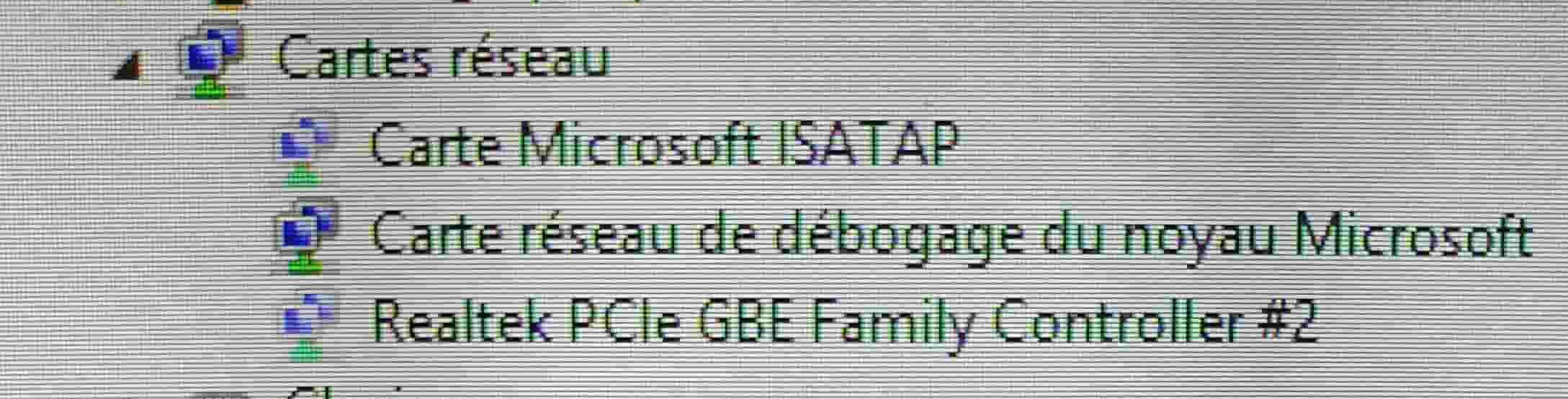
- Microsoft ISATAP Adapter
Hardware ID: *ISATAP
- Microsoft Kernel Debug Network Adapter
Hardware ID: root\kdnic
- Realtek PCIe GBE Family Controller #2
Hardware ID:
PCI\VEN_10EC&DEV_8168&SUBSYS_08001025&REV_11
PCI\VEN_10EC&DEV_8168&SUBSYS_08001025
PCI\VEN_10EC&DEV_8168&CC_020000
PCI\VEN_10EC&DEV_8168&CC_0200
I understood that the problem comes from the Microsoft ISATAP Adapter (maybe a language issue?), so I found this:
https://fr.drvhub.net/devices/network/microsoft/isatap-adapter
Except that I have no idea how to use this archive... and Google doesn’t seem to be in a helpful mood.
Finally, after installing everything and anything without really understanding what I was doing, I did a new system restore that I haven’t touched yet in order to ask the community with a "healthy" machine as a starting point and I stopped there, otherwise the beast might have made a one-way trip to the ground floor without taking the stairs.
If a kind soul has the patience and knowledge to help me (and does so ^^), I would be infinitely grateful.
Otherwise, I will buy a new network card... but that’s not a glamorous solution.
18 answers
-
Hello,
Device Manager
Go to network adapters
Right-click on --> Realtek PCIe ....
Uninstall
Check --> delete the device
Uninstall
Windows + R
Type --> control panel and OK
Programs and Features
Uninstall --> Realtek PCIe...., if present
Restart the PC.
Try this driver --> Realtek
Unzip it
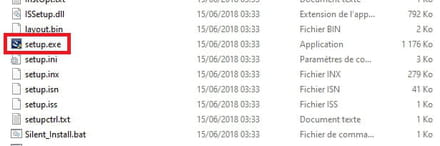
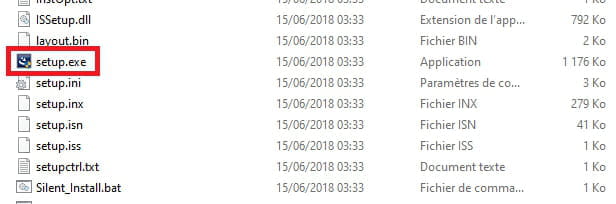
Run the setup.exe