Missing send, send, forward, delete icons
Hello,
Due to the lack of "send" icons, I can no longer use my Thunderbird messaging.
However, all the icons work for receiving messages.
Thank you in advance for your help.
Due to the lack of "send" icons, I can no longer use my Thunderbird messaging.
However, all the icons work for receiving messages.
Thank you in advance for your help.
5 answers
-
Hi
Do you have a valid email address in the To field? (Recipient)-
-
@soliloque_5922uh, what did you try?
For my part, the only case where I don't have the Send button is when I haven't specified the recipient... which makes sense
What version of Windows?
What version of Thunderbird? -
@kaumunemy Windows 10 version
for Thunderbird, I don't know, I have a question mark instead of help, near tools -
@soliloque_5922soliloque_5922 ,
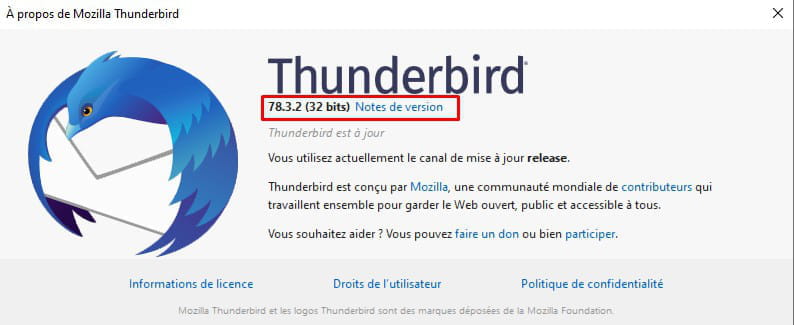
To find out your version of Thunderbird, click on the question mark / About Thunderbird. This will display the version but will also update Thunderbird because if you only see a question mark and not "Help," it is not updated.
-
-
Hello soliloque_5922,
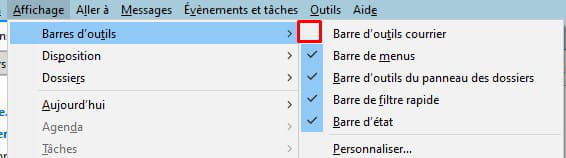
There is a situation where the send, forward, delete icons are not available, which is when the mail toolbar is not displayed. In this case, none of the other icons on this toolbar are displayed.
To display it: View and check Mail toolbar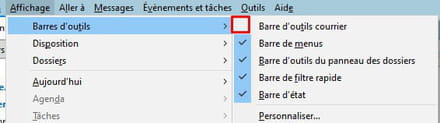
-
-
@soliloque_5922soliloque_5922 ,
Curious! On what system?
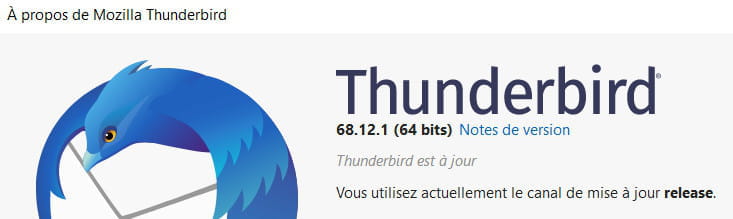
I'm on W10, here's what I have: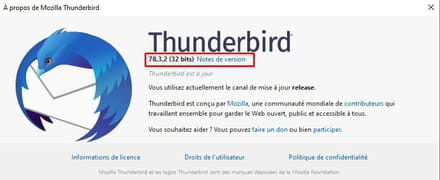
I've seen this case recently, and it seems that Mozilla went back on their decision, considering that version 78 was released too quickly.
Mystery.
But now you know how to find the version of Thunderbird. -
@Anonymous user
It seems that Mozilla has backtracked by estimating that version 78 was released too quickly.
Exactly .. Thunderbird offered me version 78.xx which I did not accept
Now it tells me that I am up to date with 68.xx (On W10 2004 64)
-
@Anonymous userThank you for your valuable help.
I have made progress in understanding my messaging, it is up to date, but it doesn't want to work!!!
I will use the Orange messaging for now,
Have a good evening. -
@soliloque_5922soliloque_5922
I'm going to switch back to Orange messaging in the meantime
No, don’t do that! If you do, you’ll go back to the Stone Age and scatter yourself!
Have you tried View / Toolbar / Mail Toolbar? Yes? No?
If "View" doesn’t show up in the top line, press Alt to temporarily access it
To access it permanently, right-click in a blank area at the top of the window and choose "Menu Bar"
An alternative to send emails in the absence of "Send" is the keyboard shortcut Ctrl + Enter
-
-
soliloque_5922
It's a shame you didn't answer my question:
Have you tried View / Toolbars / Mail Toolbar? Yes? No?
What's the point of us going out of our way for you if you don't answer the questions we're asking?
We die ignorant!
P.S: In your title, you mentioned the icons send, forward, delete Is that still the case? -
soliloque_5922,
It still doesn't answer my questions!!! -
Yes, that works, so I wasn't clear enough.
Thanks again
Have a nice day