GREP style change character color on a line
riquet06
Posted messages
56
Status
Member
-
riquet06 Posted messages 56 Status Member -
riquet06 Posted messages 56 Status Member -
Hello everyone,
For example, I'd like to set the number of characters per line in a paragraph to 70 characters. As soon as this number of characters per line is exceeded, I would like the excess characters to change color.
I can't seem to create a GREP style for this. I can only achieve it for the entire paragraph and not for a number of characters per line...
Do you have the magic formula?
Thanks in advance!!
Configuration: Windows / Chrome 85.0.4183.83
For example, I'd like to set the number of characters per line in a paragraph to 70 characters. As soon as this number of characters per line is exceeded, I would like the excess characters to change color.
I can't seem to create a GREP style for this. I can only achieve it for the entire paragraph and not for a number of characters per line...
Do you have the magic formula?
Thanks in advance!!
Configuration: Windows / Chrome 85.0.4183.83
2 answers
-
Hello,
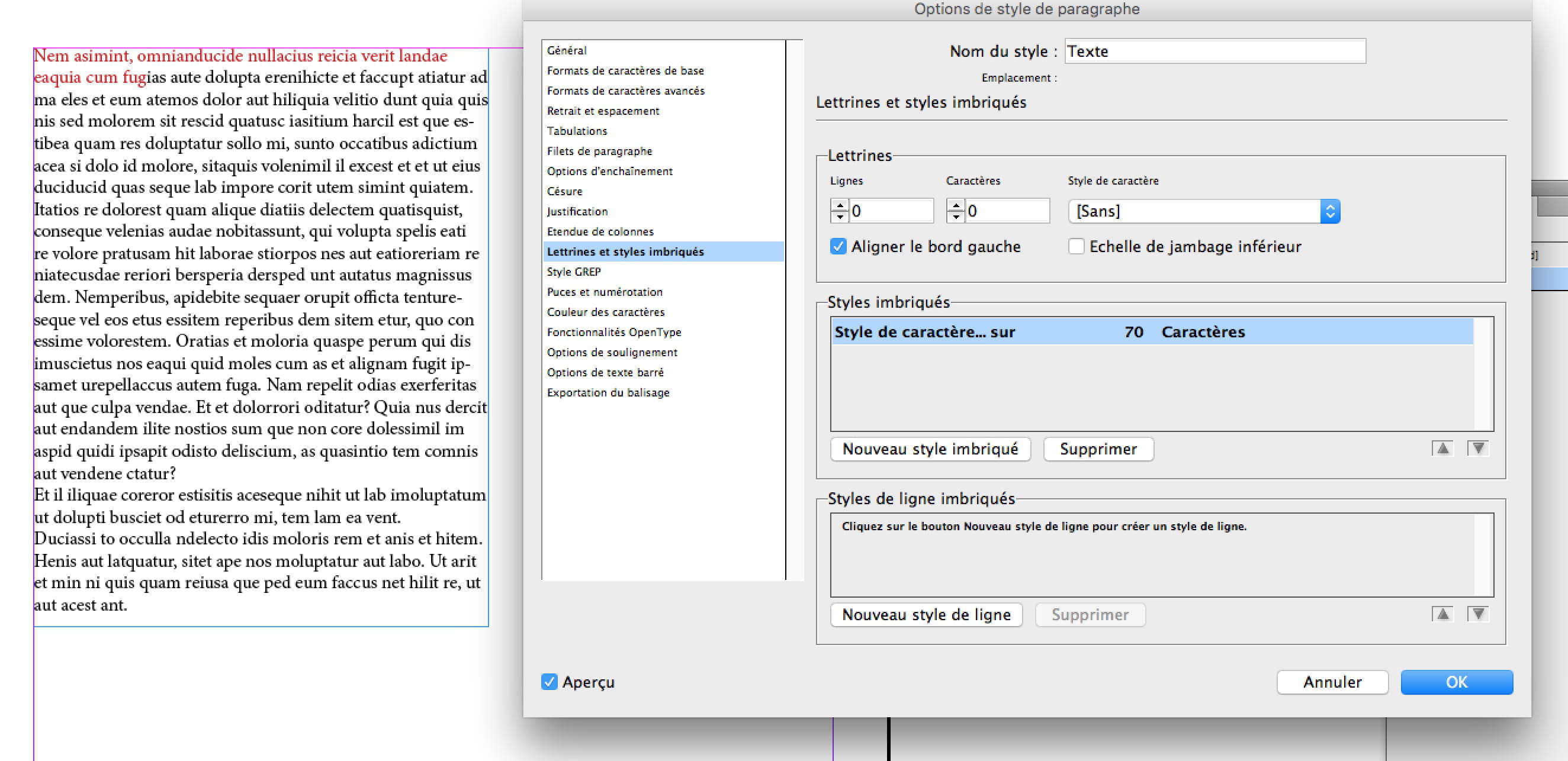
This is not a GREP style but rather Drop Caps and nested styles.
In the settings, you create a new character style by selecting a different color (here red). And you set it to 70 characters.
Of course, spaces are counted in the 70 characters.
-
Hello Sarahmoon, and sorry for the long delay.
I'm only just getting back to the document in question.
This tip is pretty good too! Thanks for the info.
However, it doesn't solve my problem, which is to have a dynamic color change for characters (for those in excess) if on the same line the limit of 70 characters is exceeded.
I doubt this can be achieved... maybe some will disagree? I'm pretty good at finding features that don't exist!! :-D