CMYK photo export not working
Thror
Posted messages
7
Status
Member
-
Thror Posted messages 7 Status Member -
Thror Posted messages 7 Status Member -
Hello, I need to print an image made up of RGB images in png format. (album booklet)
I'm working in Photoshop and for printing I need to convert my workspace to CMYK. I've followed tutorials and I've set everything to CMYK (edit > color Europe 3, FOGRA 39 etc; and Image > mode...), there shouldn't be any problems except that when exporting, the JPG image always comes out in RGB... and not in CMYK.
Is there a solution?
I'm working in Photoshop and for printing I need to convert my workspace to CMYK. I've followed tutorials and I've set everything to CMYK (edit > color Europe 3, FOGRA 39 etc; and Image > mode...), there shouldn't be any problems except that when exporting, the JPG image always comes out in RGB... and not in CMYK.
Is there a solution?
1 answer
-
It's still the right manipulation...
How do you check that your image is still not in CMYK?-
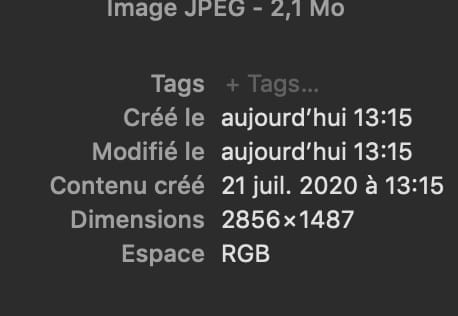
I'm on a Mac, when I go to the exported file, the information displays in the bar
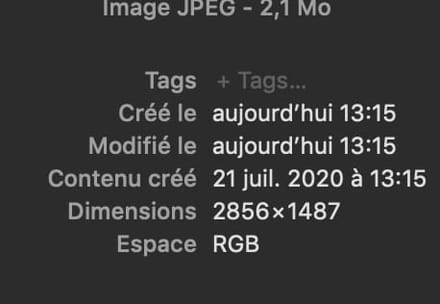 and it says RGB, while I was expecting it to say "CMYK".
- MMouis, but I'm wary of the MAC... it has a very particular logic....
It's possible that the indication concerns the color space in which it visualizes the image and not the composition of the image..
If you open it again in Photoshop... what does it give?
Also be careful that you don't have an automatic conversion when opening in Photoshop! - If I open it in Photoshop, it indicates (in the name in the small tab) that it's an RGB image, and for the automatic conversion, I don't really think I've looked at all the settings that could interact with that.
In fact, I import my template in CMYK (with the window that appears at import), then I drag my RGB images on top of it, and in the tab it does indicate that it's CMYK.
After that, it's not the paid version; it's the free trial, maybe that's it...
I also doubted whether it was the logic of the Mac, as the expected color loss during conversion is indeed present...
In any case, I ultimately opted to save my images as a PDF in the format recommended by the printer... it should work.
-