Driver for card-king
Solved
Abdelkrim_Bensaid
Posted messages
16
Status
Member
-
kaneagle Posted messages 86300 Registration date Status Moderator Last intervention -
kaneagle Posted messages 86300 Registration date Status Moderator Last intervention -
Hello
I tried to find a driver for the "Cartd-King" WiFi adapter as indicated in the image, but I couldn't find one
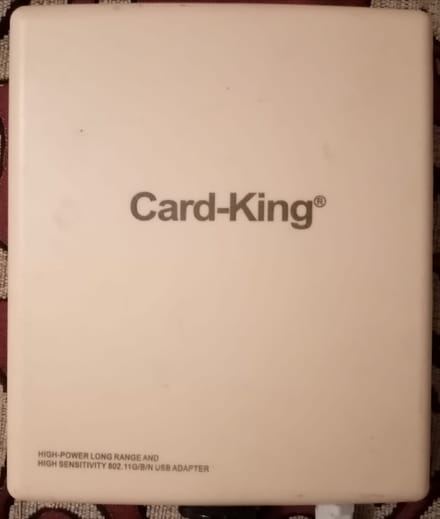
If you have any solutions, please help me find the driver.
Thank you for your responses
Have a good day
I tried to find a driver for the "Cartd-King" WiFi adapter as indicated in the image, but I couldn't find one

If you have any solutions, please help me find the driver.
Thank you for your responses
Have a good day
9 answers
-
Hello,
If it's really a router, no driver is needed.
You connect it to the modem with a network cable.
--
Human beings are at their best when things are at their worst. -
it's not a router, it's an adapter like a wifi stick
its model is high-power long range 802.11g/n usb adapter
I couldn't find the driver on the internet, I've tried several times -
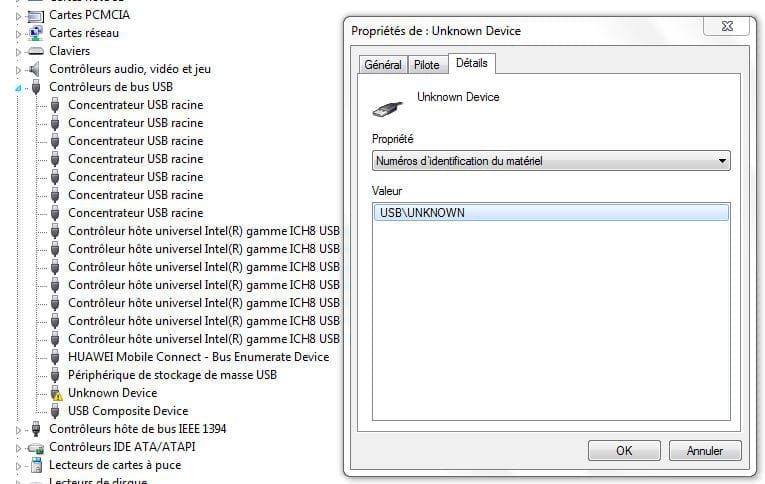
Press Windows + R
Type --> devmgmt.msc and OK.
Give the hardware ID of the device
Look at this --> Find a device's hardware ID
Post the ID in your next message.
Windows 7, 8 or 10?
32 or 64 bits?
--
Human beings are at their best when things are at their worst. -
-
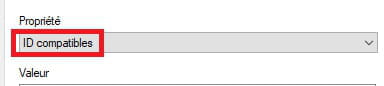
What does it give for compatible ID?
--
Humans are at their best when things are at their worst. -
-
Go to Start
Control Panel
Devices and Printers
Click on --> Add a device.
If that doesn't work, go to Windows Update, search for updates and see if a driver is offered to you, check the optional updates.
--
Human beings are at their best when things are at their worst. -
I did everything you said, but nothing has changed.
-
Don't you have the installation CD for the driver?
If not, take another USB wifi adapter.