
Driver issue with Windows 10
Solved
jojo010687
Posted messages
445
Status
Member
-
jojo010687 Posted messages 445 Status Member -
jojo010687 Posted messages 445 Status Member -
Hello everyone,
I had an issue with my laptop two days ago.
It started to reboot for no reason, even while gaming.
I thought I should update my drivers and I went to the website:
I performed the updates and then I ran into an issue with my graphics cards.
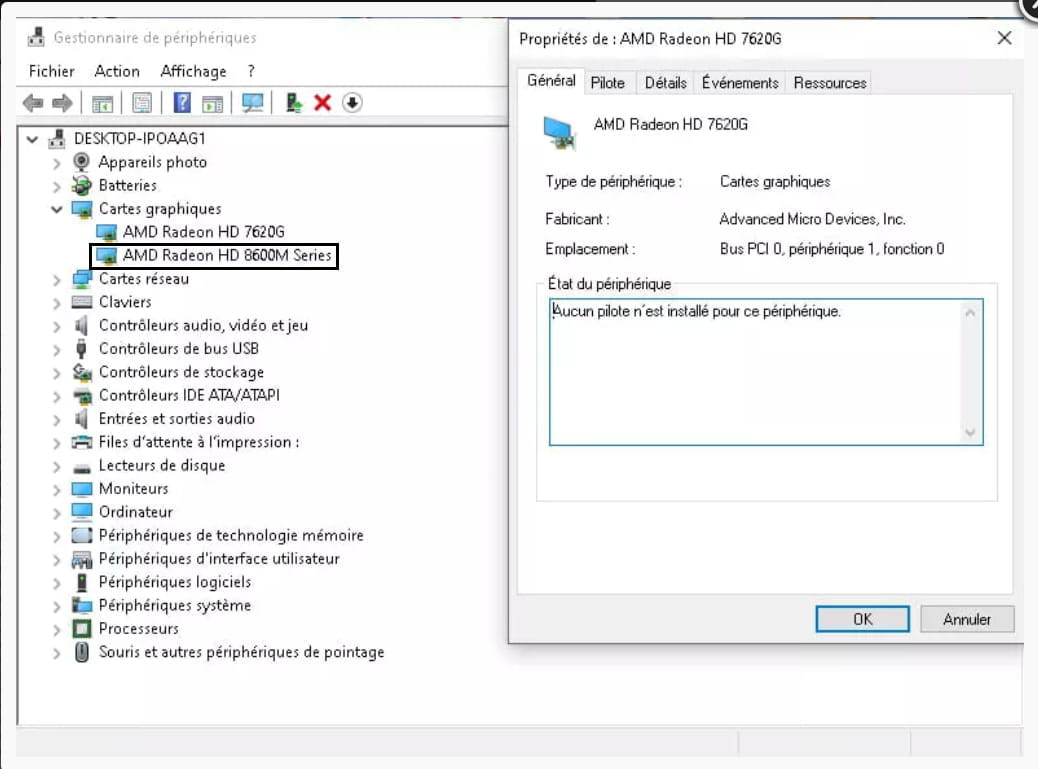
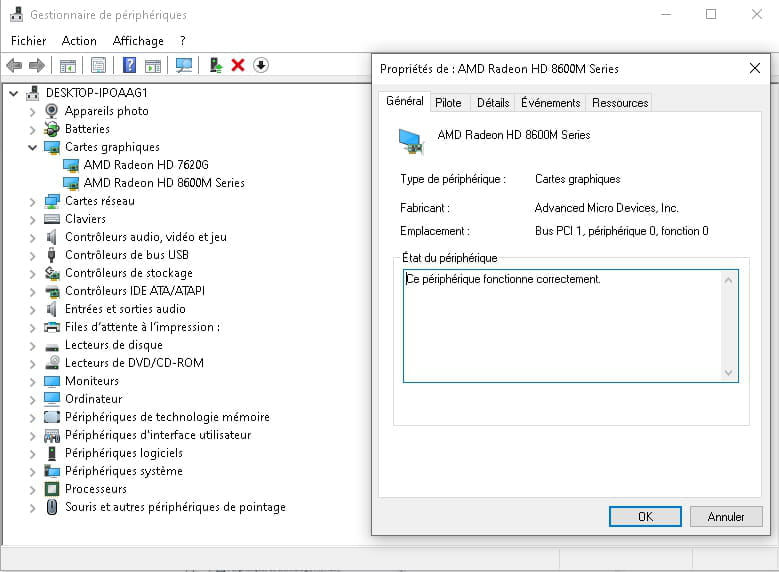
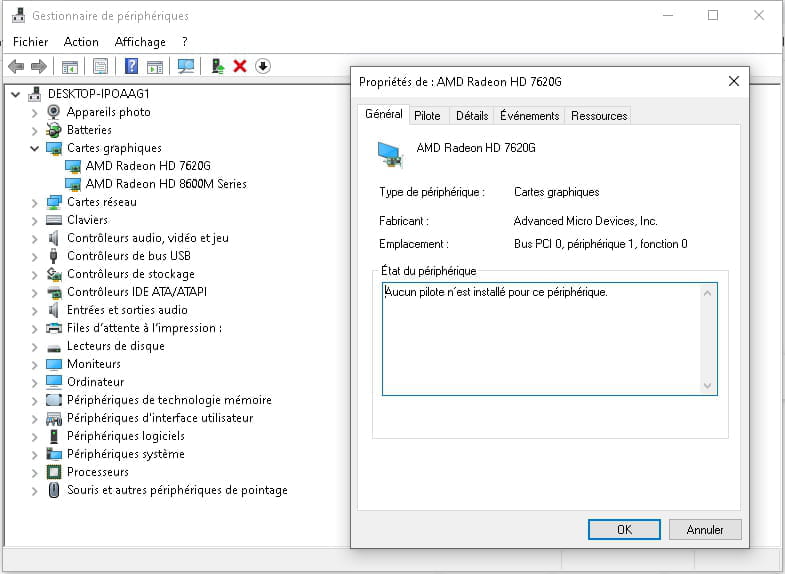
When I went to Device Manager, I saw an icon next to the cards, and in the details it said either: No driver is installed for this device. or This device is working properly. Then my computer started to reboot by itself but this time with a blue screen showing an error message that said Your computer has encountered a problem and needs to restart and element failed: atikmdag.sys Stop code: SYSTEM SERVICE EXCEPTION .
After searching online, I understood that it was related to my graphics cards.
I had a lot of trouble Restoring the driver via Device Manager.
The computer no longer restarts, but it's impossible to play and I get an error message when I try that says: No compatible graphics card found. Please ensure that your system has a properly configured compatible graphics card.
I updated the drivers with Windows 10 (via Device Manager), but it tells me they are already up to date.
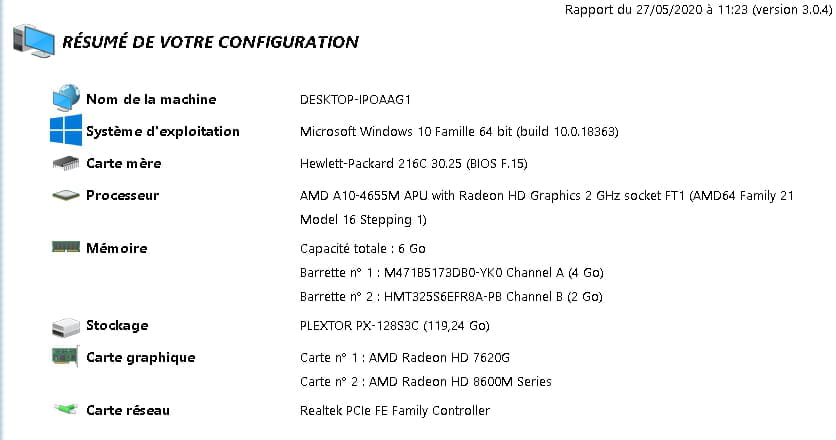
Here is the information about my PC:

Here is my Device Manager:

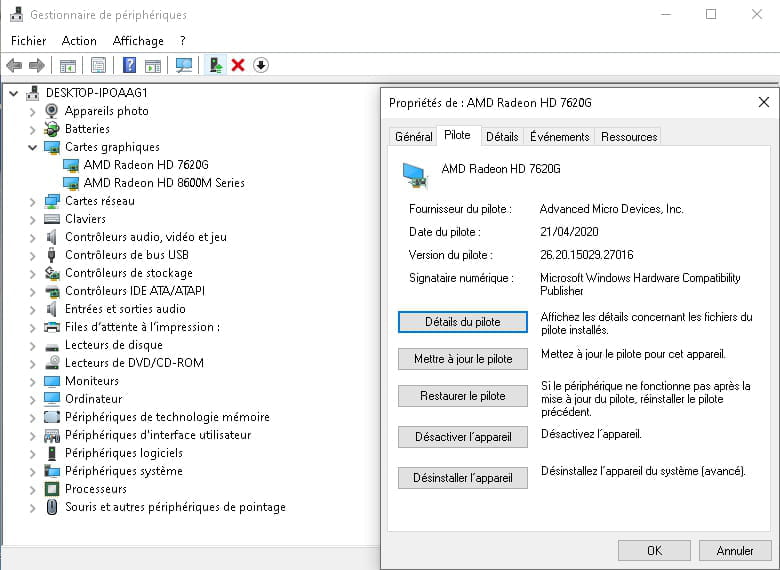
Here are the drivers that are causing more problems for my computer:

Thank you very much for your help.
I had an issue with my laptop two days ago.
It started to reboot for no reason, even while gaming.
I thought I should update my drivers and I went to the website:
https://www.touslesdrivers.com/.
I performed the updates and then I ran into an issue with my graphics cards.
When I went to Device Manager, I saw an icon next to the cards, and in the details it said either: No driver is installed for this device. or This device is working properly. Then my computer started to reboot by itself but this time with a blue screen showing an error message that said Your computer has encountered a problem and needs to restart and element failed: atikmdag.sys Stop code: SYSTEM SERVICE EXCEPTION .
After searching online, I understood that it was related to my graphics cards.
I had a lot of trouble Restoring the driver via Device Manager.
The computer no longer restarts, but it's impossible to play and I get an error message when I try that says: No compatible graphics card found. Please ensure that your system has a properly configured compatible graphics card.
I updated the drivers with Windows 10 (via Device Manager), but it tells me they are already up to date.
Here is the information about my PC:
Here is my Device Manager:

Here are the drivers that are causing more problems for my computer:

Thank you very much for your help.
25 answers
- 1
- 2
Next
-
re
follow Kaneage's instructions --> click here
PS: I'm following the topic, but I'm letting Kaneagle manage it
@+
--
the radiation level is higher at the employment center than at Chernobyl -
re
+1 for Kaneagle
no worries about the help, we were happy to assist :)
What was it about?
I think you shouldn't try to update your driver anymore
the driver you downloaded and installed is the one from your PC manufacturer's site (from December 20, 2016)
if everything is okay for you, please mark your topic as resolved
@+
--
the radiation level is higher at the employment office than at Chernobyl -
As already mentioned multiple times:
It is pointless to update the drivers if there are no issues with the system.
Often, there are peripheral problems after these updates, especially for laptops!
If you are absolutely determined, you should go to the manufacturer's website of the PC or the motherboard.
Good evening.
--
Human beings are at their best when things are at their worst. -
Rather than driver sites, I recommend going to the HP website with the exact model reference (hoping that the drivers are still there, as HP doesn't keep old drivers for very long).
-
hi
check out this page for your issue --> click here
@+
--
the radiation level is higher at the job center than at Chernobyl -
-
After all these changes, the PC restarts for no reason.
-
Here is the event observer list for the AMD Radeon HD 7620G device, if that can help:
Error 05/27/2020 11:02:09 Kernel-PnP 411 None
Information 05/27/2020 11:02:09 UserPnp 20001 (7005)
Information 05/27/2020 11:02:08 Kernel-PnP 400 None
Information 05/27/2020 11:01:23 UserPnp 20001 (7005)
Information 05/27/2020 11:01:23 Kernel-PnP 410 None
Information 05/27/2020 11:01:23 Kernel-PnP 400 None
Information 05/27/2020 10:59:48 UserPnp 20001 (7005)
Information 05/27/2020 10:59:48 Kernel-PnP 400 None
Information 05/26/2020 20:11:55 Kernel-PnP 410 None
Information 05/26/2020 20:11:50 UserPnp 20001 (7005)
Information 05/26/2020 20:11:50 Kernel-PnP 400 None
Information 05/26/2020 20:06:16 UserPnp 20001 (7005)
Information 05/26/2020 20:06:16 Kernel-PnP 410 None
Information 05/26/2020 20:06:15 Kernel-PnP 400 None
Information 05/26/2020 20:06:15 Kernel-PnP 430 None
Information 05/26/2020 20:05:53 Kernel-PnP 420 None
Information 05/26/2020 19:10:20 UserPnp 20001 (7005)
Information 05/26/2020 19:10:20 UserPnp 20003 (7005)
Information 05/26/2020 19:10:20 UserPnp 20003 (7005)
Information 05/26/2020 19:10:20 UserPnp 20003 (7005)
Information 05/26/2020 19:10:03 UserPnp 20001 (7005)
Information 05/26/2020 19:10:02 UserPnp 20003 (7005)
Information 05/26/2020 19:10:02 UserPnp 20003 (7005)
Information 05/26/2020 19:10:02 UserPnp 20003 (7005)
Information 05/26/2020 18:54:02 Kernel-PnP 410 None
Information 05/26/2020 18:53:53 UserPnp 20001 (7005)
Information 05/26/2020 18:53:53 Kernel-PnP 400 None
Information 05/26/2020 07:07:32 UserPnp 20001 (7005)
Information 05/26/2020 07:07:31 UserPnp 20003 (7005)
Information 05/26/2020 07:07:31 UserPnp 20003 (7005)
Information 05/26/2020 07:07:31 UserPnp 20003 (7005)
Information 05/26/2020 07:07:12 Kernel-PnP 410 None
Information 05/26/2020 07:07:11 UserPnp 20001 (7005)
Information 05/26/2020 07:07:10 UserPnp 20003 (7005)
Information 05/26/2020 07:07:10 UserPnp 20003 (7005)
Information 05/26/2020 07:07:10 UserPnp 20003 (7005)
Information 05/25/2020 20:39:11 UserPnp 20001 (7005)
Information 05/25/2020 20:39:11 Kernel-PnP 400 None
Information 05/25/2020 18:59:05 UserPnp 20001 (7005)
Information 05/25/2020 18:59:05 Kernel-PnP 400 None
Information 05/25/2020 18:59:03 UserPnp 20001 (7005)
Information 05/25/2020 18:59:03 Kernel-PnP 400 None
Information 05/25/2020 18:53:56 Kernel-PnP 430 None
Information 05/25/2020 18:53:51 Kernel-PnP 430 None
- <Event xmlns="http://schemas.microsoft.com/win/2004/08/events/event">
- <System>
<Provider Name="Microsoft-Windows-Kernel-PnP" Guid="{9c205a39-1250-487d-abd7-e831c6290539}" />
<EventID>411</EventID>
<Version>0</Version>
<Level>2</Level>
<Task>0</Task>
<Opcode>0</Opcode>
<Keywords>0x4000000000000000</Keywords>
<TimeCreated SystemTime="2020-05-27T09:02:09.268853200Z" />
<EventRecordID>312</EventRecordID>
<Correlation />
<Execution ProcessID="4" ThreadID="1708" />
<Channel>Microsoft-Windows-Kernel-PnP/Configuration</Channel>
<Computer>DESKTOP-IPOAAG1</Computer>
<Security UserID="S-1-5-18" />
</System>
- <EventData>
<Data Name="DeviceInstanceId">PCI\VEN_1002&DEV_9907&SUBSYS_216C103C&REV_00\3&2411e6fe&0&08</Data>
<Data Name="DriverName">oem13.inf</Data>
<Data Name="ClassGuid">{4d36e968-e325-11ce-bfc1-08002be10318}</Data>
<Data Name="ServiceName" />
<Data Name="LowerFilters" />
<Data Name="UpperFilters" />
<Data Name="Problem">0x15</Data>
<Data Name="Status">0x0</Data>
</EventData>
</Event>

-
Hi
give me the model of your HP PC
press the Windows+R keys
in the window that opens, type dxdiag and click OK
check the version of DirectX
see you later
--
the radiation level is higher at the unemployment office than at Chernobyl -
re
for the PC model, do this:
turn off the PC
unplug it from the power source
look in the battery compartment (if it is removable)
if the battery is not removable, give me the serial number of the PC (the S/N)
you can also check in the BIOS (MAIN tab)
@+
--
the radiation level is higher at the employment center than at Chernobyl -
re
ok, check the properties of the device that I highlighted, and post a screenshot

@+
--
the radiation level is higher at the employment office than at Chernobyl -
re
for the HD 7620G device, do this:
1) download 7zip to your desktop click here
right-click on 7zip, and choose "run as administrator" to install it
2) Download this driver --> click here
and place it in your documents.
Right-click on --> AMD-FORCED-Catalyst-10x64-26.20.15029.27016_20.4.2-drp.zip
Select --> 7Zip
Choose --> extract to "AMD-FORCED-Catalyst-10x64-26.20.15029.27016_20.4.2-drp\"
Go to Device Manager.
Right-click on the device --> AMD HD 7620G
Update Driver
Browse my computer ......
Choose from a list of drivers...
Have Disk
Browse
Go to your documents
Go into the extracted driver folder -->
Folder --> AMD
Folder --> FORCED
Folder --> Catalyst
Folder --> 10x64
Folder --> 26.20.15029.27016_20.4.2
Select the file --> C0354308.inf and OK
Restart

let me know how it goes
@+
-
I have downloaded and unpacked it.
When I did the update, it found the folder, but not with the security catalog and information from c..... .
I still validated and it performed an update. I restarted and it didn't change anything.
I then did an update via the U0354308.msi, by clicking on it and the driver updated. I restarted and still the same error:


-
-
re
did you not put the driver’s folder in "documents"?

cya
--
the radiation level is higher at the unemployment office than in Chernobyl -
Hello,
Is the driver properly installed?
--
Human beings are at their best when things are at their worst. -
re
do this in the indicated order
1) create a restore point manually
in search, type RESTO
in the search result, click on "create a restore point"
in the window that opens, click on "create"
name the restore point with today's date (for example)
2) right-click on "AMD HD 7620G" --> uninstall, and check the box "delete the driver for this device"
once done, restart the PC
image example of the process

after the PC starts up, post a screenshot of your device manager
@+
--
the radiation level is higher at the employment center than at Chernobyl -
re
click on AMD HD 7620G, then on Action in the menu bar --> search for hardware changes
let us know what it says
@+
-
Uninstall the AMD 7620G card properly with DDU
Check out this tutorial, step 2 --> Display Driver Uninstaller
Restart the computer
--
Human beings are at their best when things are at their worst -
re
have you seen Kaneagle's message --> click here
PS: hi Kaneagle
@+
--
the radiation level is higher at the employment agency than in Chernobyl -
re
yes. in class ;-)
ok
@+
--
the radiation level is higher at the employment agency than at Chernobyl -
re
gives the identifier of the device (video controller) --> click here
PS: the first line is enough, just post it via a copy/paste in your reply
@+
--
the radiation level is higher at the employment center than in Chernobyl











- 1
- 2
Next