Permanently remove header and footer
Solved
JESSE76
Posted messages
98
Status
Member
-
Patrice33740 Posted messages 8400 Registration date Status Member Last intervention -
Patrice33740 Posted messages 8400 Registration date Status Member Last intervention -
Hello everyone,
Do you know if it's possible to permanently remove the designated areas for the header and footer in Excel? This would allow me to gain space at the top and bottom of my page and integrate regular lines.
Thank you in advance for your answers.
Best regards.
Configuration: Windows / Firefox 76.0
Do you know if it's possible to permanently remove the designated areas for the header and footer in Excel? This would allow me to gain space at the top and bottom of my page and integrate regular lines.
Thank you in advance for your answers.
Best regards.
Configuration: Windows / Firefox 76.0
3 answers
-
Hello,
Page layout / margins / custom margins - Header = 0 and footer = 0
--
Best regards
Patrice
No one can hold all the knowledge, that's why we share it.-
-
Hello Patrice,
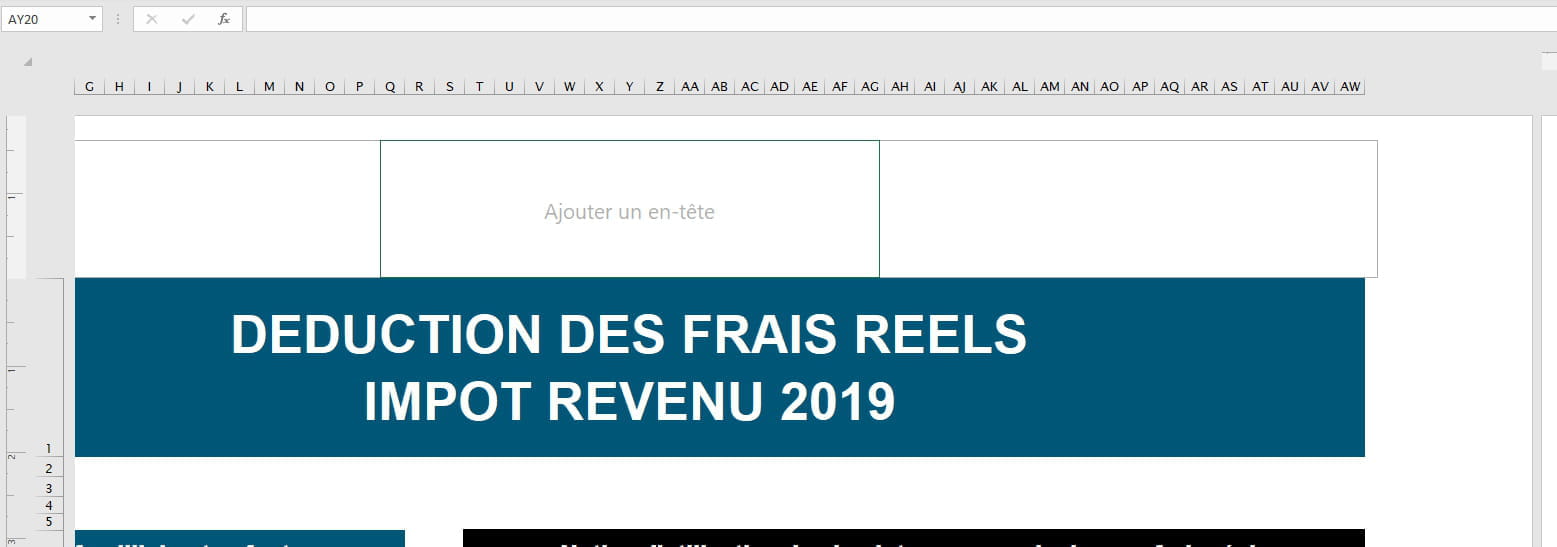
After checking, this operation does not remove the header and footer; it only adjusts the spaces between the edge of the page and the header and footer.
I would like to completely remove them to free up space.
Attached is a screenshot of my request.
Thank you for your response.
Best regards.
-
-
I confirm: Header and footer are an integral part of a Word document. They cannot be deleted!
If you want to save space, you can:
- Change the font
- Decrease the font size
- Reduce line spacing and paragraph spacing
- Decrease the four margins
- Remove cell margins in tables
- Eliminate unnecessary drawings, images, and graphics
Retirement is nice! Especially in the Antilles...
Raymond (INSA, AFPA) -
Hello,
With Excel, not only do you need to set the header and footer margins to 0,
but you also must not have any header or footer (both set to none).
The space reserved for the header and footer is then fully freed up, giving you access to all the available space between the sheet margins, which you can also reduce to 0 to print "full page" if your printer allows it (that's not always the case).
Best regards
Patrice
No one can hold all knowledge, that's why we share it.