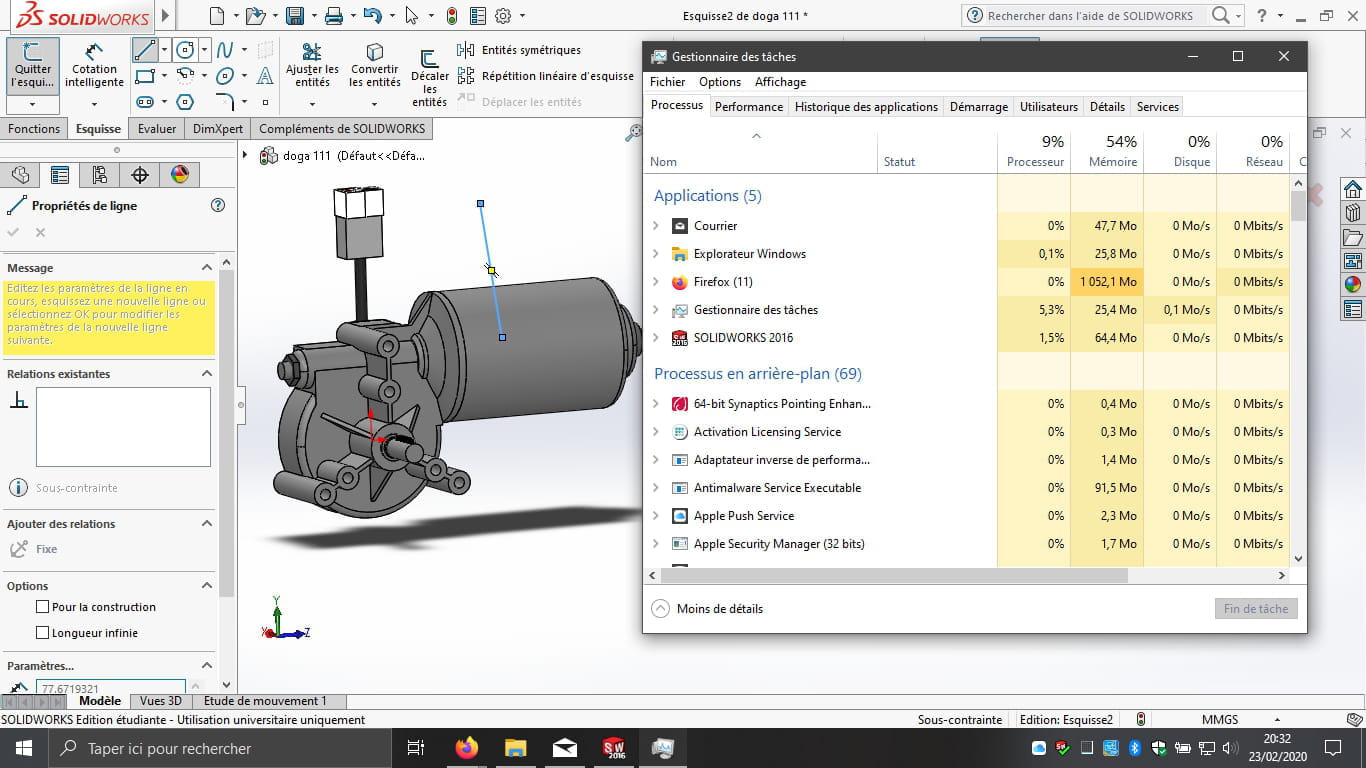
Solidworks very slow only in a sketch
Solved
Fallou
-
seb77150 Posted messages 6285 Registration date Status Member Last intervention -
seb77150 Posted messages 6285 Registration date Status Member Last intervention -
Hello,
I am a student in BTS CRSA, the school provides the students with the student version of the software and a license for the two years of training. I was therefore able to install Solidworks on my personal computer.
My computer is a Lenovo E330, with 8 GB of RAM, and a 64-bit operating system. I also have a new 500GB SSD hard drive, and I am running Windows 10 which is up to date.
Everything was working wonderfully, the software was not lagging, no crashes, no bugs, everything was really running well.
Until this morning when it became very complicated to work on the software. Indeed, the wait times have become extremely long for every action performed, even the simplest, like drawing a line.
It appears to me that this slowness is only present when I work in a sketch or on a function. Because opening the software, parts, and assemblies poses no problem.
I restored the default options, and I restarted my computer, but to no avail.
I checked that I am not reaching the 8 GB of RAM while using the software, and that is not the case.
I find myself out of solutions, and I have a lot of work that I cannot complete without SolidWorks.
If you could advise me as soon as possible, I would greatly appreciate it, thank you.
Sincerely.
I am a student in BTS CRSA, the school provides the students with the student version of the software and a license for the two years of training. I was therefore able to install Solidworks on my personal computer.
My computer is a Lenovo E330, with 8 GB of RAM, and a 64-bit operating system. I also have a new 500GB SSD hard drive, and I am running Windows 10 which is up to date.
Everything was working wonderfully, the software was not lagging, no crashes, no bugs, everything was really running well.
Until this morning when it became very complicated to work on the software. Indeed, the wait times have become extremely long for every action performed, even the simplest, like drawing a line.
It appears to me that this slowness is only present when I work in a sketch or on a function. Because opening the software, parts, and assemblies poses no problem.
I restored the default options, and I restarted my computer, but to no avail.
I checked that I am not reaching the 8 GB of RAM while using the software, and that is not the case.
I find myself out of solutions, and I have a lot of work that I cannot complete without SolidWorks.
If you could advise me as soon as possible, I would greatly appreciate it, thank you.
Sincerely.
7 answers
-
Hello,
I ended up uninstalling the software and reinstalling it completely.
Since this action this morning, I haven't had any problems at all, I hope it lasts, thank you for your help! -
Hi, try to restart SolidWorks and when it lags, go to the task manager to see how much of your CPU is being used.
-
Good evening,
It takes about 0.06% of the processor and around 144.8 MB of RAM. -
-
So in any case, the processor is not at fault, so I don't know where this could be coming from, maybe a software issue... but I can't help you on that subject, sorry :(
-
Do you know where I can find help? Because I really need it.
-
Thank you very much! I look forward to hearing from you.