An error occurred. Please try again later ID (Chrome YouTube)
Solved
ElieFP
-
Homie -
Homie -
Hello,
For several weeks now, I've been seeing this message that appears for a few seconds before playing each video, accompanied by a "Playback ID: xxxxxx" which is different each time.
I've gone through threads regarding the same issue, and each time the solution was to clear the cookies. Of course, I did that, but it didn't work.
And I'm still at the same point, still seeing the same message.
I'm getting really frustrated.
Thank you in advance for your help
Configuration: Windows / Chrome 80.0.3987.87
For several weeks now, I've been seeing this message that appears for a few seconds before playing each video, accompanied by a "Playback ID: xxxxxx" which is different each time.
I've gone through threads regarding the same issue, and each time the solution was to clear the cookies. Of course, I did that, but it didn't work.
And I'm still at the same point, still seeing the same message.
I'm getting really frustrated.
Thank you in advance for your help
Configuration: Windows / Chrome 80.0.3987.87
2 answers
-
pistouri Posted messages 19010 Registration date Status Contributor Last intervention Ambassador 8 730
Hello,
Try these procedures:
Fix 0
Is your browser up to date?
A- Clear everything in the address bar and copy/paste → chrome://settings/help
B- Check it on this page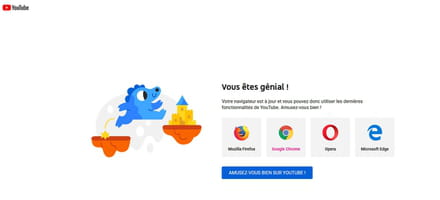
Fix 1
Clearing cache and cookies, tutorial
For the general tab:
- Select All time.
Check all boxes (3).
Go to the advanced tab and check:
- Select All time.
- The first 4 boxes. (important → check images and files cached)
Fix 2
Disable or remove your ad blocker if you have one like Adblock for example.
No issues with Ublock
Fix 3
Try in incognito mode.
At the top right, click on More then New Incognito Window.
Fix 4
Date and time: Windows synchronization.
Go to Control Panel → Date and Time
Tab Time internet → Change settings
Update synchronization with the server time.windows.com.
Fix 5
Disable hardware acceleration.
Clear everything in the address bar and copy/paste:
chrome://settings/system
Then press the Enter key
Uncheck → Use hardware acceleration when available
Click on Relaunch.
Fix 6
Antivirus, firewall.
Allow HTTPS or SSL scanning.
Fix 7
Outdated extensions.
For example, YouTube Flash Video Player.
Switch → AdwCleaner
Fix 8
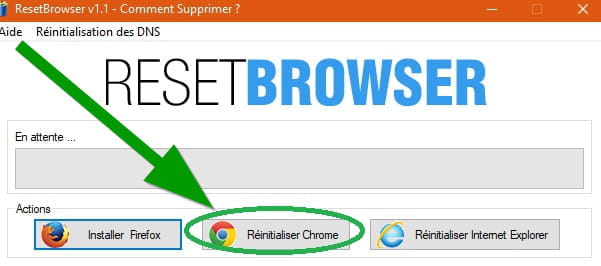
Reset Google Chrome with Reset Browser
Fix 9
Update the graphics card and sound card drivers.
With My drivers
- Plug in headphones to the PC.
It may sound silly, but it sometimes helps.
''What worked for me (on a fresh w7-64 sp1, grrrr): plug in headphones/speakers to the pc (or even a simple jack with nothing on the end to bluff the realtek driver)!
''
Source
Miscellaneous:- JavaScript (Enable or disable).
- Disconnect Google account.
- Try another browser, except IE which is not recommended by Microsoft.
- Reinstall Google Chrome, back up your bookmarks, for uninstallation use Revo do the advanced scan to remove obsolete registry keys.
Good luck.
--
pistouri