Email retrieval issue with Microsoft messaging
Solved
alain559
Posted messages
14
Registration date
Status
Member
Last intervention
-
alain559 Posted messages 14 Registration date Status Member Last intervention -
alain559 Posted messages 14 Registration date Status Member Last intervention -
Hello,
I've been having a real issue with my email host for a week now: Microsoft Mail, which is linked to my GMAIL account (which works fine)
I can't send or receive emails from Microsoft Mail, a host that is actually very convenient since you can manage your mail from two different accounts simultaneously (not possible on GMAIL where you can only have one active account open).
I have already changed my password several times, and also the incoming server ports for POP and IMAP, but the same error message keeps showing up:

Two days ago, I deleted my email accounts on Microsoft, then I recreated them: it downloads the mail archives (from GMAIL) but the connection issue with the Gmail interface persists for sending and receiving new emails. Any solution?
I've been having a real issue with my email host for a week now: Microsoft Mail, which is linked to my GMAIL account (which works fine)
I can't send or receive emails from Microsoft Mail, a host that is actually very convenient since you can manage your mail from two different accounts simultaneously (not possible on GMAIL where you can only have one active account open).
I have already changed my password several times, and also the incoming server ports for POP and IMAP, but the same error message keeps showing up:

Two days ago, I deleted my email accounts on Microsoft, then I recreated them: it downloads the mail archives (from GMAIL) but the connection issue with the Gmail interface persists for sending and receiving new emails. Any solution?
12 answers
-
Hello alain559,
"Microsoft messaging", I'm not familiar with it. Which product (by name) are you referring to?
Outlook? Something else?
If it’s an email software, you need to start by configuring the Gmail account to allow POP and/or IMAP access as well as access from less secure apps. See below:
Allow less secure apps:
https://support.google.com/a/answer/6260879?hl=fr
Enable POP and/or IMAP access
https://support.google.com/a/answer/105694?hl=fr -
I'm already drowning!
1- I'm using Microsoft's messaging service as a host on my computer: Office mobile apps (and not Outlook at all)
2- To enter the POP and IMAP settings, following your link, I'm asked to enter my Google administrator account, but I don't have one (I only have 2 email accounts with GMAIL)
Furthermore: it was confirmed to me in a window: "admin.google.com is reserved for G Suite accounts. It is not possible to log in with a standard Gmail account."
The POP and IMAP settings are indeed in my GMAIL accounts, they are set to port 995, I entered it in the email account settings on Microsoft, but it still doesn't work on the Microsoft side! -
So, if it concerns Office mobile apps, it is indeed about accessing from a less secure app, and you need to allow access in Gmail by following the link I gave you.
Also, do what is stated in the second link. As long as that is not done, the problem will not be resolved, and I cannot do anything more for you. -
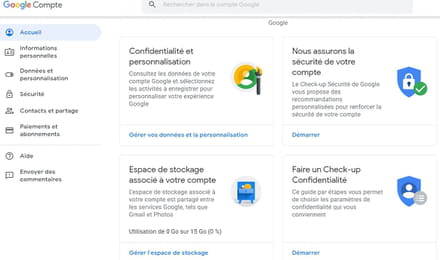
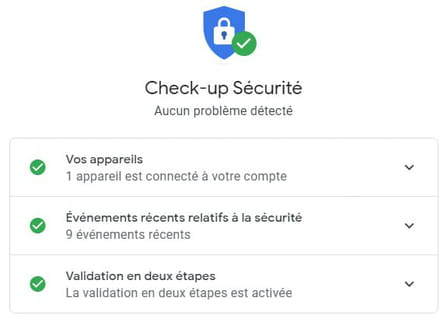
I searched through both interfaces: GMAIL and Google account, but I regret to say that I cannot find the Less secure app access section anywhere, so I can't modify anything to allow Office mobile apps to access my GMAIL emails. What should I do, please?
-
-
I believe we do not have the same interface on the Google account:
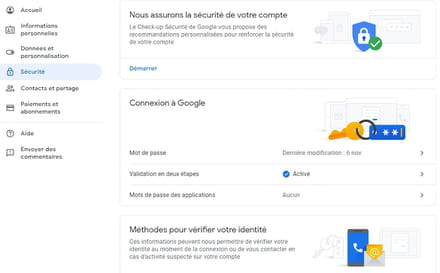
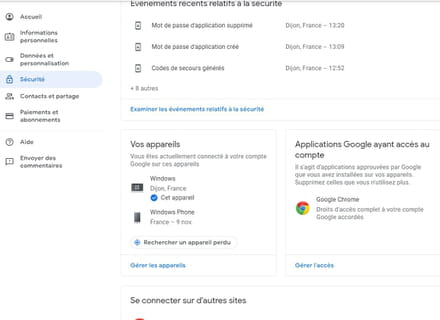
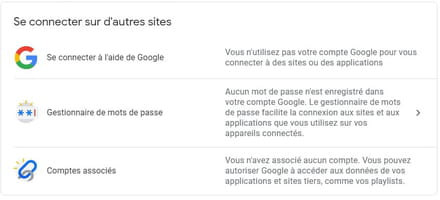
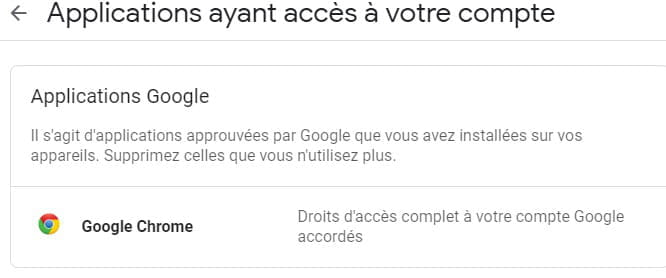
If I go to the section: Google Apps that have access to the account, I have this, that's all: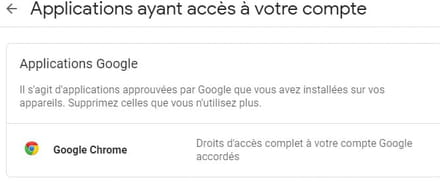
-
I tried to understand your problem:
- Do you have a recent issue with your mobile app? (Does this imply that it was working before?)
- Does this problem occur on a mobile phone that is running Windows phone?
- Is your application a Microsoft Mobile App? (and not your hosting provider)
- Is your "hosting"/concerned provider Gmail?
- You say you have 2 Gmail accounts and the problem occurred for both? (Did you test them individually?)
- Also, has there been an update, installation, or something else prior to this problem?
Finally: are you aware that Microsoft is abandoning Windows phone, the store, and everything related to it on December 16, 2019?
Thank you for answering the various questions.
--
"We swallow the flattering lie in large gulps and drink the bitter truth drop by drop." -
- Do you have a recent issue with your mobile app? (this implies it worked before?)
Yes, it has always worked well for years and for the past 15 days, for no particular reason, it's bugging. I deleted my two email accounts on the Microsoft mobile app and then recreated the same two accounts and it's still the same. I can't sync my accounts with GMAIL!
- Does this problem occur on a mobile phone that runs Windows phone?
Not at all, it's called mobile app but it's a Microsoft email host only on my computer. (I don't have Outlook)
- Is your "host"/provider involved Gmail?
GMAIL where I have my two original accounts works very well, so the problem doesn't come from GMAIL even though there are settings to adjust in the interface that I couldn't find (I've searched everywhere...), I want to continue sending/reading my emails on Microsoft Messaging which is flexible, as I can navigate with my two email accounts simultaneously (which is impossible with GMAIL = only one active account open)
- You say you have 2 Gmail accounts and the problem has appeared for both? (have you tested them individually?)
Yes, the issue occurs for both. No problem receiving and writing from GMAIL, but from Microsoft app, it gets stuck!
- And also, has there been an update, installation, or anything else prior to this problem?
No, no recent updates made (I specify that I have Windows 10)
Finally: are you aware that Microsoft is abandoning Windows phone, the store, and everything associated with it, on December 16, 2019?
No, I wasn't aware. But I hardly use my NOKIA mobile (and never to send emails or SMS)-
The problem is that I don't know this "app" mobile app.
On Windows 10, we have the native Mail application.
https://www.commentcamarche.net/applis-sites/mail/1249-compte-courrier-windows-10-configurer-des-adresses-mail/
Could you post a screenshot of this famous application?
-
-
yes, that's exactly it: Windows 10 Mail App (but its name doesn't appear anywhere in the interface)
-
Ok then: have you (re)checked THIS recently?
-
-
There is a real problem with the Mail app on Win 10: I can't access the IMAP and SMTP settings on this interface (even though everything is configured correctly in the GMAIL interface).
When I try to adjust the account settings for VINCENT (on the Win 10 app), a window pops up with a pre-filled password. When I enter the correct password and try to save it, it doesn't accept it, which blocks incoming and outgoing emails.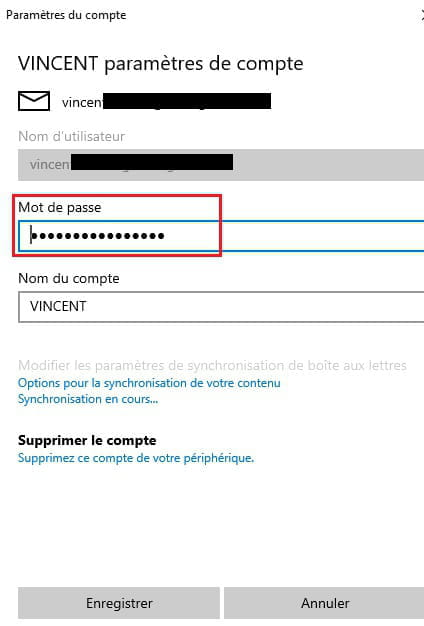
-
If everything is (re)checked in Gmail, then follow the technical sheet CCM MAIL HERE, point by point.
You will find out how to access and verify the advanced settings you are talking about. -
I think the problem is more complex:
I started by deleting the two email accounts on the Win 10 mail app, then I just recreated the first one (account VINCENT) and followed the instructions in your tutorial, the email archives are downloaded to the Win 10 app, but once again I do not have the same windows opening, once the account is created, I do not have the option: mailbox settings, I just have this to enter the password, that's all: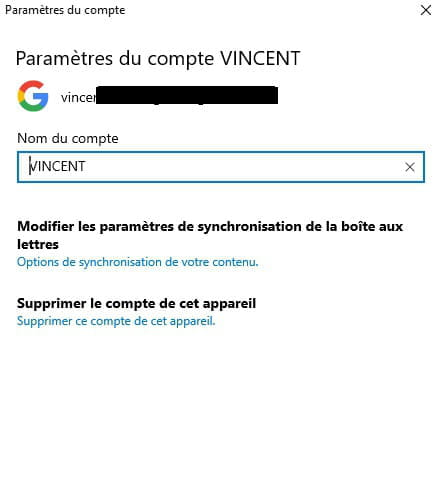

IMAP and POP settings on the GMAIL interface, everything seems OK: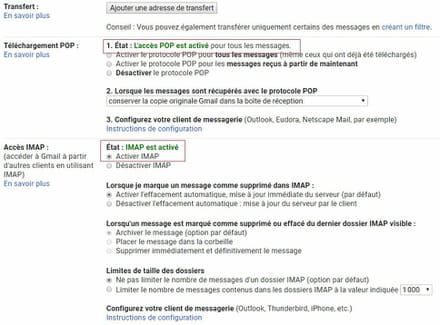
-
-
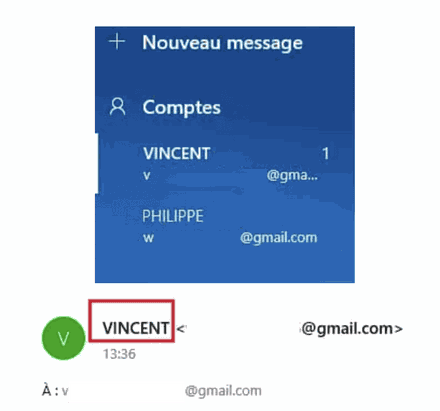
I recreated the second account (PHILIPPE) and I just tested sending emails. It seems to be working, but I again have the identity interference problem: that is to say, at the moment of sending, the identity (VINCENT) of my first account overlaps with the email address of my second email account (I've been dealing with this issue for 3 weeks and can't resolve it even though the two accounts are distinct and not merged). This interference issue does not appear in GMAIL, which respects the identities of both accounts, screens:
-
Well, at least by reviewing everything scrupulously, it's working, that's already something.
But I am once again facing the issue of identity interference.
Unless I’m mistaken, you haven't mentioned this problem at any point.
So, I recommend starting over by deleting all the accounts, then recreating and checking one account at a time, and verifying the complete functionality of one of the boxes before adding another, to avoid rushing or confusion.
Because this "mix" I have no idea where it could come from and your screenshot shows no "mistake," so it’s not very clear.
In short, the best approach is to take it step by step...
-
-
Your screenshot shows no "errors",
if: next to winterhalter755, it should display PHILIPPE (not VINCENT)
I started over (deleted accounts + recreated), it's still the same.
Therefore, I cannot send any emails with this second address because the corresponding identity is distorted. It doesn't happen with GMAIL,
more seriously, after an hour, nothing works anymore: sending emails (for both accounts) is blocked again! They stay in "the outbox" but don't reach the recipient, it’s really unstable...
There is definitely a technical problem with the Win 10 mail app, but which one? I've been on this for 5 days and I'm stuck, I really need a specialist in Win 10 Mail App please?