How to remove a dash line

Lauren -  
Mike-31 Posted messages 18205 Registration date   Status Contributor Last intervention   -
Hello,

I can't remove a line made of dashes (a border), I've tried everything but nothing works, I can select this line and click on format no border, but it doesn't work, it's still there... I have Word 2008.
Thank you in advance for your replies.

5 answers

  1. Mike-31 Posted messages 18205 Registration date   Status Contributor Last intervention   5 147
     
    Re,

    As for me, I believe we'll be searching for a long time without seeing your file.
    If it's not confidential, or erase any confidential parts and post your file so we can see it.

    To attach your file
    1) Go to https://www.cjoint.com/
    2) Click on [Browse] to select your file (max 15 MB)
    3) Scroll down to click the blue button [Create the Cjoint link]
    4) After a few seconds, the second page will display with the link in bold; right-click on it and choose "Copy link"
    5) Go back to your discussion on CCM, and in your message, click "Paste".
    =>See the guide https://www.commentcamarche.net/faq/29493-utiliser-cjoint-pour-heberger-des-fichiers

    In the same style, you have https://mon-partage.fr/

    --
    A+
    Mike-31

    I am responsible for what I say, not for what you understand...
    1
    1. LaurenV Posted messages 4 Status Member
       

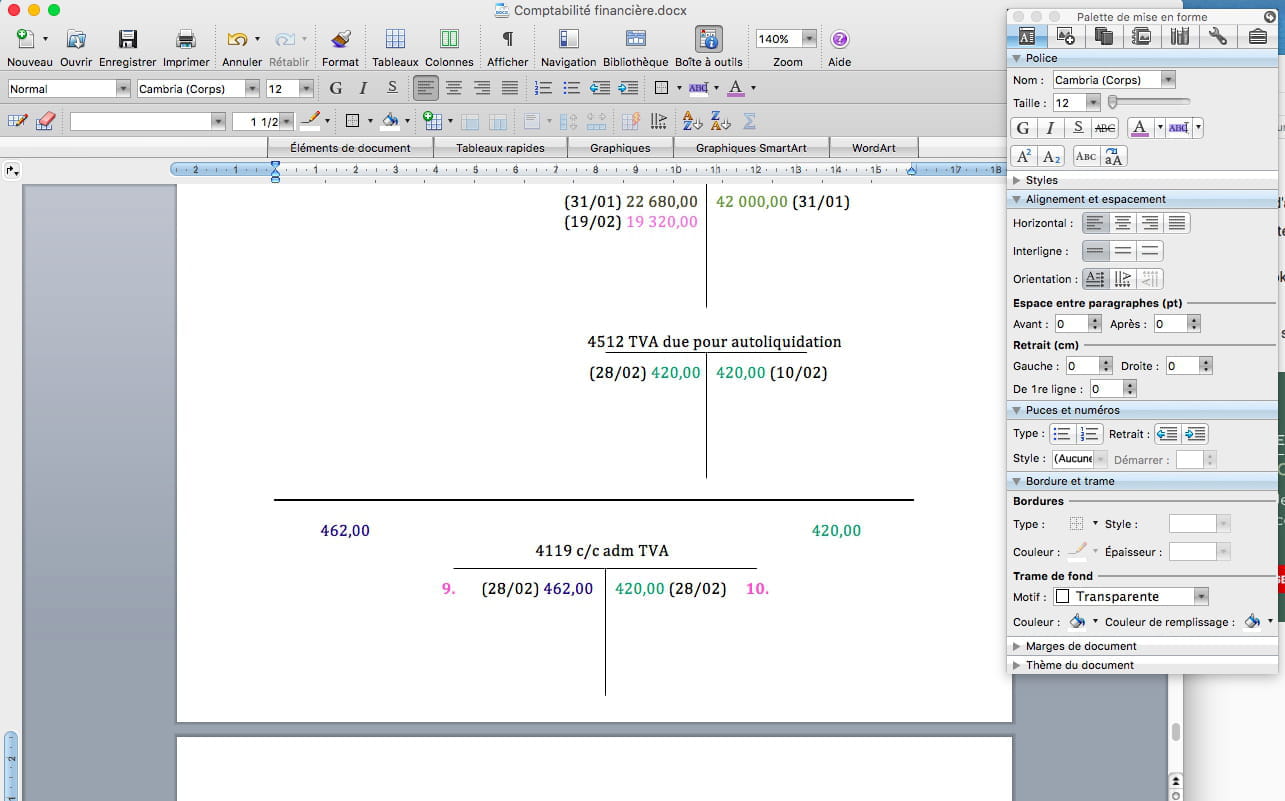
      I tried to insert a screenshot so you can see this bar, I hope it works...
      0
    2. Mike-31 Posted messages 18205 Registration date   Status Contributor Last intervention   5 147
       
      Re,

      we don’t see anything that could help us, display the return paragraphs then click on the line and take a screenshot to see.
      0
    3. LaurenV Posted messages 4 Status Member
       
      What feedback paragraphs? I don’t know what you’re talking about.
      0
    4. Mike-31 Posted messages 18205 Registration date   Status Contributor Last intervention   5 147
       
      RE

      it's this button, but the place would be to see your file

      0
    5. LaurenV Posted messages 4 Status Member
       
      Sorry for the delay, I tried to send you my file but "how does it work" tells me that I can only send photos... But this line is simply a line of dashes that, when you press the shift key at the same time and then enter, creates a "border".
      0
  2. fermiparadoxx Posted messages 11454 Registration date   Status Member Last intervention   6 108
     
    Hello,

    You select and then press the "Delete" key.
    0
    1. Lauren
       
      If it were that easy...
      0
    2. fermiparadoxx Posted messages 11454 Registration date   Status Member Last intervention   6 108
       
      It's easy, I confirm...
      0
  3. m@rina Posted messages 27879 Registration date   Status Moderator Last intervention   11 569
     
    Hello

    Word 2008 on Mac?

    m@rina

    --
    If you don't provide your version, we can't guess it...
    0
    1. Lauren
       
      hello yes that's it
      0
  4. Raymond PENTIER Posted messages 58229 Registration date   Status Contributor Last intervention   17 494
     
    Try selecting the lines that frame the bar, not just the bar itself.

    --
    It's nice, retirement! Especially in the West Indies...
    Raymond (INSA, AFPA)
    0
    1. Lauren
       
      Already tried...
      0
    2. fermiparadoxx Posted messages 11454 Registration date   Status Member Last intervention   6 108
       
      Where does this bar of dashes come from?
      0
    3. Lauren
       
      I think you need to press shift and hyphen at the same time and it makes a long line (you have to press the hyphen several times).
      0
  5. Mike-31 Posted messages 18205 Registration date   Status Contributor Last intervention   5 147
     
    Hello,

    wouldn't it be points inline set on a tabulation?
    or maybe a style
    the best would be to have your file or a good screenshot to try to see;

    A+
    Mike-31

    I am responsible for what I say, not for what you understand...
    0
    1. Lauren
       
      It's a line of dashes, you have to press shift and several dashes at the same time, and it makes a line that is called "border". It takes up the whole page...
      0
      1. Pierr10 Posted messages 13860 Registration date   Status Moderator Last intervention   5 856 > Lauren
         
        Hello,

        Is it an azerty keyboard?
        0
    2. fermiparadoxx Posted messages 11454 Registration date   Status Member Last intervention   6 108
       
      I would simply have copied the content and pasted it into a new document.
      0
    3. LaurenV Posted messages 4 Status Member
       
      I've already tried, but the line is still there...
      0