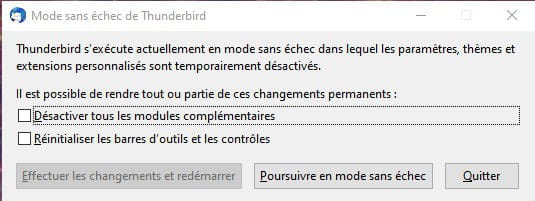
Impossible de charger xpcom
Hello,
Configuration: Windows / Firefox 69.0
I have Windows 10 on my PC. When starting Thunderbird 68.0, which was loaded for an update without destroying the previous version or specifying any settings during the installation (except launching Thunderbird), I encountered the infamous message "Couldn't load xpcom" when clicking both on the file C:\Program Files (x86)\Mozilla Thunderbird\thunderbird.exe and its shortcut on the desktop. After removing its icon from the taskbar, I could no longer launch the program. However, by reloading the program, I realized that the icon that returned to the taskbar was able to launch Thunderbird.
The problems were not resolved, but circumvented.
To solve the issue, I wanted to 1° uninstall Thunderbird, then 2° delete the Mozilla program folders, and 3° clean the PC (with AV security, and not with RocketPC which I uninstalled suspecting, perhaps wrongly, that it destroyed – with my permission – something necessary). Finally, I wanted to reload Thunderbird again.
To uninstall Thunderbird, I opened the list of my programs on my PC. There, I discovered that I had two Thunderbirds 60.0: one 60.8.0 (x86 fr) installed on 14.7.2019; the other 68.0 (x64 fr) installed on 9.9.2019.
In the file explorer, the x86 generates the infamous message; the x64 and its shortcut on the desktop work normally.
I click uninstall the x86, but long after, it is still there, and its folder exists. That's the problem that remains.
The taskbar icon indeed launches the x64. And that's probably why it worked.
I am sure of my observations, but I don't quite understand what is happening.
I don't know where the x86 comes from, nor if it was the one that was functioning before I installed the x64.
I hope I have been helpful and that a more competent person will tell me how to uninstall the bad one.
Besançon, 11.9.19.
Configuration: Windows / Firefox 69.0
I have Windows 10 on my PC. When starting Thunderbird 68.0, which was loaded for an update without destroying the previous version or specifying any settings during the installation (except launching Thunderbird), I encountered the infamous message "Couldn't load xpcom" when clicking both on the file C:\Program Files (x86)\Mozilla Thunderbird\thunderbird.exe and its shortcut on the desktop. After removing its icon from the taskbar, I could no longer launch the program. However, by reloading the program, I realized that the icon that returned to the taskbar was able to launch Thunderbird.
The problems were not resolved, but circumvented.
To solve the issue, I wanted to 1° uninstall Thunderbird, then 2° delete the Mozilla program folders, and 3° clean the PC (with AV security, and not with RocketPC which I uninstalled suspecting, perhaps wrongly, that it destroyed – with my permission – something necessary). Finally, I wanted to reload Thunderbird again.
To uninstall Thunderbird, I opened the list of my programs on my PC. There, I discovered that I had two Thunderbirds 60.0: one 60.8.0 (x86 fr) installed on 14.7.2019; the other 68.0 (x64 fr) installed on 9.9.2019.
In the file explorer, the x86 generates the infamous message; the x64 and its shortcut on the desktop work normally.
I click uninstall the x86, but long after, it is still there, and its folder exists. That's the problem that remains.
The taskbar icon indeed launches the x64. And that's probably why it worked.
I am sure of my observations, but I don't quite understand what is happening.
I don't know where the x86 comes from, nor if it was the one that was functioning before I installed the x64.
I hope I have been helpful and that a more competent person will tell me how to uninstall the bad one.
Besançon, 11.9.19.
24 answers
-
ContributorHi,
On which directory is your profile installed: Thunderbird.Profile?
You keep: TDB: V 60.8.0 (x86 fr)
You also have version 60.9.0 released
-
I wanted to attach a file. I found on CCM that it was possible, but I couldn't figure out how to do it. My document copied here without the attachments is not useful. How can I send a PDF? Thank you very much, especially since your response arrived very quickly, and see you soon. Regards, François Valois.
-