I have no sound on my Asus tablet.
Solved
luluberlu2
Posted messages
291
Status
Member
-
kaneagle Posted messages 86298 Registration date Status Moderator Last intervention -
kaneagle Posted messages 86298 Registration date Status Moderator Last intervention -
Hello,
For a few days now, I have no sound on my Asus T100TA tablet running Windows 10.
In the taskbar, there is a red X on the sound icon.
I went to Settings / Personalization / Taskbar / Select which icons appear on the taskbar.
The volume icon is there with a red X and it’s enabled. But below the volume
it says: no audio output device is installed.
If I go to enable or disable system icons, the volume icon is there and enabled, but nothing works.
Also, my battery icon no longer appears, I see it in the system icons but enabled is greyed out.
Thank you for following up on my issues.
Upon rereading, I see in the first sentence (/faq 5372) what is that.
For a few days now, I have no sound on my Asus T100TA tablet running Windows 10.
In the taskbar, there is a red X on the sound icon.
I went to Settings / Personalization / Taskbar / Select which icons appear on the taskbar.
The volume icon is there with a red X and it’s enabled. But below the volume
it says: no audio output device is installed.
If I go to enable or disable system icons, the volume icon is there and enabled, but nothing works.
Also, my battery icon no longer appears, I see it in the system icons but enabled is greyed out.
Thank you for following up on my issues.
Upon rereading, I see in the first sentence (/faq 5372) what is that.
8 answers
-
-
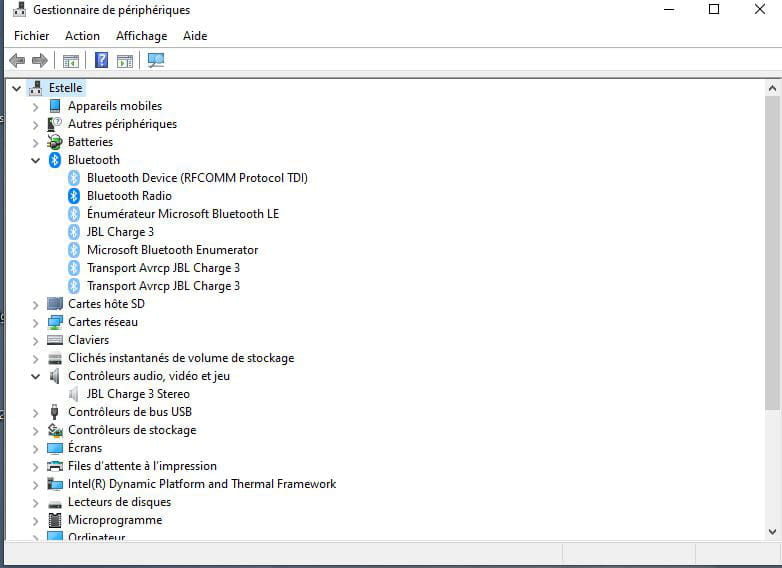
Press Windows + R
Type --> devmgmt.msc and click OK.
Do you have a section --> other devices?
What do you have under sound, video and game controllers?
Is Windows 10 32 or 64 bits?
--
Humans are at their best when things are at their worst. -
Do you have an alert in system devices?
--
Human beings are at their best when things are at their worst. -
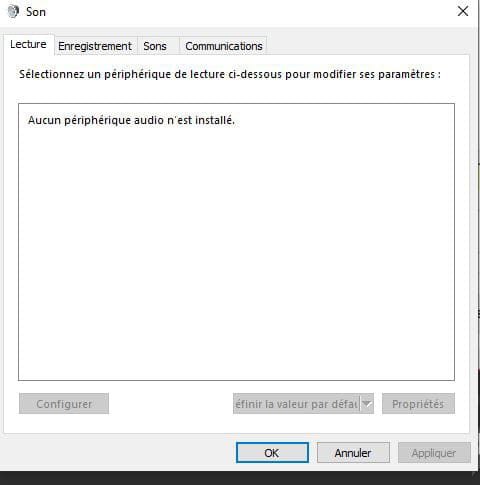
Windows + R
Type --> control panel and OK
Go to Sound
What do you have in the Playback tab?
Example image:
--
Human beings are at their best when things are at their worst. -
-
-
Repair Windows 10
Check this out --> Repair Windows 10 without data loss
--
Human beings are at their best when things are at their worst.-
Hello Kaneagle,
I have already done a reset, with no results. Can I do another one?
I’m a bit discouraged not to find solutions to my problems.
I also have my battery icon that no longer appears. In the taskbar (enable or disable system icons), the power option is grayed out; that was my second topic in my first message.
Thank you
Have a good day -
-
Hello Kaneagle,
Thank you for having been willing to help me. I'm used to finding out what doesn't work on my computer, but this time it was impossible for me even with your help. Oh this Windows 10, I lost those two icons after an update.
Thanks anyway, and keep up the great work in wanting to help us. -
-
Good morning,
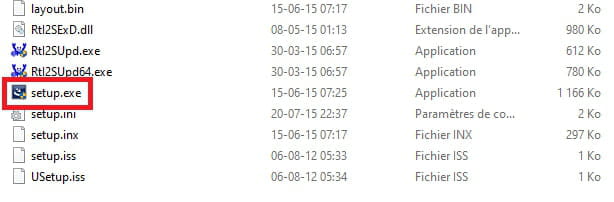
Surprise this morning, as I don't give up easily when I have a problem. You had sent me the 32-bit chipset to download, I did it but it didn't work. This morning, in desperation, I reinstalled it again and miracle, the battery icon and sound came back. I remember that the first time I had 2 setups in the list and I think I didn't pick the right one.
Thank you very much
Have a great weekend.
-
-
You're welcome.
Have a nice day.
--
Human beings are at their best when things are at their worst.