Gigaset second handset not working after reset
Hello,
I am having an issue with a Gigaset C620A duo that has worked well for many years. After a system reset, I can only get one handset to work, registered as base 1. The second handset displays the message "please check the telephone connection." It is registered as INT1.
Thank you.
5 answers
-
ModeratorHello,
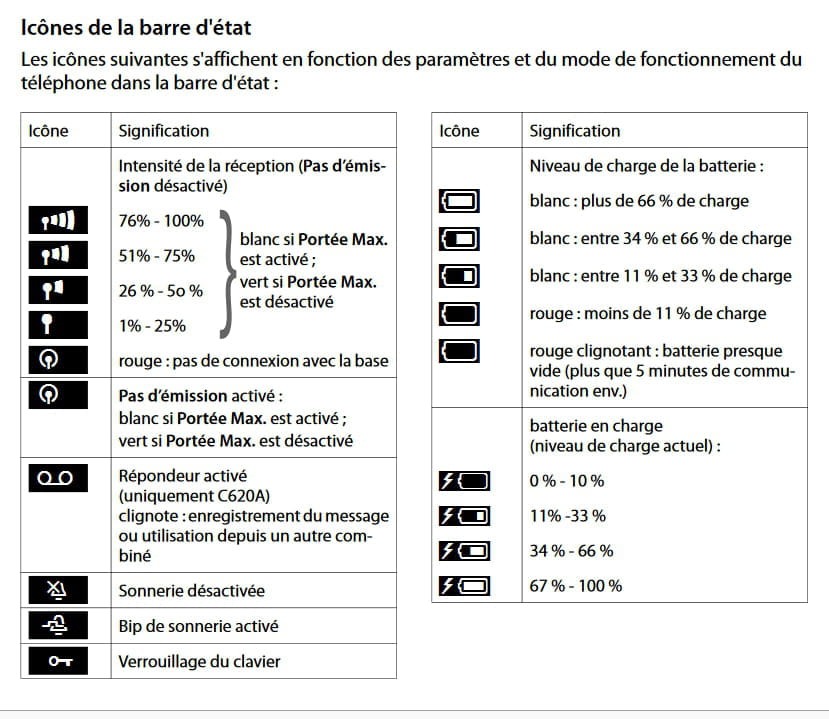
Using page 61 of the manual, could you precisely describe the icons present on the combined screen as well as their state (color)?
The manual: https://assistance.orange.fr/medias/woopic/files/content/download/81980/3661415/version/2/file/guide_utilisateur_telephone_fixe_gigaset_c620_c620a.pdf
--Very difficult to catch a black cat in a dark room.
Especially when it's not there... -
Photo of the handset I can't send the photo, so here's an explanation
signal in the top right: no transmission activated white dot
signal in the center: answering machine activated
signal in the top left: battery charged
middle right: INT1
middle center: message in orange PLEASE Check the telephone connection
middle left: time and date in orange
I hope this helps you-
ModeratorOK...
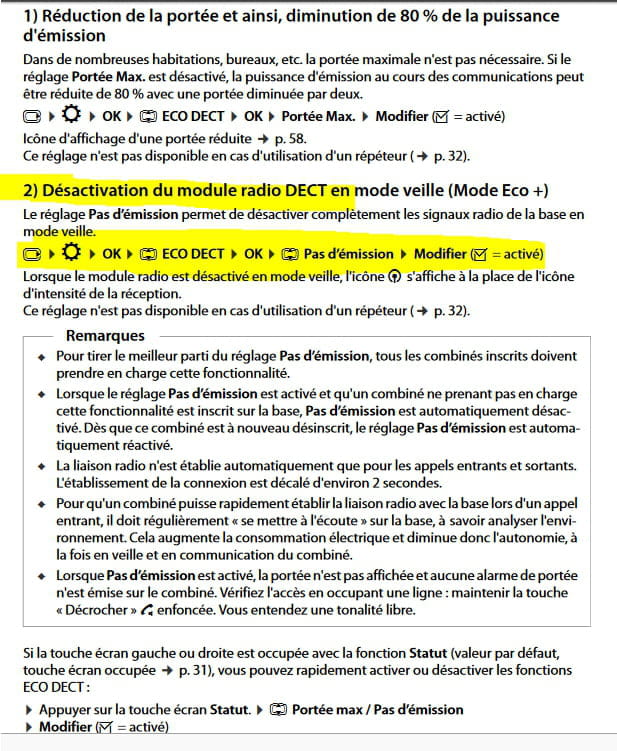
See the notice on page 34 (36 of the PDF provided above) paragraph:
Disabling the DECT radio module in standby mode (Eco + Mode)
Excerpt
To insert an image or photo on the forum see: https://www.commentcamarche.net/infos/25913-ccm-inserer-une-image-dans-une-discussion/
-
-
Sorry, but it still doesn't work.
-
Requested photos
Before
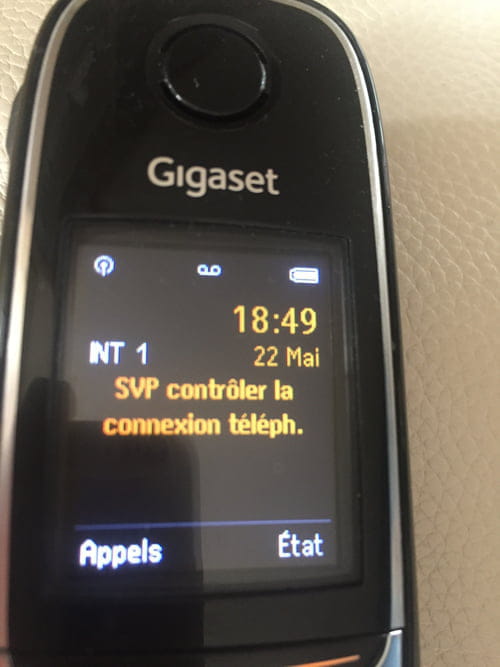
After
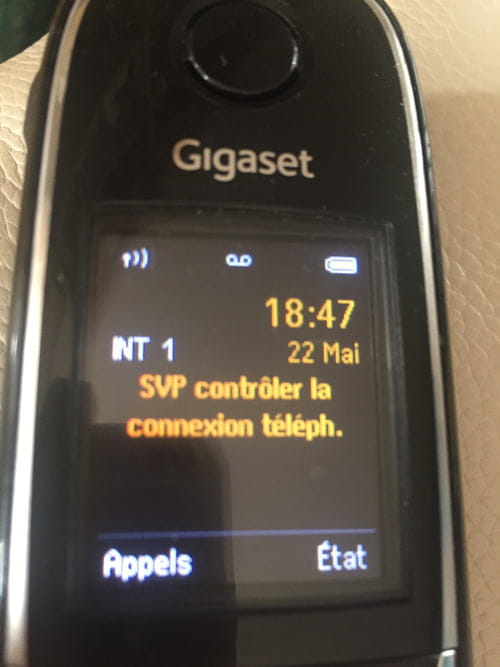
-
-
-
-
Moderator@NOMISS_58And? No change?
-
-
-
????. ♾. Battery sign
Time
Date
INT 1
PLEASE CHECK THE
PHONE CONNECTION
SCREEN COPY as requested