Images and backgrounds do not display in html
Solved
najlanounou
Posted messages
13
Status
Member
-
najlanounou Posted messages 13 Status Member -
najlanounou Posted messages 13 Status Member -
Hello, please I have a problem with my web page. I have created my HTML code and I'm sure I have no mistakes, but despite that, the image I inserted is not displaying and the same goes for the background where I used the CSS code. Does anyone have a solution for this problem?
Here is my HTML code

Here is the result on my web page
Here is my HTML code

Here is the result on my web page
4 answers
-
Hello,
To begin with, thank you for posting your code correctly on the forum (using the CODE TAGS)
Explanations available here: https://codes-sources.commentcamarche.net/faq/11288-les-balises-de-code
Next,
Where is the image in relation to your HTML page?
Have you cleared your browser's cache?
Are you sure about the path (and the filenames, strictly respecting uppercase/lowercase...)?
--
Best regards,
Jordane-
Hello,
here is the code you asked for:<html> <head> <title>Contact</title> <style> img ( position:absolute; left: 400px; top: 10px; ) </style> </head> <body style= background-image:url(../image/cv1.jpeg)> <img src="image/photo.jpg" alt="CV photo" width:"150px" height:"150px"> <center><b><u><font size="6pt"color="#FFFF00">Profile:</font></u></b></center> <br> <center>Najla Rizki <br> Lotissement Erraha n°6 <br> El Jadida-Morocco <br> Tel:+212658285774 <br> E-mail: Najlarz22@gmail.com <br> </center> </body> </html>
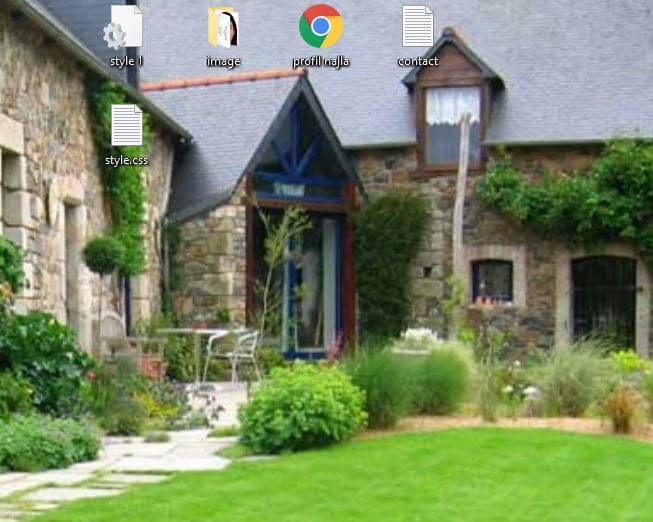
As for the image, it is located in a subfolder that is in the same folder as my HTML page here:
How do I clear my browser cache?
Yes, I am sure about the file names and the path here you can check yourself
-
-
-
There are mistakes as well:
IF in HTML5 you can do without quotes it can cause problems.
CSS consists of properties that are written like this:
property-name:value;
Firstly 1) you do not indicate the HTML5 DOCTYPE so you must put quotes for attribute values.
2) style= background-image:url(../image/cv1.jpeg)
is incorrect since there is no ';' (semicolon) to terminate the property/value pair.
I recommend putting all your CSS in a separate file or at least in a style tag that is dedicated to that: _ it's clearer and easily reusable.
As for the font tags or the color, width, height attributes or any attribute (or tag) related to layout, they are deprecated and have been to be avoided for more than 10 years.
Everything should be done in CSS which has the advantage of being more efficient, simple, and clear to write/read/modify and use.
For example, instead of <b> which means nothing and should not be used to make text lowercase (or bold), you should simply indicate the following rule:
font-weight:bold;
Detailed explanation:
Note: According to the HTML 5 specification, the <b> tag should be used as a LAST resort when no other tag is more appropriate. The HTML 5 specification states that headings should be denoted with the <h1> to <h6> tags, emphasized text should be denoted with the <em> tag, important text should be denoted with the <strong> tag, and marked/highlighted text should use the <mark> tag.
Tip: You can also use the CSS "font-weight" property to set bold text.
source: https://www.w3schools.com/tags/tag_b.asp
A good thing unless using the DOCTYPE transitional which is not very practical.- You mentioned the term DOCTYPE; I've already used it, but it doesn't change anything at all. For the < ; I've also used it, but that doesn't work either.
I've also tried putting everything in another CSS file, but it still doesn't work.
And for the <b>, I don't see why I should change it; it doesn't cause any problem.
-
-
Are your files not found in a ZIP or any other archive?
Because in that case... it won't work.
The files need to be unzipped properly...
Then, what is the URL that appears in your browser when you display your HTML file?
Have you tried using the absolute path?
Or instead, for the relative path, putting a ./ in front of the image folder
for example<img src="./image/photo.jpg" alt="photo"></img>
Can you also use your browser's inspector (the developer tools usually accessible via the F12 key) and point to the photo in your code and then give us a screenshot of it? -
Hello,
In my opinion:
the error comes from the incorrect writing of the image address, you need to put url(image/cv1.jpeg) and not url(../image/cv1.jpeg).
. url(image/cv1.jpeg) looks for the image in a directory image, depending on where the code is saved;
. url(../image/cv1.jpeg) looks for the image in a sibling image directory (at the same level) as where the code is saved.
Furthermore, I am sure that I have no mistakes , exactly what you should never say, for the good reason that an error is always possible, however, concerning your code, errors are plentiful:
1- you are using tags that have been outdated for years, they persist because browsers are forgiving, but it is incorrect and risky to use them.
2- out of generosity, browsers tolerate <body style= background-image:url(../image/cv1.jpeg)>, but the syntax should be <body style="background-image:url(../image/cv1.jpeg); ">
3-I don’t know what your learning platform is, but check out this resource instead.-
I tried everything you said but it's still not working, the problem doesn't come from the writing of the address or the path, so here I am still looking for where the problem comes from, and if hypothetically you are right, then how am I going to fix the image that doesn't appear? Does the problem also come from the address?
- You didn't respond to my previous message....https://forums.commentcamarche.net/forum/affich-35990407-les-images-et-background-ne-s-affichent-pas-en-html#5
-
-
What do you want to hear by a ZIP?
file:///C:/Users/lenovo/Desktop/profil%201.html here's the URL that appears when I click on my web page
I tried putting ./ and also ../ but to no avail, the absolute path??
by the way, I noticed you closed the tag, I don't think it should be closed, right?
so I have a PC called Lenovo and when I press F12 it's to adjust the brightness, so I don't see how to do it, but otherwise I right-clicked on the content of my web page and chose inspect and here’s what it gives
-
So, it's the right screen... but we need to enlarge the area (the one highlighted in light blue...) to see the HTML code.

Once the area is enlarged.. you look for the img tag, within that tag you search for the src attribute.. and you hover over the value that is there with your mouse.
And then.. there.. the path to your HTML file is on the desktop.....
Is your images folder there too?
Because in the images you showed us earlier... your files were in a rar file.
Moreover, your file was named 'profil najla.html' ... and now... 'profil 201.html'.
NB: It is also advisable to avoid spaces and special characters in your file and folder names!
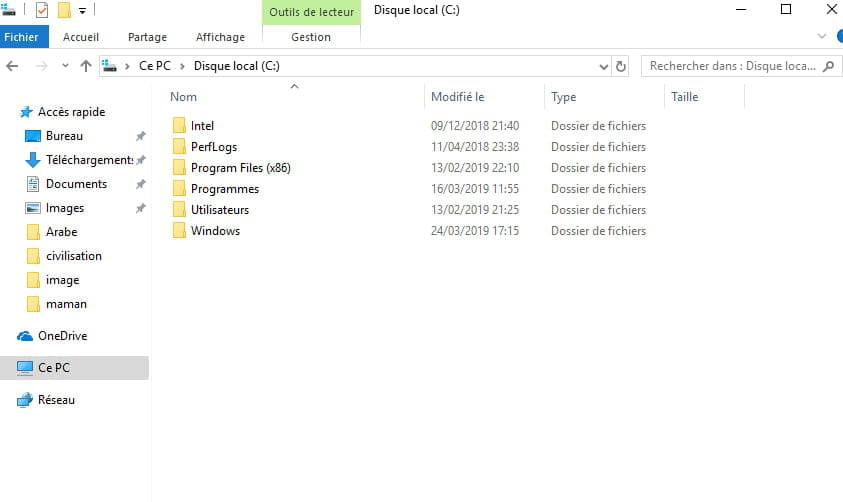
I invite you to place ALL your files directly in a folder at the root of your C: drive.
For example, in c:\monsite\
Then test again..... -
-
For the filename, I misread it.
In fact, it's file:///C:/Users/lenovo/Desktop/profile 1.html
The C: drive... is your computer's hard drive.
The one you selected indeed.
Then... two issues:
First, regarding the style... you have an extra space in the image path.
In the <img tag, as you can see, the src is indicated as unknown...
Can you repost your complete html code? -
It's you who told me to raise the value of src in the <img> tag, so when I raised it, it gives unknown!!!
<html> <head> <title>Contact</title> <style> img ( position:absolute; left: 400px; top: 10px; ) </style> </head> <body style="background-image:url(../image/cv1.jpeg); "> <img src="image/photo.jpg" alt="photo CV" width:"150px" height:"150px"> <center><b><u><font size="6pt"color="#FFFF00">Profil:</font></u></b></center> <br> <center>Najla Rizki <br> Lotissement Erraha n°6 <br> El Jadida-Maroc <br> Tél:+212658285774 <br> E-mail: Najlarz22@gmail.com <br> </center> </body> </html>
-
It's you who told me to lift the value of src in the <img> tag, so when I lifted it, it says unknown!!!
Lifted???? Oo .. what is that???? I said "hover" (with the mouse cursor)
In any case,
I confirm that the code<html> <head> <title>Contact</title> <style> img ( position:absolute; left: 400px; top: 10px; ) </style> </head> <body style="background-image:url(image/cv1.jpeg); "> <img src="image/photo.jpg" alt="photo CV" width:"150px" height:"150px"> <center><b><u><font size="6pt"color="#FFFF00">Profil:</font></u></b></center> <br> <center>Najla Rizki <br> Lotissement Erraha n°6 <br> El Jadida-Maroc <br> Tél:+212658285774 <br> E-mail: Najlarz22@gmail.com <br> </center> </body> </html>
is perfectly functional.
Have you tried placing your files in a folder on the C:\ drive as I asked you? Are you still having the same issue?
Have you cleared your browser cache?
-