Language issue with Format Factory
Hello everyone,
I'm reaching out to ask for your help regarding the conversion of a series.
Indeed, I want to convert an MKV series to AVI, but the problem is that Format Factory did convert it correctly, except that it converted it to the original version while the MKV version is in French.
How can I ensure that the conversion is in French like the MKV version?
Thank you very much for your help.
I'm reaching out to ask for your help regarding the conversion of a series.
Indeed, I want to convert an MKV series to AVI, but the problem is that Format Factory did convert it correctly, except that it converted it to the original version while the MKV version is in French.
How can I ensure that the conversion is in French like the MKV version?
Thank you very much for your help.
2 answers
-
Hello,
In your MKV, French should probably be the second option in the language selection.
I don't think Format Factory, which I no longer use, allows you to select the preferred language.
First, use VLC, for example, to determine the audio stream (the language) that you need. It's the number that you need to take into account.
Then, try using MKVMerge to remove the extra languages and keep only the French language, for example:
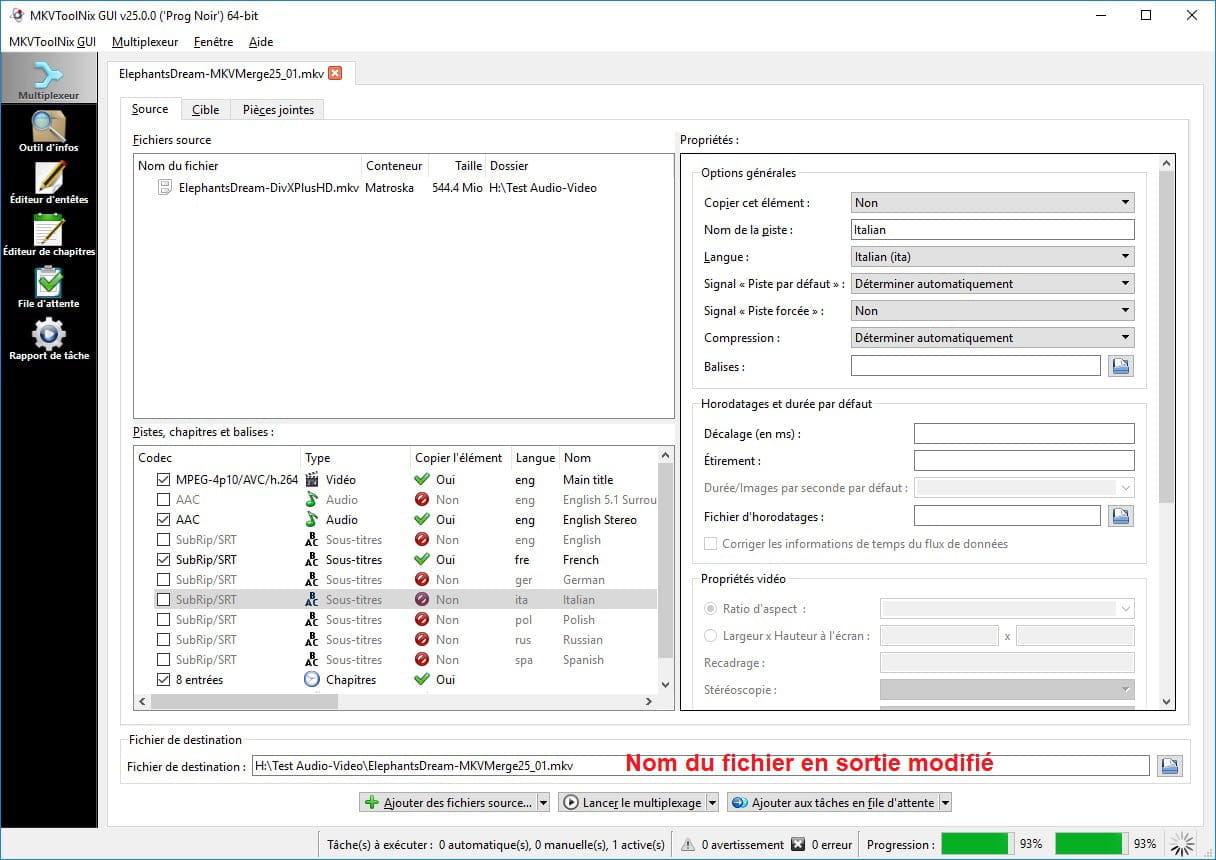
I take a file with two audio streams and several subtitle tracks: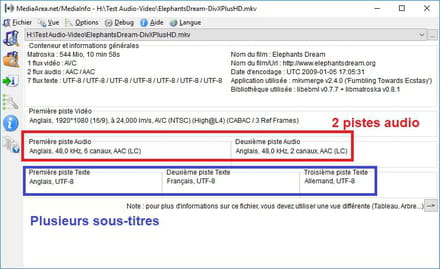
I add it to MKVToolnix (MKVMerge) and then uncheck the elements that I do not want to keep:
You can modify the output name as well as its location: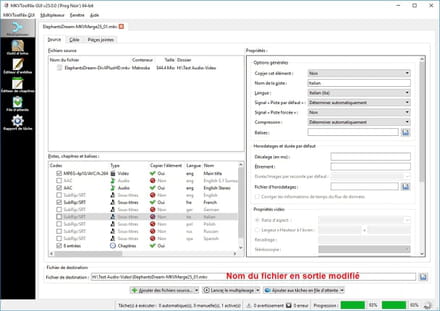
In the end, I obtain a file with a single audio stream and a single subtitle: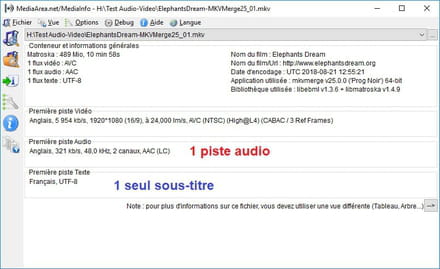
In your case, also remove the subtitles if necessary, that is, if you don't need them. Once you have your MKV file with only the French language, you can convert it with Format Factory without any issue.
You could also use another software that allows you to choose the language to convert, such as Avidemux or XMediaRecode, but if you're used to Format Factory, keep using it ;)
Best regards
PS: MKVMerge / MKVToolnix does not convert, so the operation won't take much time.
--
Long live Bobo! ~ Little fish will grow up ~ -
Thank you for your response, but I don't have the same screen as you. I must be really bad at this!
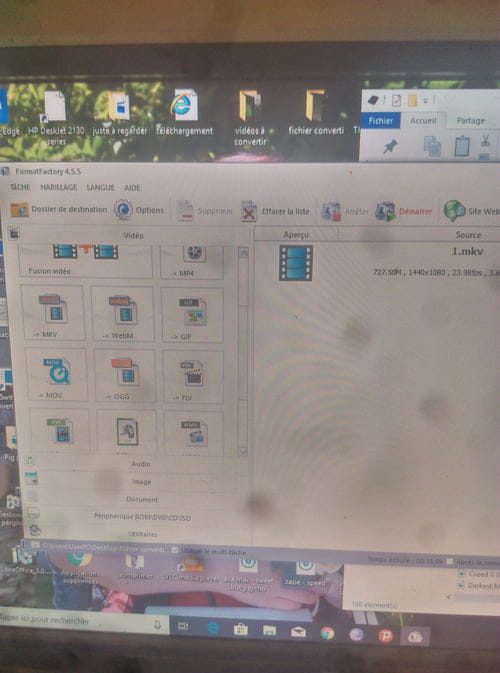 Can you tell me where to find this famous setting? I don't understand anything at all. This is the first time I'm doing this. Thank you!
-
-
@karlyss7No, you're not useless, it's just that the screenshots I provided are from the MKVMerge software because I don't have Format Factory.
Regarding the audio, it depends on the order in which they are and how the players behave.
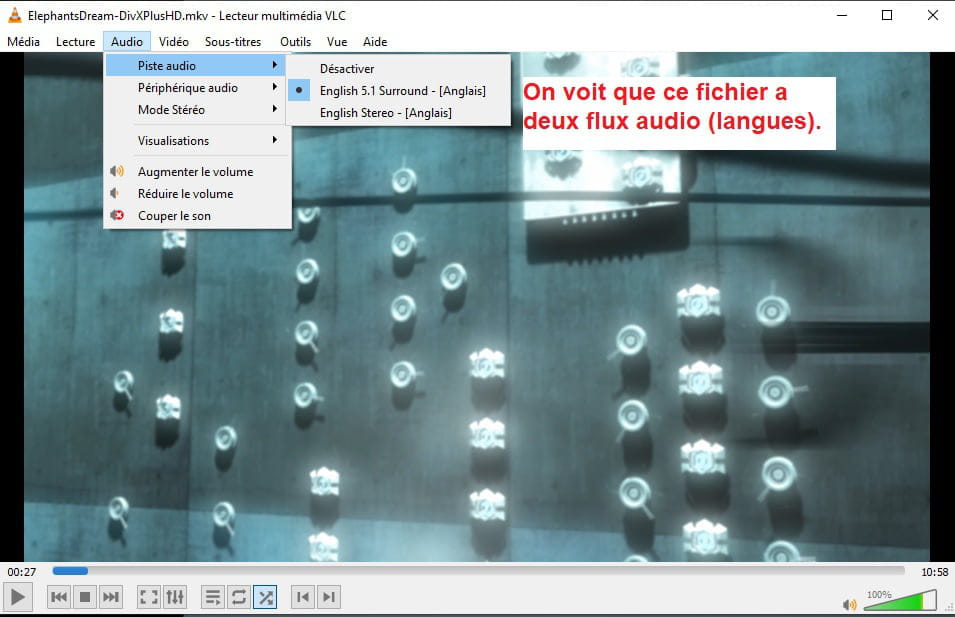
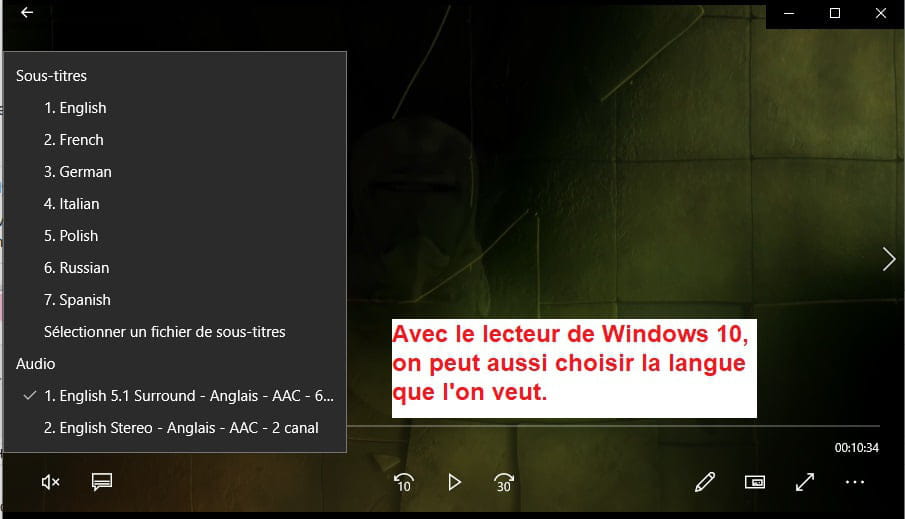
For example, if I take my same test file, VLC and the Windows 10 player behave similarly: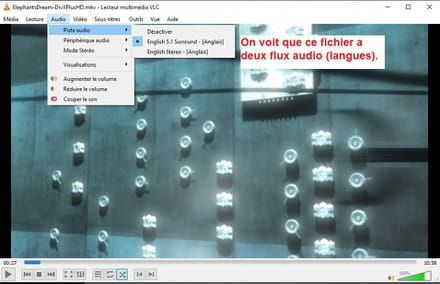
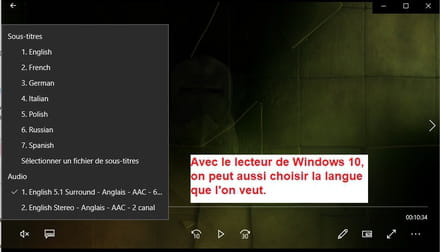
So if in VLC the French audio is in the 2nd position, by using MKVMerge on your file, you can delete the original version and keep only the French. This way, with only the French audio left, your file will definitely be converted in that language with Format Factory. -
@ziggouratThank you so much. I hope you received my last question because I wasn't online.
Thanks again very much.
-