Winpcsign Basic 2009, from Dobe!!!
AXL
-
AXL077 Posted messages 10 Registration date Status Member Last intervention -
AXL077 Posted messages 10 Registration date Status Member Last intervention -
Hello everyone,
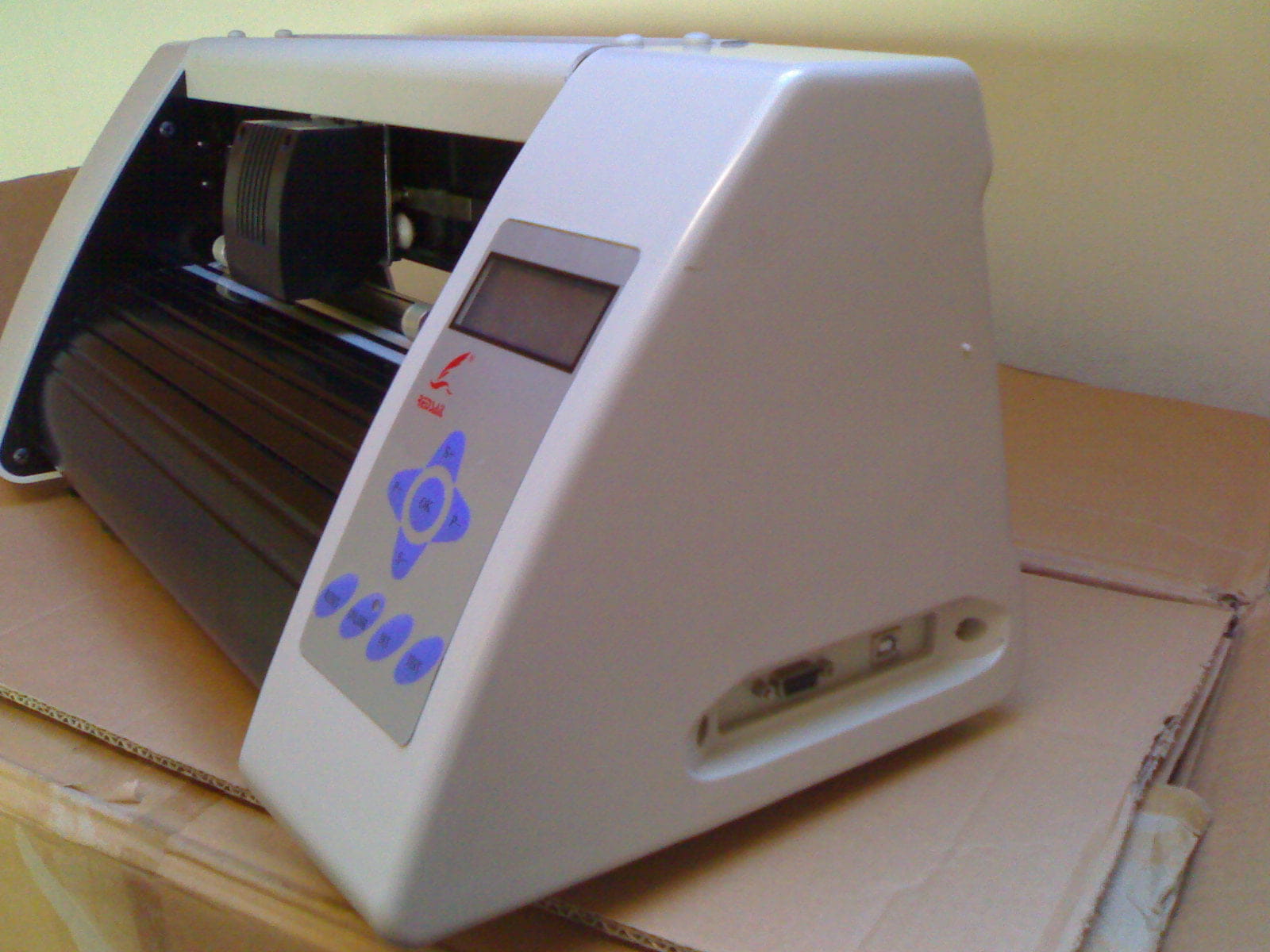
I have a Bitcut 360 plotter with the Winpcsign basic 2009 software and its Dongle,
but I can't use this plotter because the Dongle doesn't want to be recognized!!!
I've tried almost everything with the SignMax website, and they will provide other software to download
but nothing works... the plotter is recognized via USB but not this Dongle or security key, if you prefer...
If you have any solutions to this problem, I’m all ears,
I would even prefer another free software that would make this plotter work without any issues, if you know any...
My PC is running Windows 7 and recognizes other machines or other USB keys without any problem...
I have a Bitcut 360 plotter with the Winpcsign basic 2009 software and its Dongle,
but I can't use this plotter because the Dongle doesn't want to be recognized!!!
I've tried almost everything with the SignMax website, and they will provide other software to download
but nothing works... the plotter is recognized via USB but not this Dongle or security key, if you prefer...
If you have any solutions to this problem, I’m all ears,
I would even prefer another free software that would make this plotter work without any issues, if you know any...
My PC is running Windows 7 and recognizes other machines or other USB keys without any problem...
3 answers
-
Are you saying that Winpcsign does not want to start because it does not see the dongle?
Is your plotter properly installed and present as a printer in the control panel (printers, etc.)?-
Thank you for responding so quickly.
Well, actually yes and no, since the plotter is recognized in my device manager on COM3 but not as a recognized machine like a printer, that's the problem. I've tried installing other software like WinPCSign Pro 2018, 2009, or others provided by SignMax, but nothing works; this dongle is not recognized even when looking for drivers on COM3... it lights up but is not recognized as a key or drivers, etc. I should mention that this software is brand new. I've already tried other free software from the internet, but apparently this plotter doesn't work with others... I've also just installed Arcut or FlexiSign, but they won't even launch. -
-
-
It seems to me that I did it by restarting the PC several times... yet in the manual and the video explanation of the software, they say to install the software and then connect the plotter without turning it on to see where the USB connection is in the Device Manager, then search for drivers in the COM, for me it was COM 3 but that doesn't matter,, identified then put the security key at any time....
I will uninstall and reinstall with the key as you indicated, I'll let you know about that... tomorrow... -
There are 2 things..
The installation of the plotter driver.. to be done with your USB adapter connected or not.. I don't know because I've never used this kind of thing..
And the installation of the software.. which must be done with the dongle present and it must always remain present..
The dongle is not necessary for the installation of the driver.
-
-
What I deduce is that the USB adapter driver is installed but not correctly...
The installation was done from the MS site, but check if there is a driver available on the manufacturer's website... and that it is compatible with your version of Windows.
It's still strange that this plotter only has a RS232 serial port... Is it a second-hand item?-
The signmax site has already provided me with it because when I clicked on download the new version, it indicated error 404 etc... and it's exactly the same result...
I have installed and uninstalled it at least a good ten times, I'm really fed up seriously...
there's also a VGA port on this machine but I can't use this port because how do I display it on the screen after LOL... I'm running Win7 64bits and I've also tried to run it under other Windows or even different computers but nothing... it's new hardware, I opened this CD box myself...
honestly, I'm giving up, I'm selling it to the first person who arrives... -
-
-
Oki
So this plotter has a USB input and an RS232 input (and the kind of adapter with a piece of cable and the small green box at the end that you show in the video).
That's why I don't understand why you installed the "USB serial converter".... and what it could possibly be used for if you have a USB port!
I feel like there is a conflict between the two installations...
I went to the supplier's website.. is there any phone assistance?
The "dongle" is not installing.. It's just a system that validates the permission to use the cutting software.