
MSI Wi-Fi card disconnected
Solved
Hello,
Recently, when I went back to my parents' house, I couldn't connect to the wifi.
The card is shown as disconnected and here are the properties of the card:

When I’m in my apartment the wifi works.
Is the cause the wifi router or Windows?
I’ve already sent my PC to MSI and the problem reappears after a while. I’d like to resolve this issue once and for all!
My PC is a MSI GS 72 6QE
Thank you for your help
Recently, when I went back to my parents' house, I couldn't connect to the wifi.
The card is shown as disconnected and here are the properties of the card:
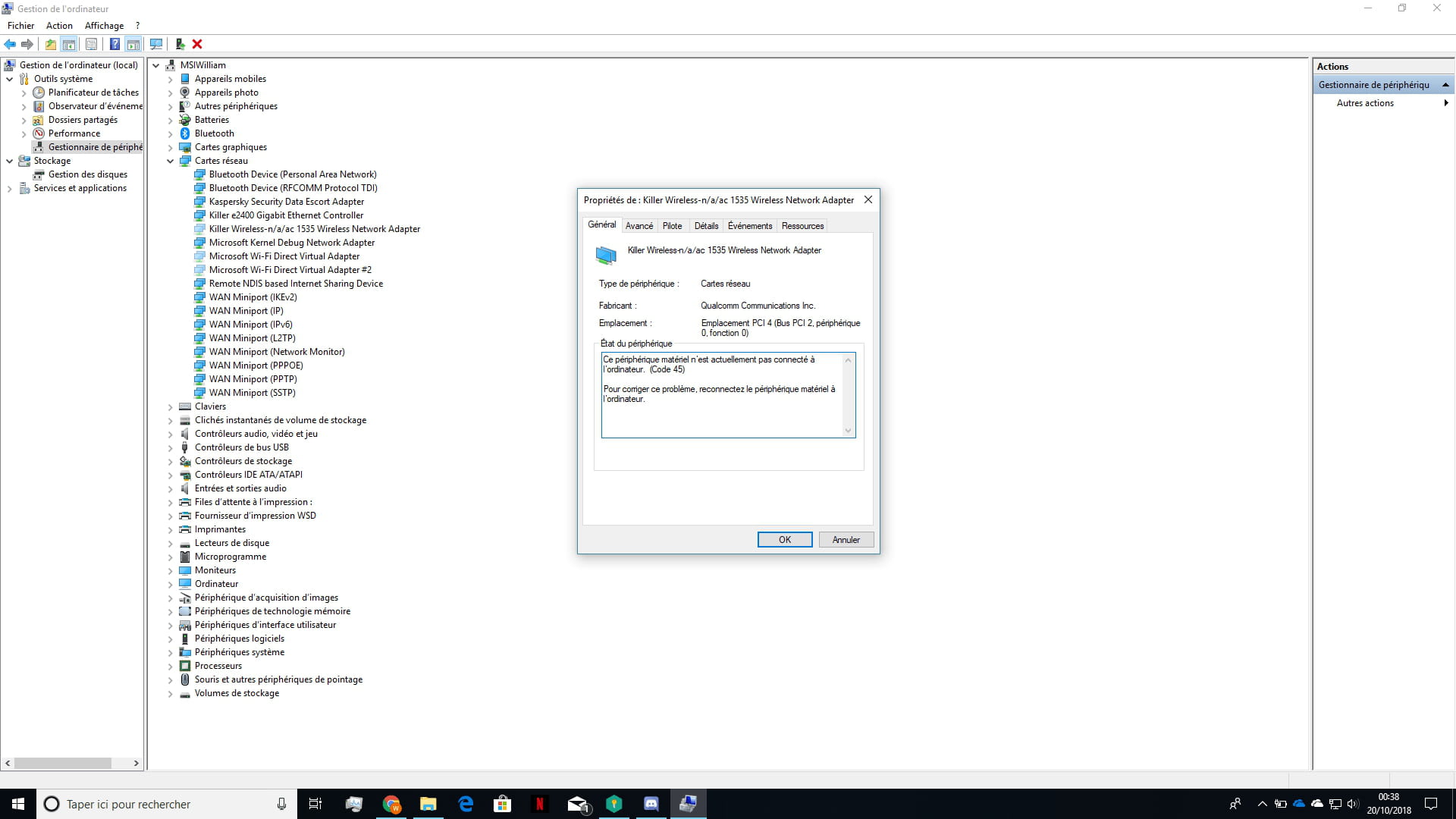
When I’m in my apartment the wifi works.
Is the cause the wifi router or Windows?
I’ve already sent my PC to MSI and the problem reappears after a while. I’d like to resolve this issue once and for all!
My PC is a MSI GS 72 6QE
Thank you for your help
2 answers
-
Hello,
Check that your network card is enabled. I’m giving you the path:
Control Panel\Network and Internet\Network Connections
Please :)
Remember to check if a driver update is available for the network adapter.-
-
@WilliamThYour network card is not installed :)
You need to install it so that Wi-Fi connections can work properly :) -
-
@WilliamThYou can install the missing driver for your network card by performing a scan https://fichiers2.touslesdrivers.com/Mes_Drivers_3.0.4.exe
The problem will then be resolved :)
You're welcome
-

