Copy/paste pages from one document to another

poupart0742
Posted messages
130
Registration date
Status
Member
Last intervention
-
poupart0742 Posted messages 130 Registration date Status Member Last intervention -
poupart0742 Posted messages 130 Registration date Status Member Last intervention -
Hello everyone!
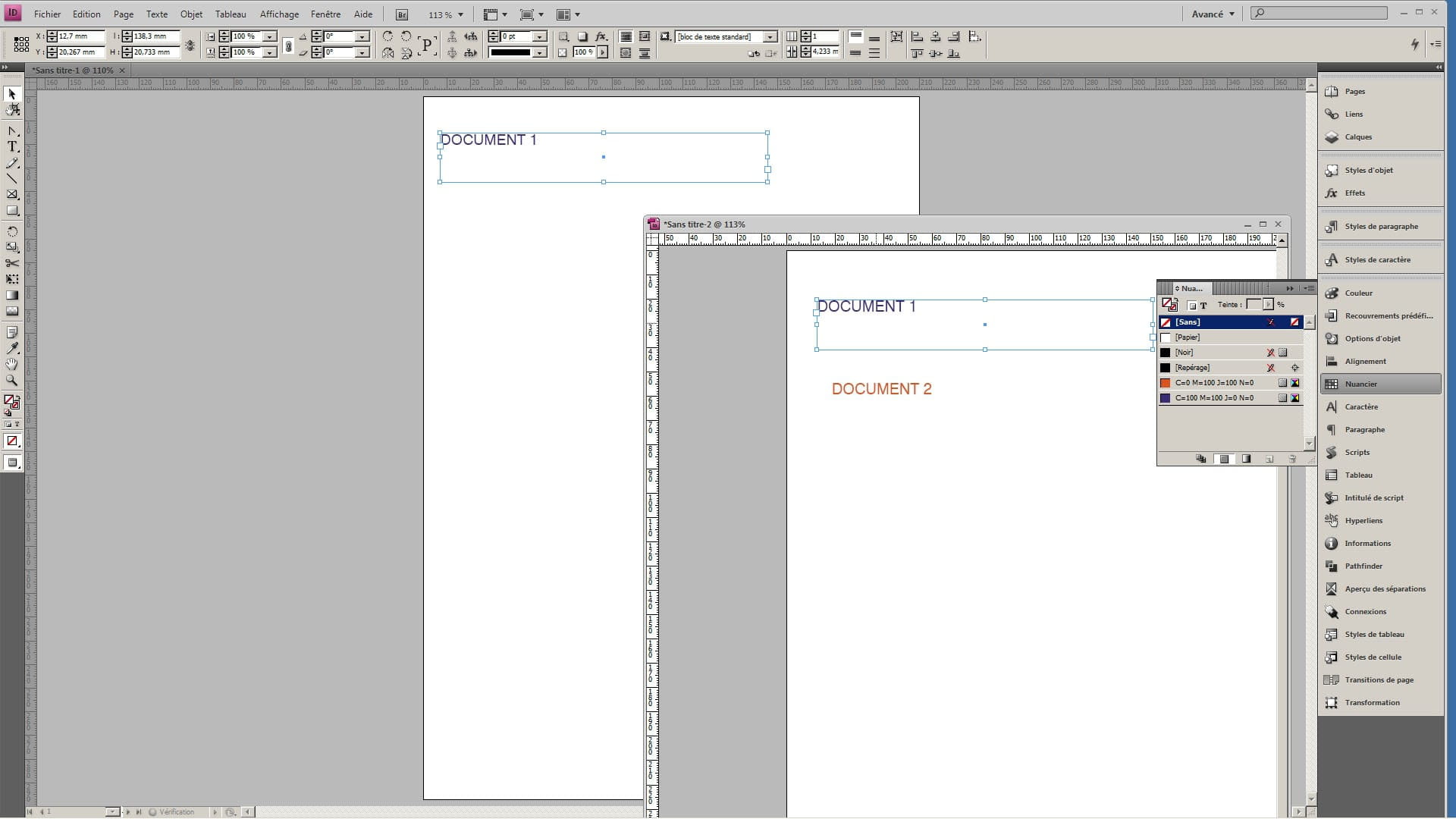
I have a very simple question: I just upgraded from InDesign CS3 to CS6 and I don’t know how I can copy/paste one or more pages from one document to another.
With CS3 it was easy: I would open both documents, minimize them and in the "pages" panel I would drag the page(s) from one document to the other.
But with CS6 it seems that this is not possible. There must be a way: can you give me the trick?
Thank you so much for your help!
Have a nice day everyone.
I have a very simple question: I just upgraded from InDesign CS3 to CS6 and I don’t know how I can copy/paste one or more pages from one document to another.
With CS3 it was easy: I would open both documents, minimize them and in the "pages" panel I would drag the page(s) from one document to the other.
But with CS6 it seems that this is not possible. There must be a way: can you give me the trick?
Thank you so much for your help!
Have a nice day everyone.
1 answer
-
Between CS3 and CS6, the "native" file format is completely different… in fact, it is not possible to open a CS6 file in CS3 (not even with the interchange format)
The best way is to open the CS3 file in CS6 and copy-paste the pages…
You can open multiple files in a single session… this creates tabs at the top of the workspace window.-
Actually, I no longer work with CS3 but exclusively with CS6. And indeed, the files are displayed as tabs at the top of the workspace. But I can't open two files at the same time to drag a page from one to the other...
- You can have 2 independent windows if you move one of the tabs (by dragging it from its position) and in this case, you should be able to move elements from one page to another page of the other document (drag and drop).
Personally, I am not in favor of this manipulation as it relies on Windows' memory cache with the risk that the move may not occur correctly.. The "copy/paste" is safer....
-
-
-
-