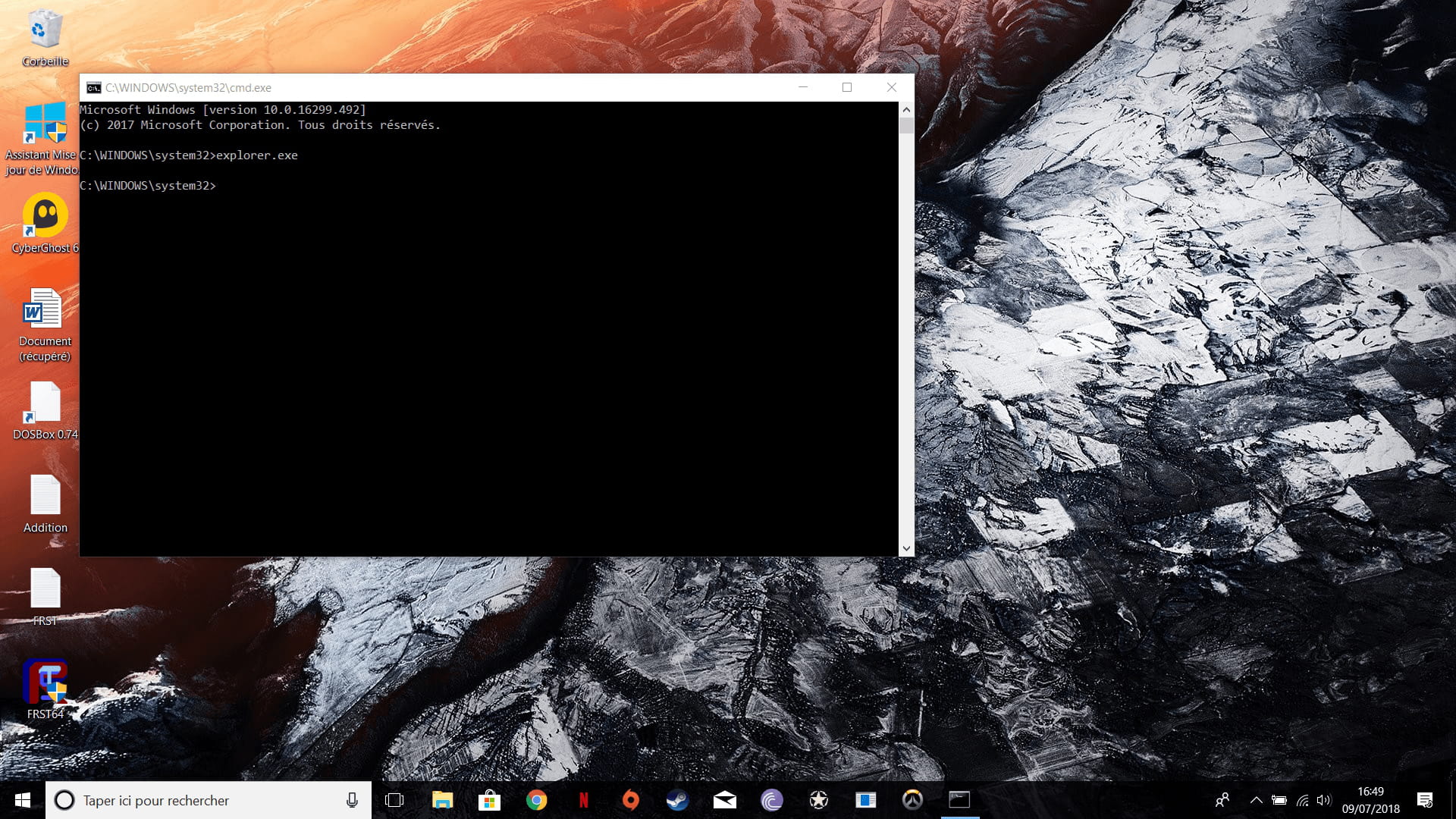
Cmd.exe at startup of the PC
Solved
Omegalow
-
Malekal_morte- Posted messages 178136 Registration date Status Moderator, Security Contributor Last intervention -
Malekal_morte- Posted messages 178136 Registration date Status Moderator, Security Contributor Last intervention -
Hello,
for the past few days, whenever I turn on my PC (an Acer Nitro), a window opens with cmd.exe on a black background!
The only way I've found to reach my desktop is by entering the command explorer.exe!
I have performed (after searching the forum) a scan via FRST to identify the problem. I followed the tutorial as indicated and I ended up with this information:
FRST: https://pjjoint.malekal.com/files.php?id=FRST_20180709_y9i13p11q11m11
Addition: https://pjjoint.malekal.com/files.php?id=20180709_x10z14k7k13u11
I hope you can help me, thank you in advance!
Configuration: Windows / Chrome 67.0.3396.99
for the past few days, whenever I turn on my PC (an Acer Nitro), a window opens with cmd.exe on a black background!
The only way I've found to reach my desktop is by entering the command explorer.exe!
I have performed (after searching the forum) a scan via FRST to identify the problem. I followed the tutorial as indicated and I ended up with this information:
FRST: https://pjjoint.malekal.com/files.php?id=FRST_20180709_y9i13p11q11m11
Addition: https://pjjoint.malekal.com/files.php?id=20180709_x10z14k7k13u11
I hope you can help me, thank you in advance!
Configuration: Windows / Chrome 67.0.3396.99
5 answers
-
Hi,
Not infected.
You have programs that were installed when you bought the computer or installed later that are not necessarily useful.
They clutter Windows and can slow it down.
You can uninstall them.
Go to Control Panel
then Programs and Features.
Uninstall:
App Explorer
CyberGhost (unless you use it)
Web Companion (adware)
PS: CCleaner isn't really useful, even though it's recommended everywhere.
If you want to keep it, disable the monitoring of CCleaner, which is unnecessary, it starts with Windows and slows it down with its constant cleanups, see: https://www.malekal.com/supprimer-ccleaner-demarrage-windows/
Here is the fix to perform with FRST. You can refer to this explanatory note with screenshots.
Restart FRST then on your keyboard press the CTRL + Y keys.
The notepad will open, copy/paste this.
CreateRestorePoint:
CloseProcesses:
HKU\S-1-5-21-1743305715-3626346436-2285789282-1001\...\Command Processor: @mode 15,1 & tasklist /FI IMAGENAME eq SoundMixer.exe 2>NUL | find /I /N SoundMixer.exe>NUL && exit & if exist ( start /MIN & tasklist /FI IMAGENAME eq explorer.exe 2>NUL | find /I /N explorer.exe>NUL && exit & explorer.exe & exit ) else ( tasklist /FI IMAGENAME eq explorer.exe 2>NUL | find /I /N explorer.exe>NUL && exit & explorer.exe & exit ) <==== WARNING
Hosts:
EmptyTemp:
RemoveProxy:
Reboot:
Save the content from the file menu then save.
Close the notepad, go back to FRST and click the "Fix" button
A restart may be necessary and automatic.
A text file appears, copy/paste the content here in a new message.
Restart the computer.
2°)
Reset/Repair the web browsers concerned by the problems:- Repair Mozilla Firefox (first paragraph)
- Repair Google Chrome (only the first paragraph).
--
Please press any key to continue the disinfection...