No sound, NVIDIA Output Not connected
Solved/Closed
samos10
-
Cbar -
Cbar -
When I go to the Control Panel, in the sound tab, to adjust the system volume, the response is that no audio device is installed.
I was on Windows 10 and following a problem I believe I restored the system and I am now on Windows 7...
I performed this system restoration on March 6, 2018, and I had no sound issues before that.
Thank you for your help.
I was on Windows 10 and following a problem I believe I restored the system and I am now on Windows 7...
I performed this system restoration on March 6, 2018, and I had no sound issues before that.
Thank you for your help.
7 answers
-
Go to Device Manager
Sound, video and game controllers
Right-click on --> IDT High Definition Audio Codec
Uninstall (including all drivers)
Windows key + R
Type --> control panel and OK
Programs and Features
Uninstall --> IDT High Definition Audio Codec
Restart the PC.
Try this audio driver --> IDT <<--
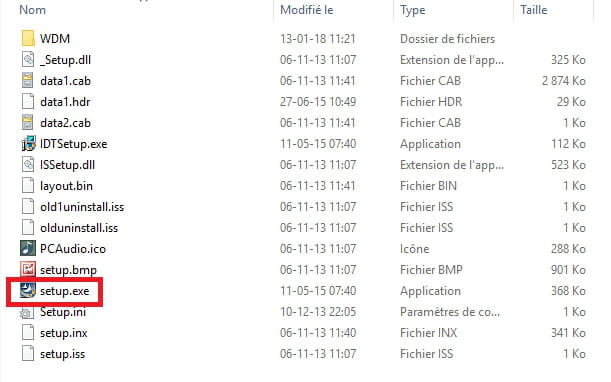
Unzip it
Run setup.exe
------------------------------------------------------------------------------
For the graphics card, try this one --> nVidia