How to use the less than and greater than signs
Solved
rougs
Posted messages
3
Status
Member
-
Yanick -
Yanick -
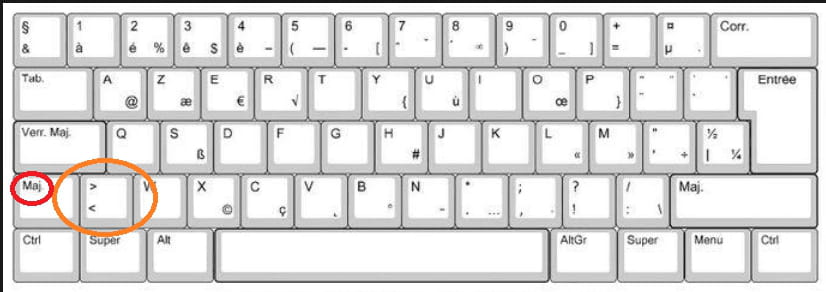
Salut, pour faire le signe inférieur (<) sur un clavier azerty, il te suffit d'appuyer sur la touche "Shift" + "," (virgule). Pour le signe supérieur (>), c'est "Shift" + "." (point).
Merci d'avance.
Merci d'avance.
2 answers
-
less than sign and greater than sign:
on an AZERTY keyboard
- Either the key (next to W): < (alone) or > (Shift + <)
- or the key combination Alt+060 (on the numeric keypad) for < or Alt+062 (on the numeric keypad) for >
- for a web page: < or < for < (lt = less than); and > or > for > (gt = greater than)
--
A problem without a solution is a poorly posed problem. (Albert Einstein)