Laptop typing numbers instead of letters
Solved
Avlondom
Posted messages
13
Status
Member
-
adrienjaune -
adrienjaune -
Hello,
Since the purchase of my Asus computer, I've noticed that it types numbers instead of certain letters (I should specify that it also has a touch keyboard, which has no issues).
For example: instead of "o" a 6 appears, the "L" becomes a "3"....
I can still type normally by pressing the "fn" key at the same time as I type, but this solution does not suit me, ...it's annoying to have to constantly press this key to hope to type something or be forced to use the numeric keypad.
I am looking for a lasting solution to this problem, can you help me?

Since the purchase of my Asus computer, I've noticed that it types numbers instead of certain letters (I should specify that it also has a touch keyboard, which has no issues).
For example: instead of "o" a 6 appears, the "L" becomes a "3"....
I can still type normally by pressing the "fn" key at the same time as I type, but this solution does not suit me, ...it's annoying to have to constantly press this key to hope to type something or be forced to use the numeric keypad.
I am looking for a lasting solution to this problem, can you help me?
12 answers
-
jeannets Posted messages 28452 Registration date Status Contributor Last intervention Ambassador 6 618
Good evening,
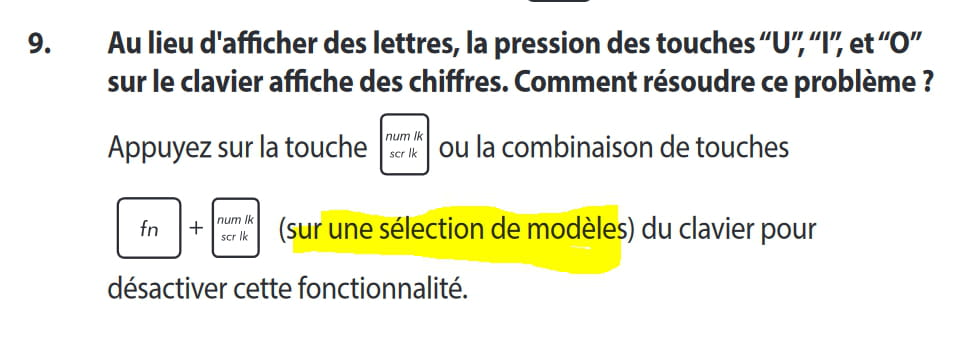
These are the keys of the Numeric Pad, look closely, they are written on the keys.
You just need to hold down the Fn key and press the "Num Lock" key which is at the top of the keyboard with the function keys, it's often F11, and then release it.
Now your keyboard is entirely alphabetical...
It's written in your manual.. and in that of all PCs of this kind.