Excel Plan - Unable to create a plan
Solved
ctaup
Posted messages
294
Status
Member
-
ctaup Posted messages 294 Status Member -
ctaup Posted messages 294 Status Member -
Hello,
I've been using an old version (2002) of EXCEL for ages
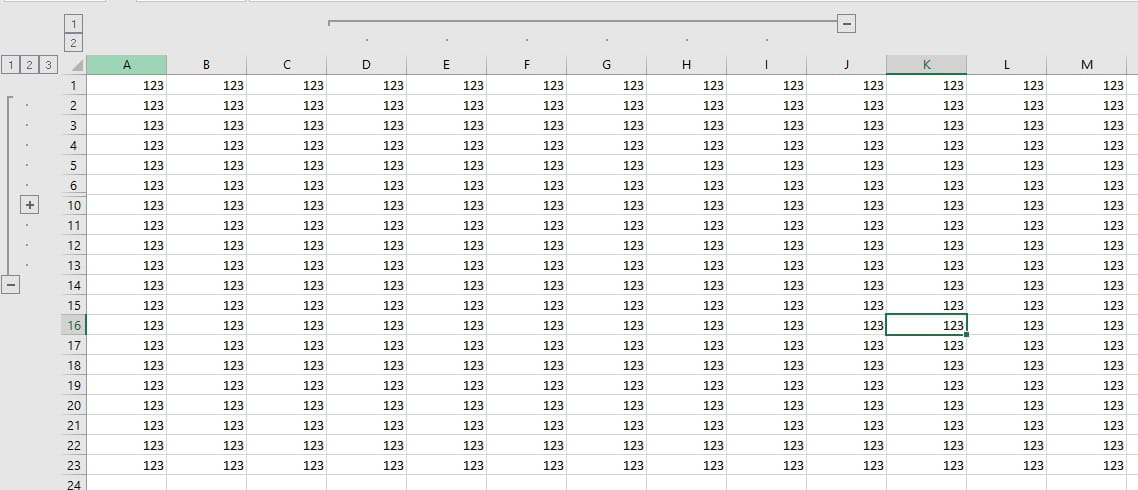
Even though I've used the "create outline" function in Excel multiple times with its "+" and "-" ... I can't seem to get that kind of outline today
What's going on ...?
I've tried removing any potential outline, but nothing works ...
Thank you for your insights
Configuration: Windows / Firefox 53.0
I've been using an old version (2002) of EXCEL for ages
Even though I've used the "create outline" function in Excel multiple times with its "+" and "-" ... I can't seem to get that kind of outline today
What's going on ...?
I've tried removing any potential outline, but nothing works ...
Thank you for your insights
Configuration: Windows / Firefox 53.0
3 answers
-
I found
you had to go to OPTIONS then DISPLAY then WINDOWS and check "OUTLINE SYMBOLS"
Thank you -
Hello,
Can you clarify your need with screenshots?
The groups and the plans are working fine for me.

-- -
Hello and thank you for this response
At my place, the "group" mode was working too... I write "WAS" and it's not working anymore... what's the point of me sending a screenshot of a normal sheet with nothing in the margins???
I would like to know what could have blocked the grouping function in the table in question:
important note: on a new blank table this function works... so this anomaly is related to the table in question.... what could be blocking it (I haven’t protected anything).... really I don’t see.