
Driver issues, resolution, and code 43.
Hello,
Today I had a problem with the resolution of my screen.
First, the resolution changed from 1980 by 1080 to 1024 by 768.
The first issue is there, I read some posts on the forum to see how to fix the problem, some said to update the graphics card driver.
I followed the posts, but after 5 restarts, the graphics card was still not updated.
Then I looked for other posts and it was written to go to the device manager. In the manager, on the graphics card, there was a caution panel, I looked to see what it said:
Windows has stopped this device because it has problems. (Code 43).
So I tried to remedy it but nothing worked. Above the graphics card, in "Other devices", there was PCI data acquisition and signal processing controller with the error:
The drivers for this device are not installed. (Code 28)
No driver for the device information set or any of its components has been selected.
To find a driver for this device, click on Update driver.
Then Base system device with the same error.
In my PC there is:
I3 6100 3.70 GHz, 4x2 Gb Ram ddr4, GTX 560 Ti and the motherboard: MSI H110M PRO-VD
I thank in advance anyone who can help me solve these problems!!
Today I had a problem with the resolution of my screen.
First, the resolution changed from 1980 by 1080 to 1024 by 768.
The first issue is there, I read some posts on the forum to see how to fix the problem, some said to update the graphics card driver.
I followed the posts, but after 5 restarts, the graphics card was still not updated.
Then I looked for other posts and it was written to go to the device manager. In the manager, on the graphics card, there was a caution panel, I looked to see what it said:
Windows has stopped this device because it has problems. (Code 43).
So I tried to remedy it but nothing worked. Above the graphics card, in "Other devices", there was PCI data acquisition and signal processing controller with the error:
The drivers for this device are not installed. (Code 28)
No driver for the device information set or any of its components has been selected.
To find a driver for this device, click on Update driver.
Then Base system device with the same error.
In my PC there is:
I3 6100 3.70 GHz, 4x2 Gb Ram ddr4, GTX 560 Ti and the motherboard: MSI H110M PRO-VD
I thank in advance anyone who can help me solve these problems!!
49 answers
-
hi
In the device manager, there was a warning panel on the graphics card
can you give me the device id
https://www.commentcamarche.net/faq/35597-trouver-le-numero-d-identification-d-un-peripherique
I also need the OS of your PC (W7/W8.1 etc... in 32 or 64 bits)
@+
--
the radiation level is higher at the employment office than in Chernobyl -
Hello billmaxime,
Here are the device identifiers:
PCI\VEN_10DE&DEV_1200&SUBSYS_23271462&REV_A1
PCI\VEN_10DE&DEV_1200&SUBSYS_23271462
PCI\VEN_10DE&DEV_1200&CC_030000
PCI\VEN_10DE&DEV_1200&CC_0300
And my OS is Windows 10 64 Bit -
Hi
is your computer a laptop or a desktop?
See you later
--
the radiation level is higher at the unemployment office than in Chernobyl -
Hi, I have a tower.
-
re
ok, I'll do some research and I'll be back
@+
--
the radiation level is higher at the unemployment office than at Chernobyl -
You're welcome in advance!
-
re
download this driver to your desktop click here
run it as administrator (right click)
restart the PC and let me know how it goes
@+
--
the radiation level is higher at the employment center than at Chernobyl -
I had already installed it before posting when I had the problem, but I'm trying it; I'll let you know in 5 minutes.
And here are some screenshots if you want more information about my problem:
https://prnt.sc/eokwfv
https://prnt.sc/eokwyw
https://prnt.sc/eokx3p
https://prnt.sc/eokx7y
Result of these problems: Unable to launch games and the resolution is bugged. -
Bad news, nothing changes.
-
Bad news, nothing changes.
Send me the identifiers of these 2 devices
See you
--
the radiation level is higher at the employment center than in Chernobyl-
Data acquisition device ID and signal processing controller:
PCI\VEN_8086&DEV_A131&SUBSYS_79961462&REV_31
PCI\VEN_8086&DEV_A131&SUBSYS_79961462
PCI\VEN_8086&DEV_A131&CC_118000
PCI\VEN_8086&DEV_A131&CC_1180
and base system device:
PCI\VEN_8086&DEV_1911&SUBSYS_79961462&REV_00
PCI\VEN_8086&DEV_1911&SUBSYS_79961462
PCI\VEN_8086&DEV_1911&CC_088000
PCI\VEN_8086&DEV_1911&CC_0880
-
-
re
download this driver to your desktop click here
it's a "zipped" driver, you need to "unzip" it with 7ZIP (for example)
the link if needed >> https://www.7-zip.org/
PS: take the x64 for your PC
double click on the "unzipped" file
run the SETUPCHIPSET as administrator (right-click)
restart the PC and let me know what it does
@+
--
the radiation level is higher at the unemployment office than at Chernobyl -
re
For the CPI it's good then, for the screen resolution I'm updating the graphics card!! If there’s a problem, I'll contact you again
I think now you will need to install the Nvidia driver that I gave you in this message
https://forums.commentcamarche.net/forum/affich-34475426-problemes-de-pilotes-resolution-et-code-43#7
ok, keep me posted
if you're missing 1 driver, feel free to ask me
@+
--
the radiation level is higher at the employment office than at Chernobyl -
re
can you tell me what alerts are still in the device manager
@+
--
the radiation level is higher at the employment center than at Chernobyl-
The graphics card is up to date but it's still that infamous code 43:
https://prnt.sc/eolou7
The driver is up to date.
-
-
re
I’m doing some research and I’ll be back
@+
--
the radiation level is higher at the employment center than in Chernobyl -
re
in the device manager, right-click on the Nvidia graphics card and choose uninstall
restart the PC
reinstall the driver I gave you
let me know what happens
@+
--
the radiation level is higher at the unemployment office than at Chernobyl -
re
in this page:
https://answers.microsoft.com/fr-fr/windows/forum/windows_10-hardware/r%C3%A9solu-windows-10-%C3%A9chec-installation/1d91b733-1b11-4754-8d77-6089d06c5931
check Lydhe's message
tell me what it says
@+
--
the radiation level is higher at the employment office than at Chernobyl -
re
My driver is fine, but the error is still there!
Ok, it's a problem from Nvidia, read Lydhe's response and follow the procedure to install the driver
PS: you may need to uninstall the driver in the device manager before reinstalling it
See you
--
the radiation level is higher at the unemployment office than at Chernobyl -
Is it for error code 43?
Not really, the problem lies with Nvidia (you need to disable Nvidia services before installing the latest driver)
@+
--
the radiation level is higher at the employment center than at Chernobyl -
re
Is it normal that when I end all Nvidia processes, they come back?
I don't think so, but how do you do it?
@+
--
the radiation level is higher at the unemployment office than at Chernobyl. -
re
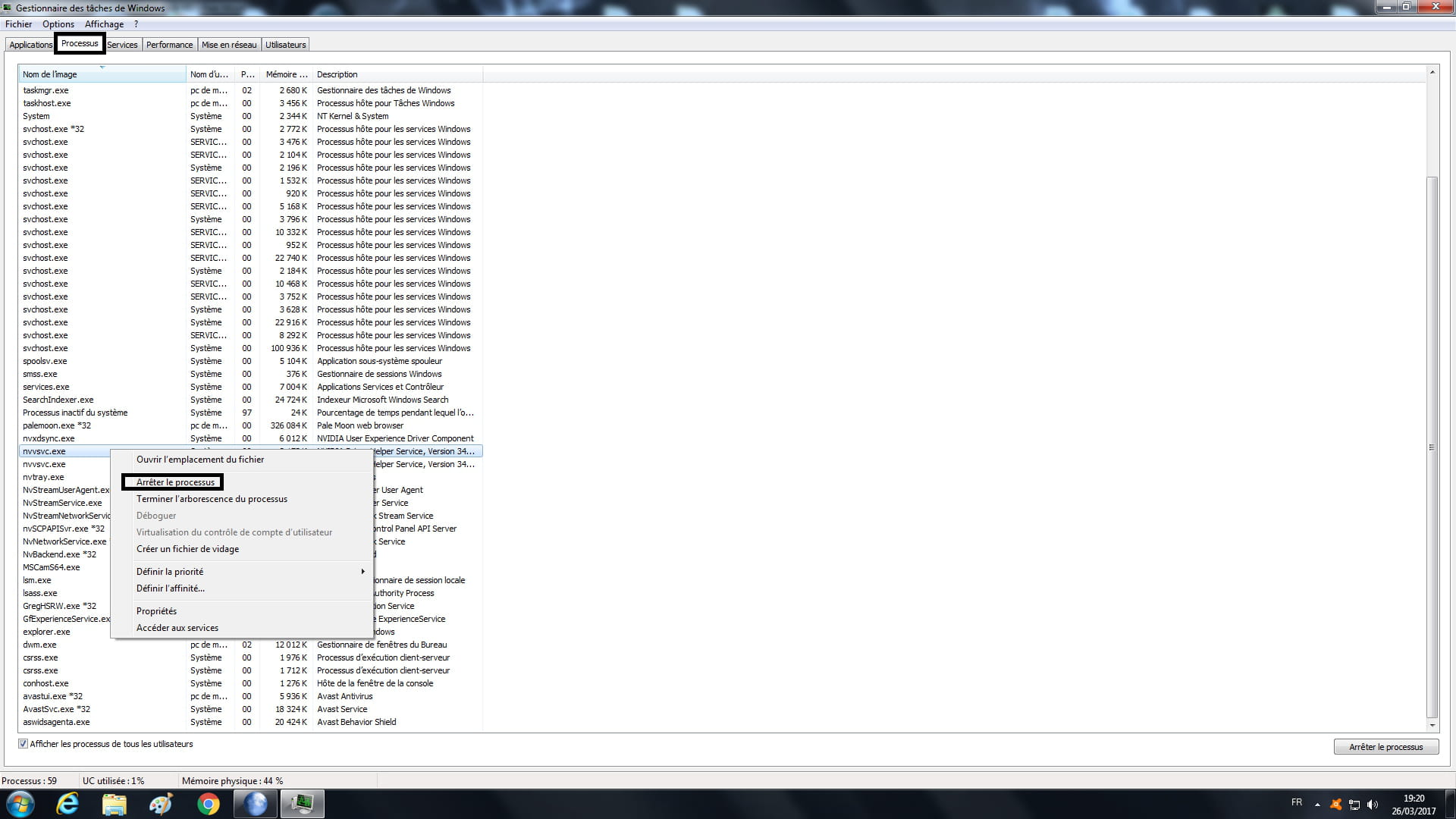
Right-click on task end and they come back :/
it's normal, you are in "applications" and not in "processes"
in "processes" you right-click on everything you see from Nvidia and select
"end process"
I'm attaching a screenshot: (click on the image to enlarge if needed)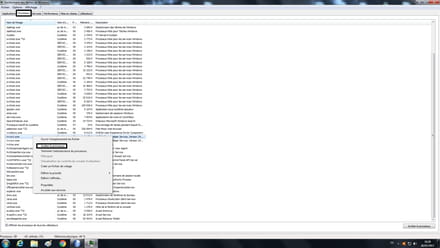
@+
--
the radiation level is higher at the employment center than at Chernobyl

- 1
- 2
- 3
Next