EBP Accounting Non-Profit - Installation - Unable to Open SQL Server
Hello,
As a beginner in this matter, I would like to bring up this issue.
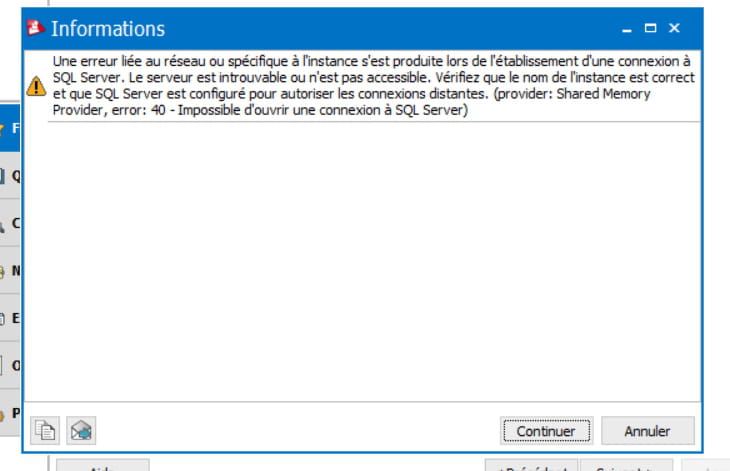
I tried to install EBP Compta Asso 2017, but during the installation, an error occurs that states: "A network-related or instance-specific error occurred while establishing a connection to SQL Server. The server was not found or was not accessible. Verify that the instance name is correct and that SQL Server is configured to allow remote connections. (Provider: Shared Memory Provider, error: 40 - Could not open a connection to SQL Server)."
Previously, I successfully downloaded the new version of SQL Server 2014 that EBP provides with its documentation.

Note that I previously had EBP Mon Association, and it worked fine.
Thank you for your responses,
As a beginner in this matter, I would like to bring up this issue.
I tried to install EBP Compta Asso 2017, but during the installation, an error occurs that states: "A network-related or instance-specific error occurred while establishing a connection to SQL Server. The server was not found or was not accessible. Verify that the instance name is correct and that SQL Server is configured to allow remote connections. (Provider: Shared Memory Provider, error: 40 - Could not open a connection to SQL Server)."
Previously, I successfully downloaded the new version of SQL Server 2014 that EBP provides with its documentation.
Note that I previously had EBP Mon Association, and it worked fine.
Thank you for your responses,
6 answers
-
Originally, the installation of the EBP software installs SQL Server. If you install another software, the same initial installation is used for the new database. Installing another version of SQL Server may not be the right solution as the link with the EBP software will not be active.
At your level, the thing you could have checked would have been to see if the SQL Server service was started or not (on the desktop press "Ctrl+Alt+Del" once and choose in "Windows Task Manager" the "Services" tab).
Normally in the list, MSSQL$EBP should have the status "Running".
If you have a recent backup, you can also try to repair the software installation (from the control panel) and restore the last backup. -
Does the message arrive at installation or later, when opening the program?
-
The message appears after the installation and when opening EBP COMPTA.
-
I don't follow you, where to look? I opened the demonstration folder, the same error occurs.
I tried a "SQL maintenance" application present in the file:
, but not knowing how to proceed, I indicated the path leading to the SQL SERVER EXPRESS 2014 that I installed, but the same thing happened.
Can you guide me on the steps to follow? I cannot create a new folder or even open the demo folder. -
Hello,
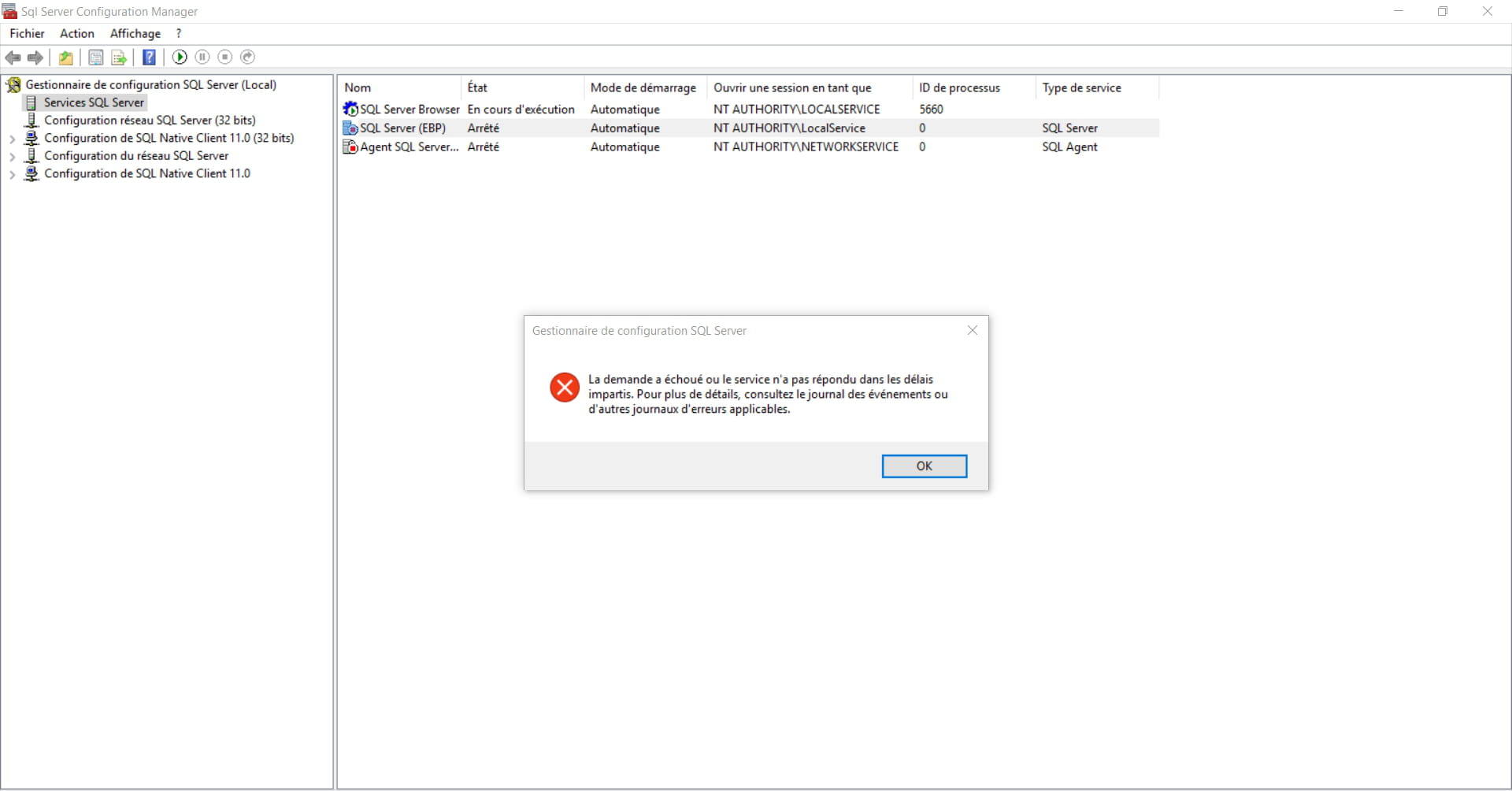
I followed the SQL configuration tool: All Programs/Microsoft SQL Server 2014/SQL Server Configuration Manager (local)
Then I'm trying to restart and it doesn't work:
What is the remedy?
Best regards, -
I think it's because the default folder no longer has a path..
Go to the "file" menu and open the folder. It should be in the recent folders, unless you've made too many attempts; in that case, you need to locate it in the working directory.
Normally, it has the name that usually appears in the selection window of the last opened folder.