
Disk at 100% due to "System" task
Hello,
I have a problem with my disk since yesterday afternoon; all of a sudden, it started to spike to 100% because of this Windows application "System" or "ntoskrnl" when you look at its properties:

I didn't do anything special just before; I was playing a game that's visible in the task manager for a few hours, and it suddenly spiked to 100%.
I have tried all the solutions I found online, absolutely all of them:
- Updating Windows 10
- Updating drivers
- Disabling Superfetch, Windows Search, etc.
- Disabling stuff in Chrome and Skype
- Changing the RAM ranges in virtual memory
- Running malware scans (I did one with MBAM and one with Roguekiller and deleted all dangerous files)
- Changing the "start" value from 2 to 4 in "ndu" in regedit
For your information, my disk is not making any unusual noises, I have 562GB free, and of course, I rebooted my PC about ten times after the modifications.
It's incomprehensible; it's the first time I've seen this "System," and it happened to me without warning all of a sudden.
Thank you for your responses.
Configuration: Configuration: Configuration: Windows / Chrome 54.0.2840.99
I have a problem with my disk since yesterday afternoon; all of a sudden, it started to spike to 100% because of this Windows application "System" or "ntoskrnl" when you look at its properties:
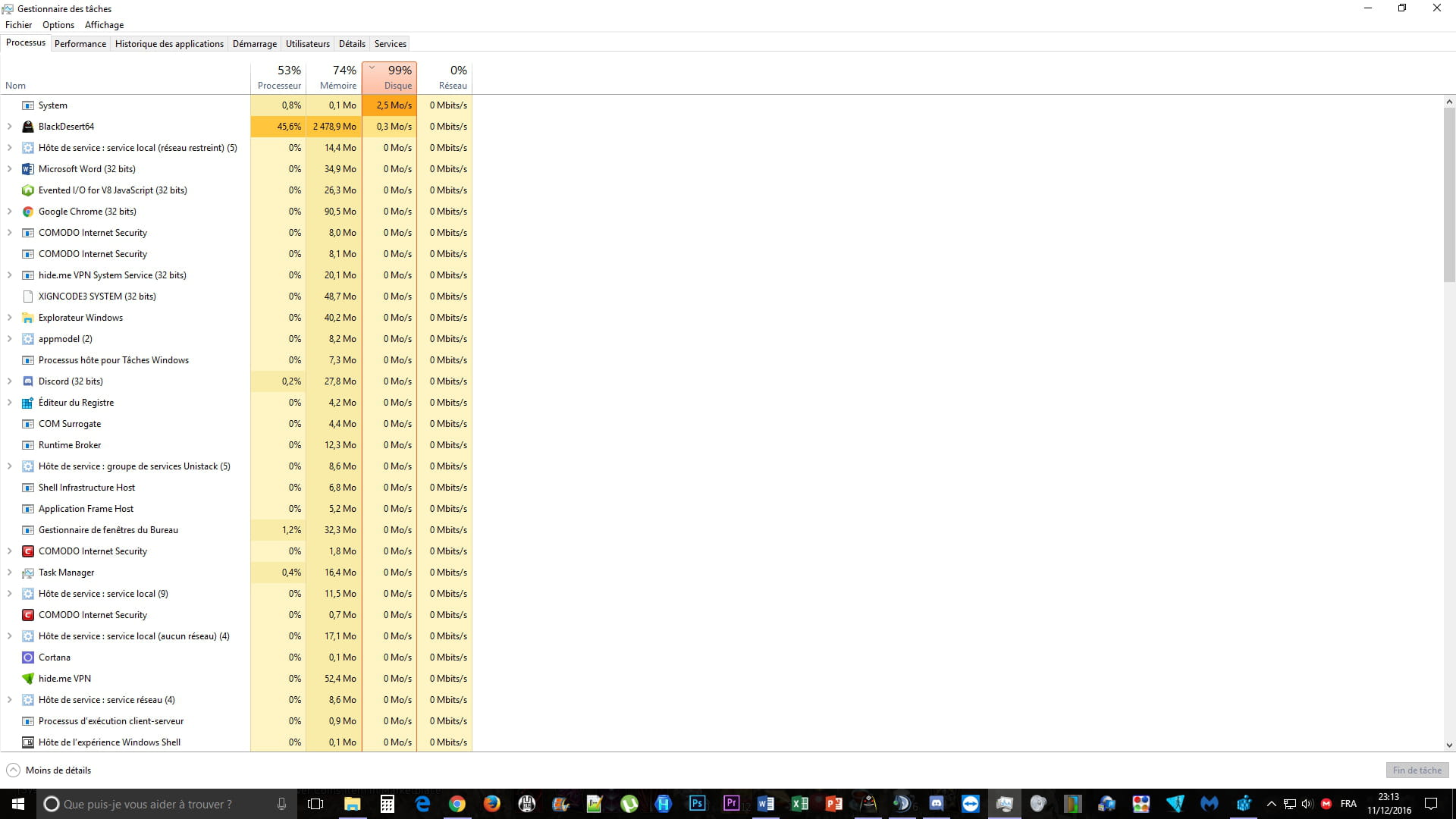
I didn't do anything special just before; I was playing a game that's visible in the task manager for a few hours, and it suddenly spiked to 100%.
I have tried all the solutions I found online, absolutely all of them:
- Updating Windows 10
- Updating drivers
- Disabling Superfetch, Windows Search, etc.
- Disabling stuff in Chrome and Skype
- Changing the RAM ranges in virtual memory
- Running malware scans (I did one with MBAM and one with Roguekiller and deleted all dangerous files)
- Changing the "start" value from 2 to 4 in "ndu" in regedit
For your information, my disk is not making any unusual noises, I have 562GB free, and of course, I rebooted my PC about ten times after the modifications.
It's incomprehensible; it's the first time I've seen this "System," and it happened to me without warning all of a sudden.
Thank you for your responses.
Configuration: Configuration: Configuration: Windows / Chrome 54.0.2840.99
3 answers
-
I have exactly the same problem as you.
My PC has two hard drives, one of which is an SSD where the operating system is installed, and for the past few days, the "System" task has been stuck at 1MB/s with a 100% usage rate. The SSD keeps writing, but it's not reading anything.
Maybe a big Microsoft update? But it's been several days since I've had this, and I'm starting to worry.