
Unnecessary programs? / Polluted task manager
Solved
Geopra
Posted messages
198
Status
Member
-
REMYMARTIN60 Posted messages 2016 Status Member -
REMYMARTIN60 Posted messages 2016 Status Member -
Hello,
I have a Lenovo G50 PC with Windows 8. I reset it two months ago, and upon first use, I noticed some programs I didn't recognize. I'm uncertain about their usefulness since I've never used them, and they take up quite a bit of memory in my task manager.
I would like to know which ones I can safely remove without affecting my PC's performance...
- CyberLink Power Director10
- Host App Service (pokki)
- Lenovo Dependency Package
- Lenovo PowerDVD 10
- Lenovo Web Start (pokki)
- Microsoft One Drive
- Power 2Go
- Start Menu (pokki)
- One Key Recovery
- Zinio Reader
If you have any information about the possible usefulness of the above programs for a user, please let me know ;)
As for the task manager, it's full of junk that I believe serves no purpose since I end their tasks every time I start up... Here’s the screenshot of almost the entire task manager:


We also see that some tasks launch multiple times at the same time... and I have no way to block them at startup, which is quite inconvenient.
Thank you in advance for your help and advice! :)
Configuration: Windows / Firefox 47.0
I have a Lenovo G50 PC with Windows 8. I reset it two months ago, and upon first use, I noticed some programs I didn't recognize. I'm uncertain about their usefulness since I've never used them, and they take up quite a bit of memory in my task manager.
I would like to know which ones I can safely remove without affecting my PC's performance...
- CyberLink Power Director10
- Host App Service (pokki)
- Lenovo Dependency Package
- Lenovo PowerDVD 10
- Lenovo Web Start (pokki)
- Microsoft One Drive
- Power 2Go
- Start Menu (pokki)
- One Key Recovery
- Zinio Reader
If you have any information about the possible usefulness of the above programs for a user, please let me know ;)
As for the task manager, it's full of junk that I believe serves no purpose since I end their tasks every time I start up... Here’s the screenshot of almost the entire task manager:

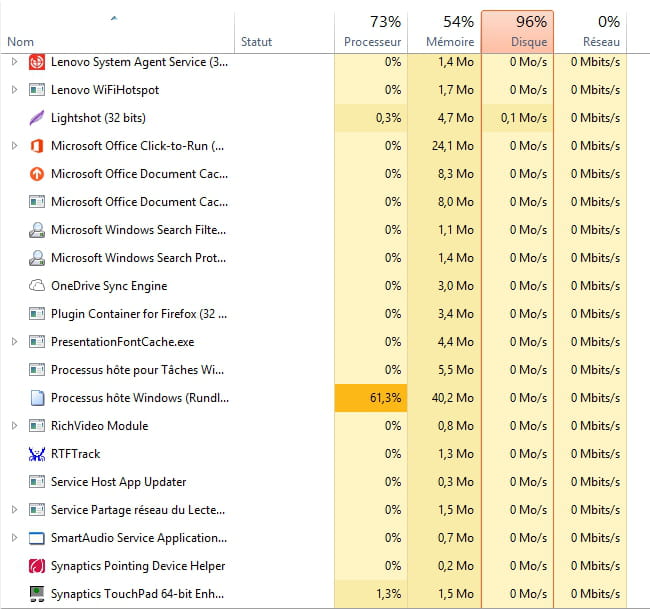

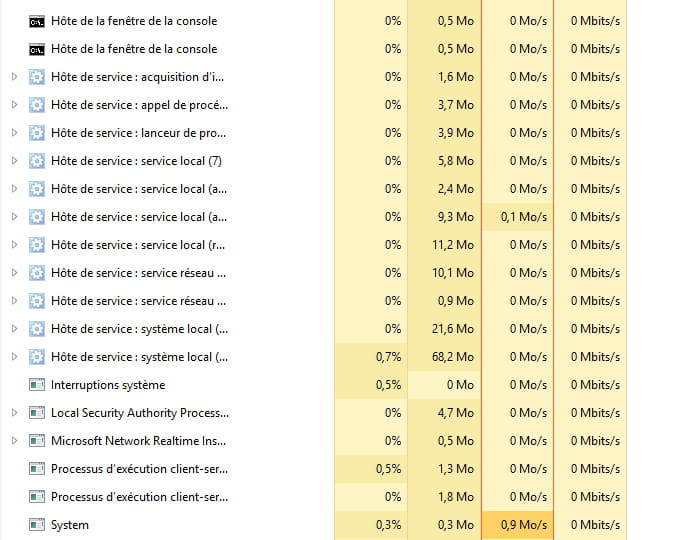
We also see that some tasks launch multiple times at the same time... and I have no way to block them at startup, which is quite inconvenient.
Thank you in advance for your help and advice! :)
Configuration: Windows / Firefox 47.0
2 answers
-
Hello, you can uninstall everything :)
--
When in doubt, reboot! When it fails, format!
LePetitJimmy-
-
ok great thanks a lot, and for Lenovo Fusion Engine, can I remove it too? Apparently, it serves no purpose ^^
However, for OneNote, on my desktop, 2 icons appear and reappear even after deletion, one icon is white and nameless, the other, in the form of a folder that cannot be opened bearing the following name: Microsoft OneNote Namespace extension for Windows Desktop Search (32bit)
I am only offered to delete, create a shortcut, or cut with a right-click...
-
-
vieu bison boiteu Posted messages 44334 Registration date Status Contributor Last intervention Ambassador 3 592
Hi Geopra
and to disable unnecessary Windows services
download on your "Desktop" Slowin' Killer
= https://www.security-helpzone.com/2013/03/29/slowin-killer-outil-optimisation-optimiseur-windows/
- Click on "Auto Improvement"
- and you delete the Slowin' Killer files
see you
no link on the English web page, I already steal enough on my own


