
SATA Power: powering my second hard drive
valadilene
Posted messages
12
Status
Member
-
valadilene Posted messages 12 Status Member -
valadilene Posted messages 12 Status Member -
Hello,
I hope I'm asking my question in the right place and that it won't be a duplicate! Here's my problem: I'm transferring my HP computer into a new Cooler Master Elite 310 case because I wanted to add a 2TB SATA hard drive (and there wasn't an available slot for a new hard drive in my old case).
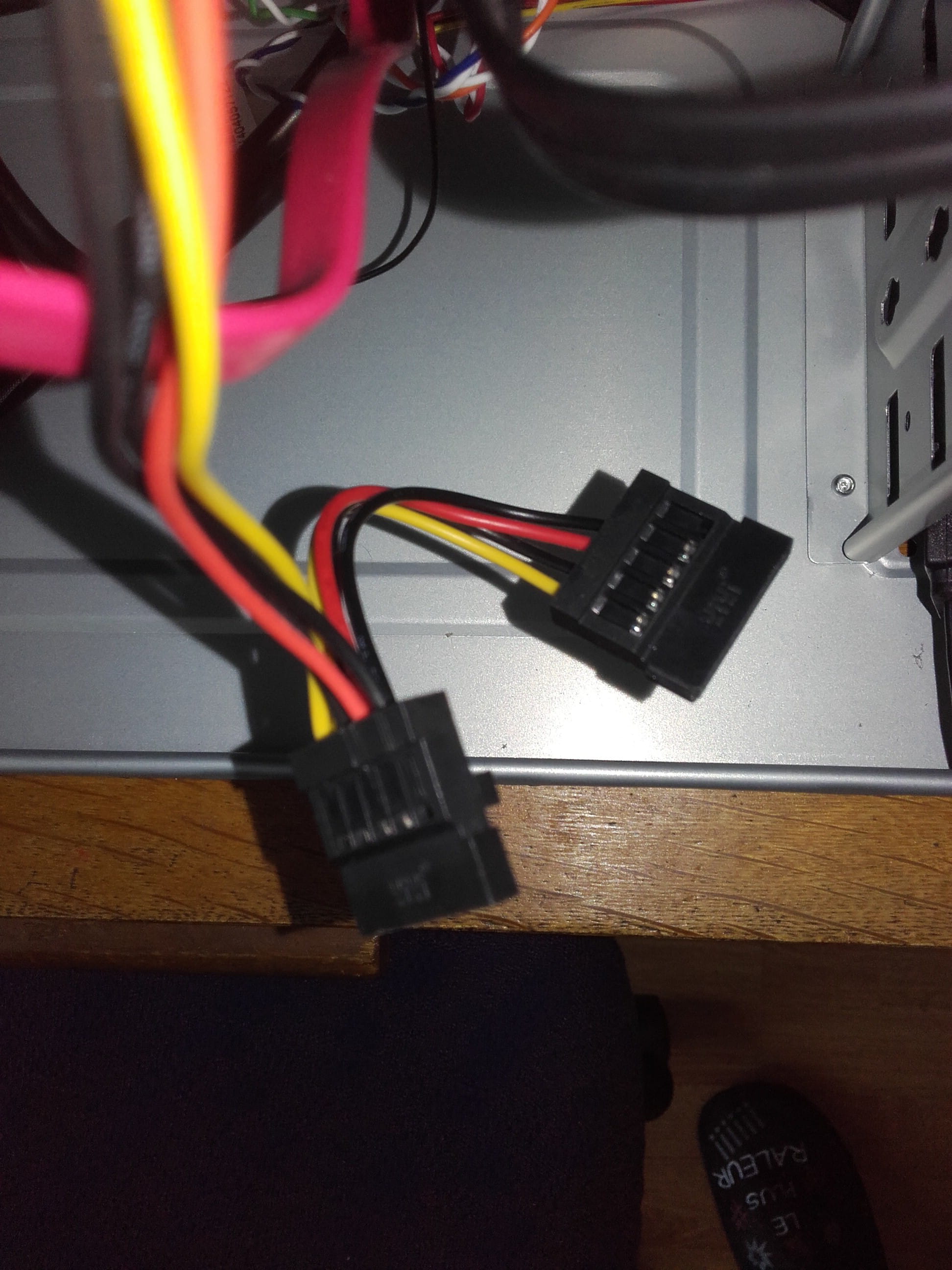
I have a doubt about how to power the second hard drive. The SATA power cable coming from my power supply has a first connector (not a Molex, a SATA) to which the first hard drive is connected. And from that connector, my power cable extends with a second similar connector at the end.
My question is: can I power my second hard drive with that connector?
To keep it simple, my SATA power cable has 2 connectors, arranged in series. Attached is a photo. My first hard drive is connected to the first connector, the one on the left.
Thank you in advance for your help! I hope I was clear enough. I admit I've read everything and anything online, and I'd rather be sure to do things correctly before powering it all up!
Configuration: Windows 7 / Firefox 43.0
I hope I'm asking my question in the right place and that it won't be a duplicate! Here's my problem: I'm transferring my HP computer into a new Cooler Master Elite 310 case because I wanted to add a 2TB SATA hard drive (and there wasn't an available slot for a new hard drive in my old case).
I have a doubt about how to power the second hard drive. The SATA power cable coming from my power supply has a first connector (not a Molex, a SATA) to which the first hard drive is connected. And from that connector, my power cable extends with a second similar connector at the end.
My question is: can I power my second hard drive with that connector?
To keep it simple, my SATA power cable has 2 connectors, arranged in series. Attached is a photo. My first hard drive is connected to the first connector, the one on the left.
Thank you in advance for your help! I hope I was clear enough. I admit I've read everything and anything online, and I'd rather be sure to do things correctly before powering it all up!
Configuration: Windows 7 / Firefox 43.0
2 answers
-
Hello Pierre! Thank you for your quick response!
Actually, I have two identical cables coming from my power supply (the same as in the picture). These are the only power cables coming from it.
The first cable is connected to my DVD drive (with that second plug still dangling), and the second cable is connected to my hard drive (that's the one I took a picture of).
So, should I connect both hard drives to the same cable, or does this simply mean that I cannot connect my second hard drive?
Thanks again, and I apologize for taking up your time; it's the first time I'm really getting my hands into the "guts"!! -
Hello,
Depending on the power supplies, you have several power cables for multiple hard drives.
All you need to do is connect via SATA to the motherboard and the power supply you showed
--
No browser offers a crystal ball extension: post information to get help...