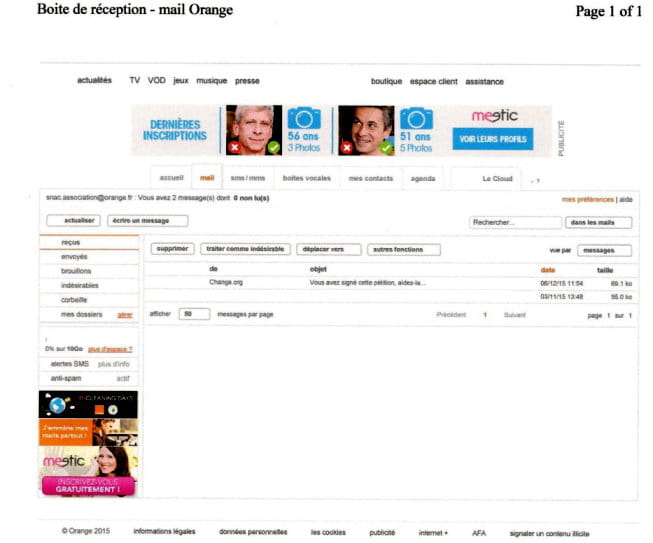
Orange messaging ads with Windows 10
Solved
ma-griff
Posted messages
13
Status
Member
-
ma-griff Posted messages 13 Status Member -
ma-griff Posted messages 13 Status Member -
Hello,
I went to the settings - privacy - of Internet Explorer 11 -
To block the opening of advertising windows on the browser.
Tools menu, then "Internet Options". then "Privacy"
then check the box "Block pop-up windows"
But on my version it says enable the pop-up blocker instead - But ads are not blocked at all, even if I copy the link of these ads into the blocked sites...
And in *security* the *enable SmartScreen filter* function is checked.
In fact, it's with ORANGE's messaging that all these ads block me and it takes me three times longer to write and send emails, and often it bugs and I have to start everything over.
I wrote to ORANGE who told me to do as explained above, except that the mention *block pop-up windows* is replaced in my Windows 10 version by *enable the pop-up blocker* - So how can I avoid these ads? I have no viruses, I've done several clean-ups, I have the Windows Defender antivirus by default, of course. And I haven't installed any software that wasn't provided originally. Except for my accessories like printers and photo software, for example, which I've had for years without problems.
When I send emails using GMAIL.COM there are no issues. But I have over 500 members in my non-profit association under the 1901 law - and I don't have the time to move everything to GMAIL and I would also need to write to everyone to change my email address. I am an elderly person and I really am not very experienced in this matter. Thank you for your help. ANNE
I went to the settings - privacy - of Internet Explorer 11 -
To block the opening of advertising windows on the browser.
Tools menu, then "Internet Options". then "Privacy"
then check the box "Block pop-up windows"
But on my version it says enable the pop-up blocker instead - But ads are not blocked at all, even if I copy the link of these ads into the blocked sites...
And in *security* the *enable SmartScreen filter* function is checked.
In fact, it's with ORANGE's messaging that all these ads block me and it takes me three times longer to write and send emails, and often it bugs and I have to start everything over.
I wrote to ORANGE who told me to do as explained above, except that the mention *block pop-up windows* is replaced in my Windows 10 version by *enable the pop-up blocker* - So how can I avoid these ads? I have no viruses, I've done several clean-ups, I have the Windows Defender antivirus by default, of course. And I haven't installed any software that wasn't provided originally. Except for my accessories like printers and photo software, for example, which I've had for years without problems.
When I send emails using GMAIL.COM there are no issues. But I have over 500 members in my non-profit association under the 1901 law - and I don't have the time to move everything to GMAIL and I would also need to write to everyone to change my email address. I am an elderly person and I really am not very experienced in this matter. Thank you for your help. ANNE
5 answers
-
Hello,
I tried using Internet Explorer and there were no ads on the messaging.
Even by disabling the ad blocker and turning off a specific extension, still no ads.
Have you tried using a browser other than Internet Explorer???
Firefox, Google Chrome, or simply using the browser provided with Windows 10, EDGE???