
[Tutorial] How to Apply a "Dark" Theme on Qt!
MickaNice
Posted messages
56
Status
Member
-
MickaNice Posted messages 56 Status Member -
MickaNice Posted messages 56 Status Member -
Hello everyone,
I've been programming in C++ and with Qt for a little while now and I've long been looking for a way to apply a true "Dark" theme to Qt (I'm talking about a real "Dark" theme, not just the background color of the editor XD) because I prefer that over the bright white :p. So I'm making this little tutorial for those who might be interested ^^
WARNING: I installed version 5.5 of Qt for reasons mentioned below :p. This technique may therefore not work on earlier versions (that might be why I couldn't do it before XD). Let me know if it works or not with your versions for those who will try ;).
1- To start, go to "Tools" (in the top menu) then click on "Options", a window should open:
2- As you can see in the image above, in the "Environment" tab (on the left), select "Dark" in the QComboBox :p to the right of "Theme: "
3- Click on "Apply" at the bottom right, you should already see a change ^^
4- Now go to the "Text Editor" tab (on the left) in the QGroupBox (Qt infiltrates my brain!!! XD) "Color Scheme" and once again select "Dark" in the QComboBox XD!

5- Apply it like before, click on "Ok" and you're good to go :D
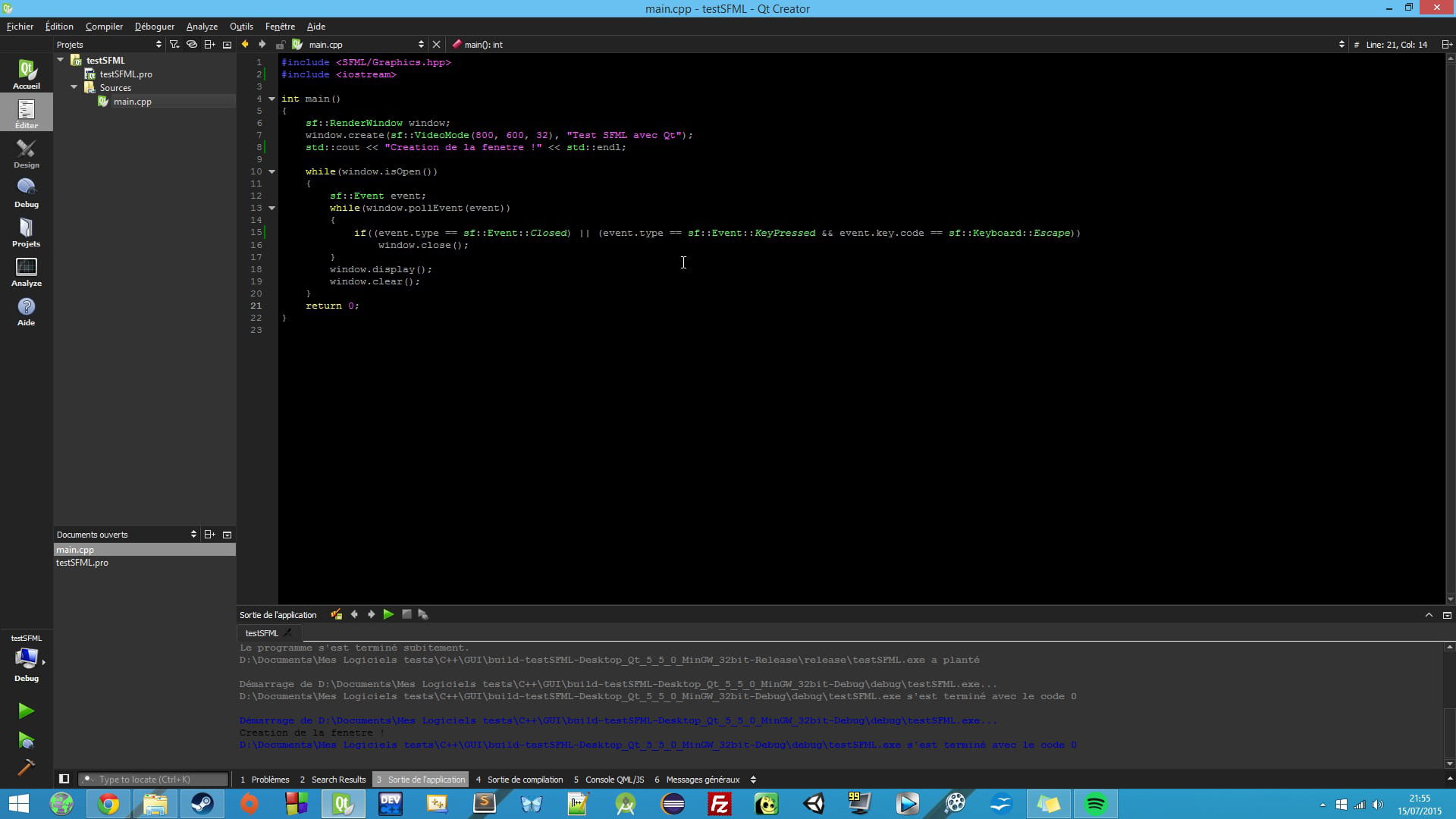
PS: Here's what it looks like (that's indeed SFML that I was testing after a morning learning the basics and an afternoon trying to configure it on Qt XD) :

Happy coding and have a good evening ;)
I've been programming in C++ and with Qt for a little while now and I've long been looking for a way to apply a true "Dark" theme to Qt (I'm talking about a real "Dark" theme, not just the background color of the editor XD) because I prefer that over the bright white :p. So I'm making this little tutorial for those who might be interested ^^
WARNING: I installed version 5.5 of Qt for reasons mentioned below :p. This technique may therefore not work on earlier versions (that might be why I couldn't do it before XD). Let me know if it works or not with your versions for those who will try ;).
1- To start, go to "Tools" (in the top menu) then click on "Options", a window should open:

2- As you can see in the image above, in the "Environment" tab (on the left), select "Dark" in the QComboBox :p to the right of "Theme: "
3- Click on "Apply" at the bottom right, you should already see a change ^^
4- Now go to the "Text Editor" tab (on the left) in the QGroupBox (Qt infiltrates my brain!!! XD) "Color Scheme" and once again select "Dark" in the QComboBox XD!
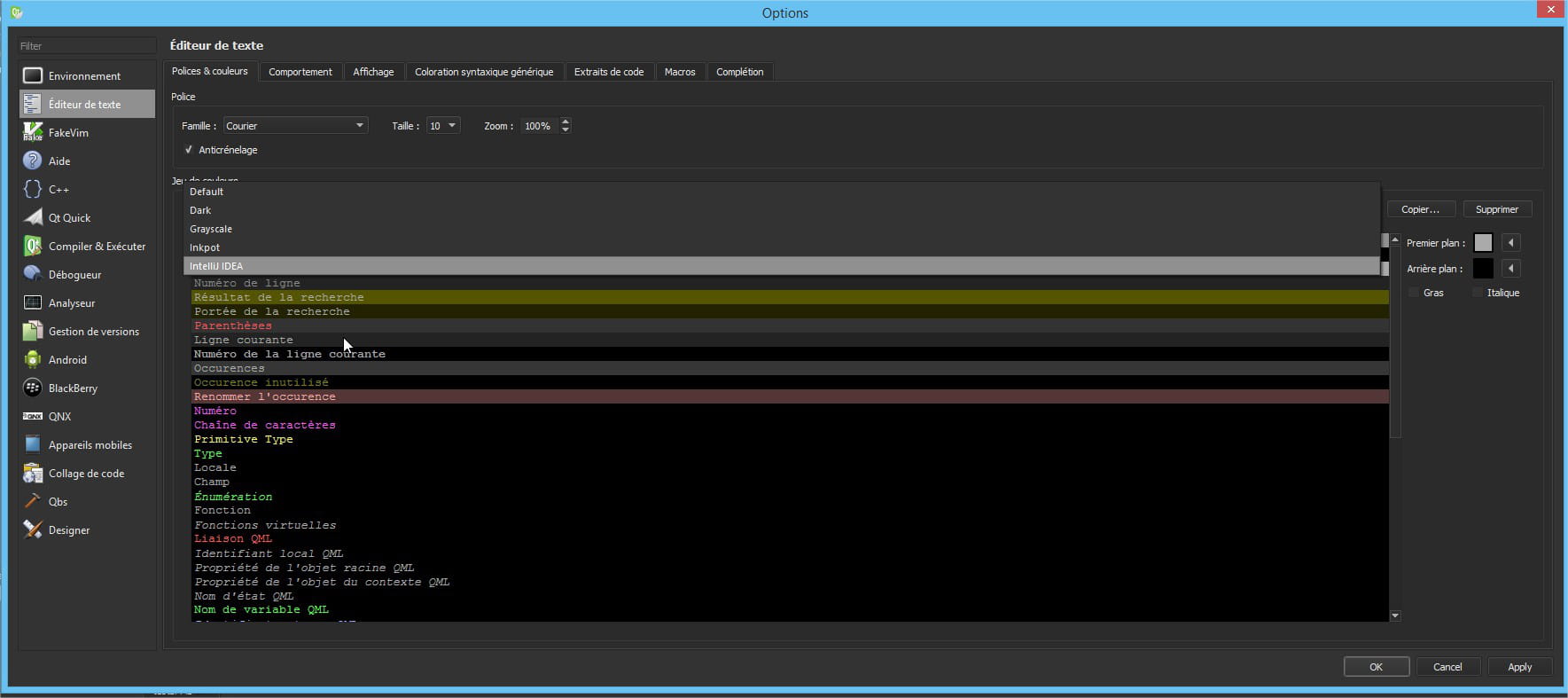
5- Apply it like before, click on "Ok" and you're good to go :D
PS: Here's what it looks like (that's indeed SFML that I was testing after a morning learning the basics and an afternoon trying to configure it on Qt XD) :
Happy coding and have a good evening ;)