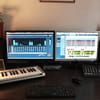
Cubase and Mixing Console
Fumble
-
nicolefu Posted messages 3 Status Member -
nicolefu Posted messages 3 Status Member -
Hello,
I have a Yamaha Mg 166cx mixing console that I’d like to connect to my computer to work with Cubase for recording.
Here are my questions:
- Do I need to buy an audio interface or something similar? Or would a simple cable be enough?
- Which version of Cubase do you recommend?
Details:
- No USB port on my mixer
- Internal sound card in the computer (not external like I’ve seen with a input jack and volume control)
Thanks for your answers!
Configuration: Windows XP Google Chrome
I have a Yamaha Mg 166cx mixing console that I’d like to connect to my computer to work with Cubase for recording.
Here are my questions:
- Do I need to buy an audio interface or something similar? Or would a simple cable be enough?
- Which version of Cubase do you recommend?
Details:
- No USB port on my mixer
- Internal sound card in the computer (not external like I’ve seen with a input jack and volume control)
Thanks for your answers!
Configuration: Windows XP Google Chrome
7 answers
-
First, what is your PC configuration (CPU, RAM, hard drive), your current sound card, is it the onboard audio chipset of your motherboard? If so, it’s better to invest in a sound card oriented for audio production (internal or external): sound quality, reliability, no latency on recording, and the ability to connect a master keyboard to use the MIDI sounds in Cubase. To record with Cubase, you connect your mixing console (output) to the sound card with an RCA cable. I imagine you want to use your mixing desk to connect instruments and microphones? As for Cubase versions, they are fairly similar: Cubase Essential 4 (about 150 euros) or an older version (SX) used second-hand, why not...
-
test with your integrated chipset but by installing ASIO 4 on your PC to avoid latency: https://mao.soforums.com/t1658-ASIO-4-ALL.htm
-
Normally the mixer is connected to the sound card with an RCA cable, but you don’t have an RCA line‑in output on your sound card (which you do find on dedicated MIDI/MAO cards). What you can try is connecting your mixer to the audio output of your sound card (mini‑jack), but I can’t guarantee the result, especially in terms of sound quality. Do a test, but if you want to practice MAO with good sound and proper connections, I strongly recommend investing in a dedicated sound card.
-
My current sound card is indeed the chipset of my current motherboard.
Chipset reference in the motherboard manual:
Realtek ALC1200 8-channel High Definition Audio
CODEC
- Supports Jack-detect and Multi-streaming
- Coaxial S/PDIF out ports at back I/O
- ASUS Noise Filter
Is that not enough to use Cubase, even though a dedicated sound card would be better? -
-
-
-
-
Hello, I have a Yamaha MG166CX-USB mixer http://www.thomann.de/fr/yamaha_mg_166cx_usb.htm and a M-Audio Ultra Fast Rack 8R audio interface
https://getsatisfaction.com/m-audio then my computer with Cubase LE4
https://www.asus.com/fr/#download
I have a drum set, with 4 microphones I would like to do track-by-track, that is 4 mics = 4 tracks
When I don't use my Yamaha mixer it works very well with my M-Audio sound card; I do track-by-track with Cubase and it’s nice but the sound isn’t very good even when I mix, and with the mixer without the sound card I only get 1 or 2 tracks for the 4 mics. What I’d like to do is connect my mics to the mixer, then have it go through my sound card and come to my computer to have 4 separate tracks. In short, connect my Yamaha mixer with the M-Audio sound card to act like this mixer where there is an internal sound card https://www.sonovente.com/sonorisation/console-mixage/console-mixage-analogique/
Thanks in advance. Nico
-
-
sound card and then you connect the sound card to the computer and then the mixing console to the sound card