Infection par un malware sur Android ?
Solved
-
Hello everyone,
I need your help to know if I have indeed been infected by the virus ''rkxv whateveryf info''
Apparently it's indeed a virus since searching on Google leads to guides for removing it, but only for PC.
I scanned my phone with Avast and Malwarebytes anti-malware, but there were no issues found.
I was "alerted" by a notification in my notification drop-down that said
''the site https://rkxv.whateveryf.info has been updated in the background''
So I started wondering what it was because I've never received this kind of notification before (neither on Chrome nor on Edge, which I've been using by default for the past 2-3 months)
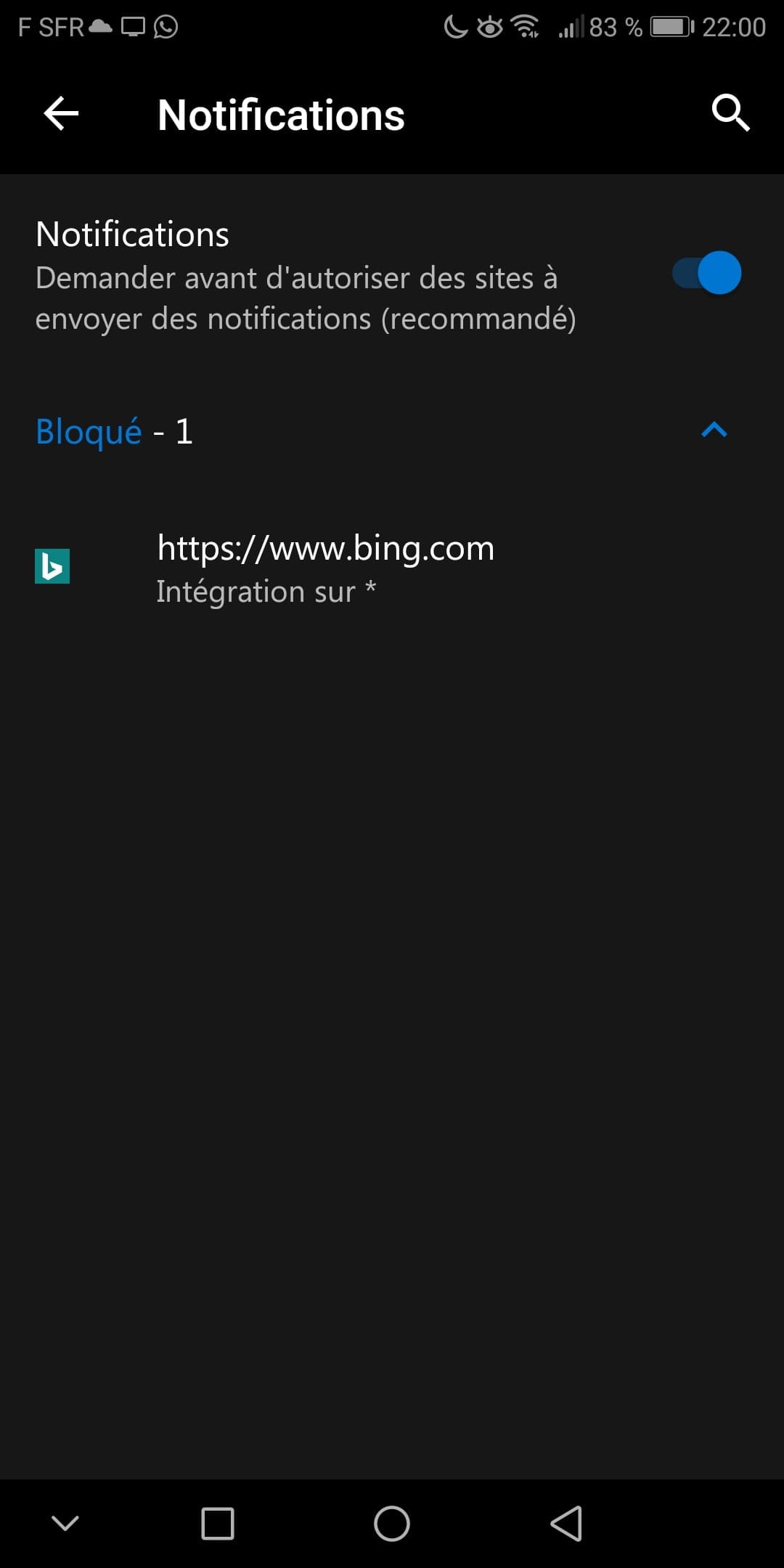
While looking at the application settings in Edge, I found this:


None of these elements make sense to me, and I wouldn't be able to say if they were already present before.
Thank you for your help and sorry for the long read.
I need your help to know if I have indeed been infected by the virus ''rkxv whateveryf info''
Apparently it's indeed a virus since searching on Google leads to guides for removing it, but only for PC.
I scanned my phone with Avast and Malwarebytes anti-malware, but there were no issues found.
I was "alerted" by a notification in my notification drop-down that said
''the site https://rkxv.whateveryf.info has been updated in the background''
So I started wondering what it was because I've never received this kind of notification before (neither on Chrome nor on Edge, which I've been using by default for the past 2-3 months)
While looking at the application settings in Edge, I found this:
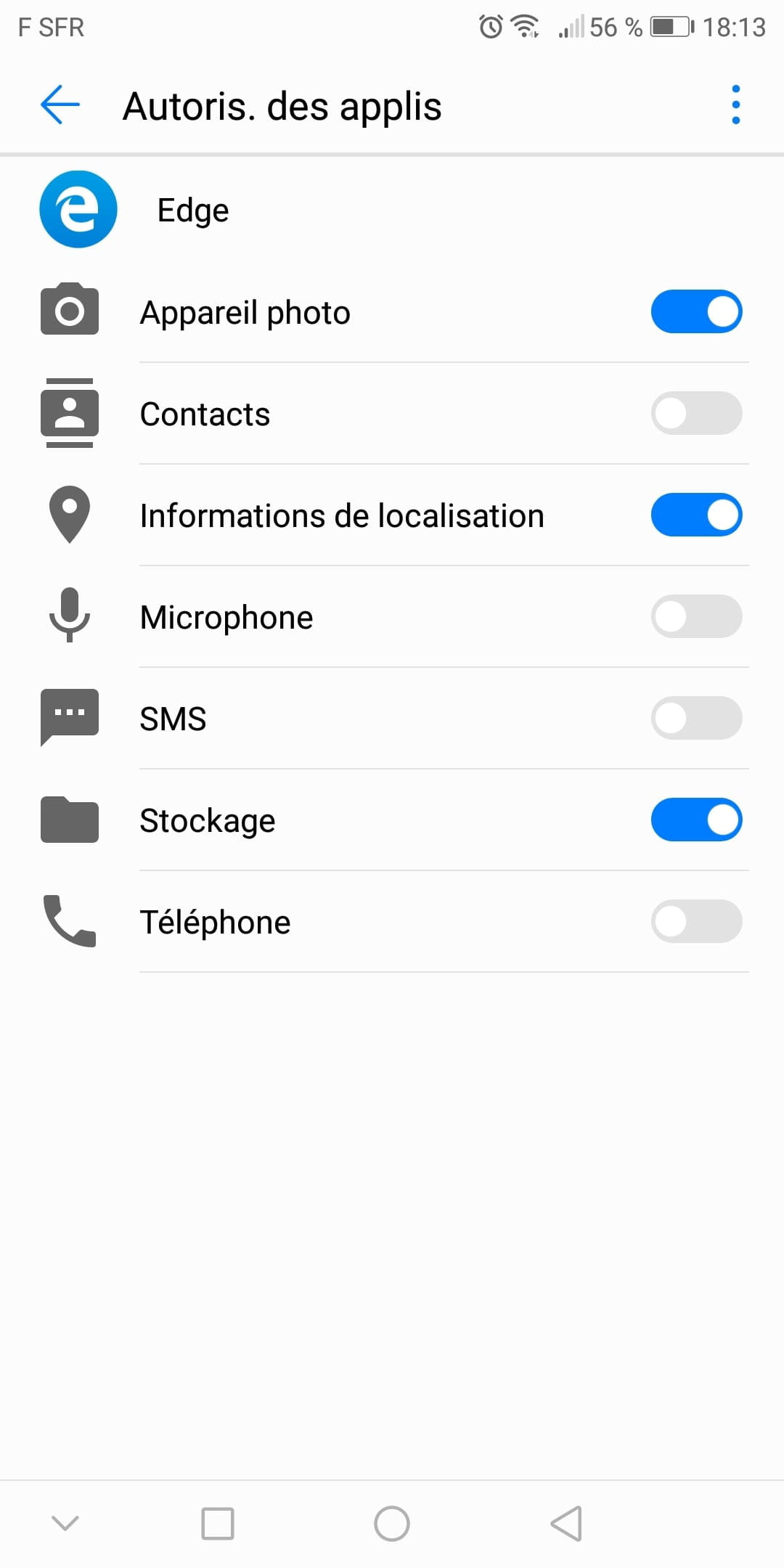

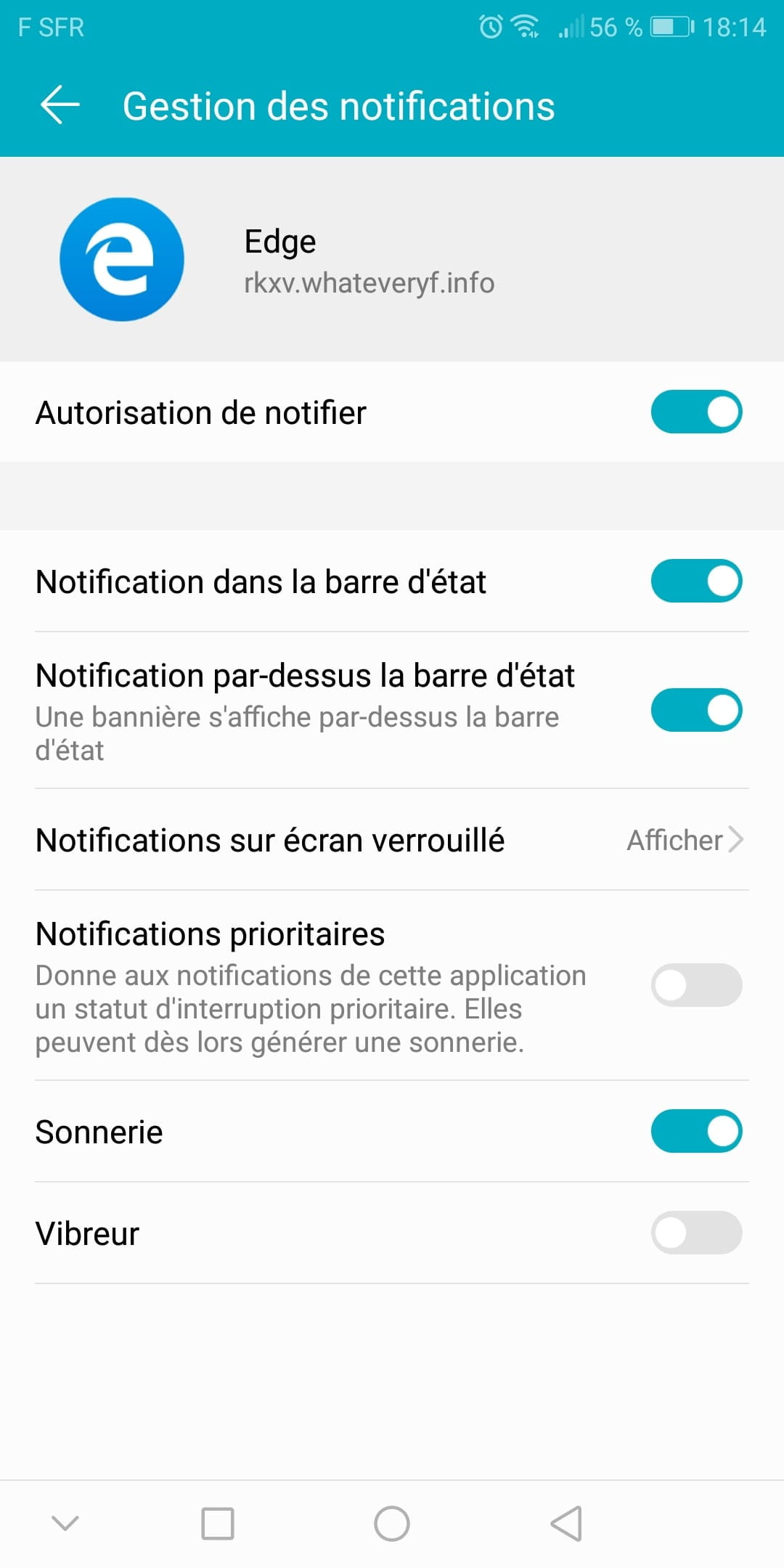
None of these elements make sense to me, and I wouldn't be able to say if they were already present before.
Thank you for your help and sorry for the long read.
1 answer
-
ModeratorHi,
Follow this link: https://www.malekal.com/adwares-publicites-android/
Try the suggested applications to clean your phone.
--
Please press any key to continue the disinfection...-
Thank you, I installed ADDONS which detects nothing as well as Eset mobile security. The other application AirPush Detector is not found on the play store, your link leads to a nonexistent page.
So, according to you, is it ''only'' a malicious program for advertising purposes?
Would simply preventing it from notifying in the settings or deleting Edge altogether be enough to solve the problem?
Or is a factory reset necessary? -
Moderator@ajaax9Yes, reset the phone if no program finds it.
-
Re!
So as you can see, I deleted those unwanted elements via the Edge settings (and I also prevented them from sending notifications through the phone settings) then I restarted my phone to see if they came back, and after the restart, nothing in the settings
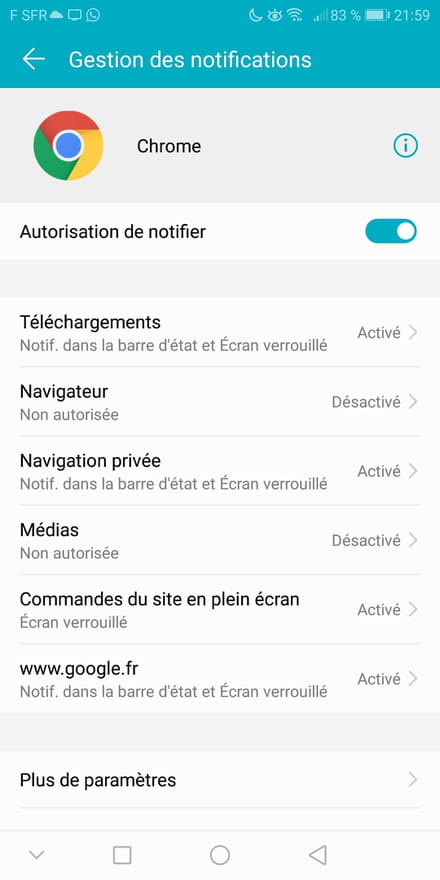
I noticed when I went into Chrome settings that there were also websites able to send me notifications (which I have therefore deleted) so I don't know your expert opinion but they must have been there for a while (at least on Chrome) and in your opinion, are these sites really dangerous?
Apart from the fact that I might receive unwanted notifications when I visit certain websites
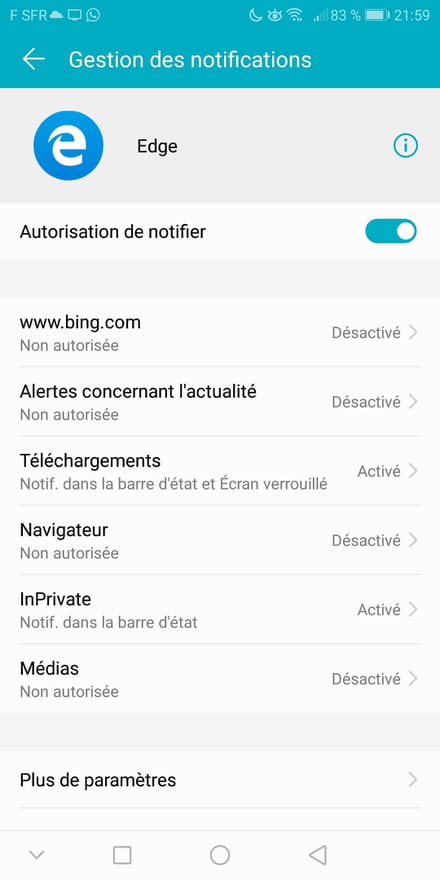
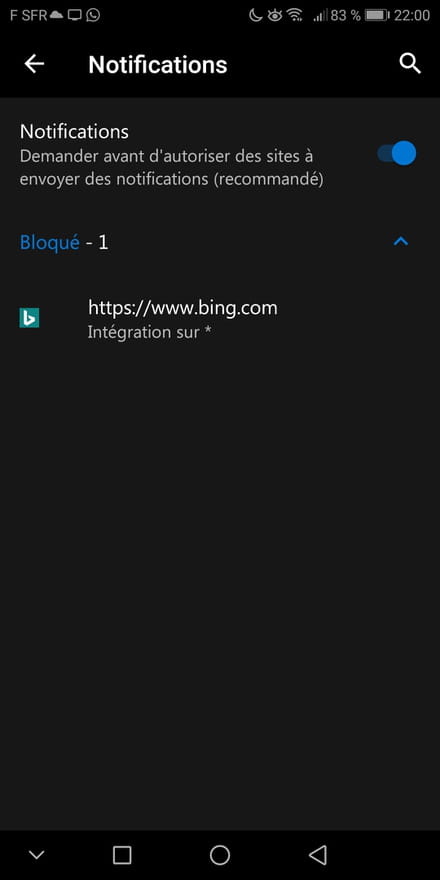
-
Moderator@ajaax9This Edge is strange on Android.
Did you install it on purpose? If not, you need to uninstall the app.
Read this: https://www.malekal.com/supprimer-publicites-notifications-chrome-firefox-opera-smartphone/
When you surf, do you not accept the display of notifications? -
-