
Unusable screen
Hello
I can no longer use my PC because of the Avast antivirus that keeps popping up on the screen, even though it has never been used at home
Any help would be very useful to remove this Avast that keeps blocking my screen
thank you
gbko
5 answers
-
Hello,
Use this program that allows you to uninstall Avast properly and even if it is blocked:
Avast Uninstall Tool
-
Hello,
If the program has never been installed, they are not leftovers but intrusive browser notifications.
So disable these notifications in the browser settings.
Incidentally, these popups are caused by scripts from sites where you log in or have logged in: use a script manager, for example NoScript in Firefox.
-
-
Indeed this program has never been installed on my PC
-
Moderator
Hello .
These are nuisance notifications that you have recorded in your web browser.
Two options are available to you.
- Either delete the nuisance notifications yourself, for that read this page and also this page .
Or reset the concerned browser manually or with Reset Browser.
- If it’s still the same, download FRST .
Once downloaded, save FRST to the desktop then right-click FRST and choose Run as administrator which yields this:
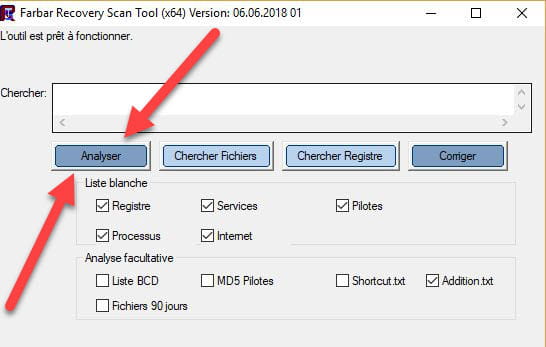

 Attendre que le message the tool is ready to run s'affiche puis cliquer sur Analyze.
Attention, wait for the messages saying that the analysis is finished to appear.
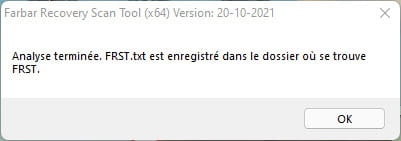

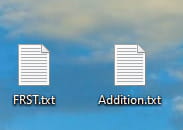
At the end of the scan the two reports FRST and ADDITION will be on the desktop.


For information :
 If opening FRST triggers a Microsoft Defender alert, ignore it and click on Additional information then on Run anyway, see below.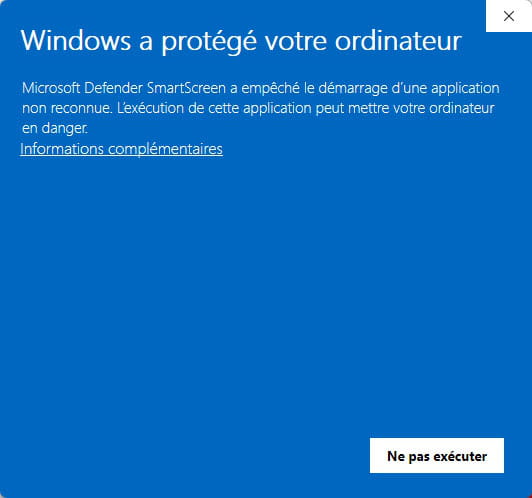


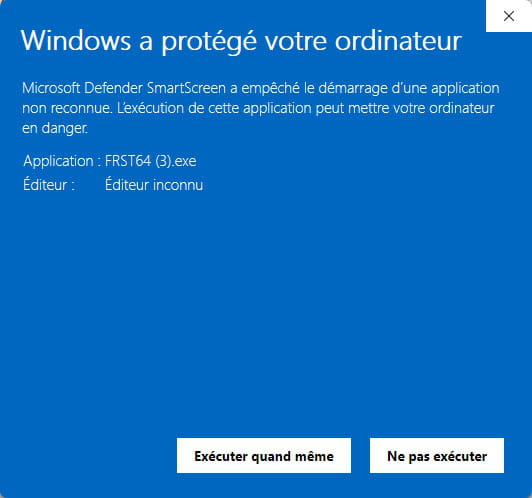


Send the FRST and ADDITION reports to https://pjjoint.malekal.com/ .
Then attach the two links generated by https://pjjoint.malekal.com/ in your reply.
bazfile
Moderator/Security Contributor.
a hello, a reply, a thank you always pleases. -
Thanks friends I see that it is 6 PM I haven't set anything at all I'm giving up Grandpa is worn out It's too difficult for me I tried to replace Edge with Google Chr And now Windows is giving me trouble So see you tomorrow perhaps
I remind you I am 93 years old and I have a stroke I dictate my texts
Thanks to everyone
-
If Edge is present, block notifications and redirects:
https://support.microsoft.com/fr-fr/edge/manage-website-notifications-in-microsoft-edge
https://www.malekal.com/bloquer-ouverture-onglet-popup-publicites-chrome-edge-firefox/
There are also extensions to block scripts under Edge, although it is not the most user-friendly browser; do a search for
"edge extension bloqueur de script"
Or do one thing to do another, but it is heavier with an ad blocker like uBlock, see the second link.
-
-
Hello friends
A miracle just happened Everything is clear And I also got the switch Change between Edge and Google Chrome, For now everything is clear And I hope it will last
Thanks again to everyone Have a nice day
gbko

