Ethernet cable not detected
Solved
Good evening,
My Ethernet cable is not working, at least the PC does not detect it. I'm sure of this because I changed the Ethernet cable and rebooted my PC, and despite that, I am still not connected via Ethernet.
When I connect it to the Ethernet port, a green blinking light appears and flashes randomly, which theoretically means that a connection is established. The same happens on the box when I connect it to port 1; a blinking light appears on the box for slot 1, and the same if I connect it to port 4.
My Ethernet cable is not working, at least the PC does not detect it. I'm sure of this because I changed the Ethernet cable and rebooted my PC, and despite that, I am still not connected via Ethernet.
When I connect it to the Ethernet port, a green blinking light appears and flashes randomly, which theoretically means that a connection is established. The same happens on the box when I connect it to port 1; a blinking light appears on the box for slot 1, and the same if I connect it to port 4.
12 answers
-
Hello
Have you checked if your network card is operational?
1) Are the drivers properly installed? Check in the "Device Manager" if any issue appears (exclamation mark or otherwise).
2) Reset your network settings to see if an error slipped into the settings. Run netsh winsock reset in the command line (or Powershell) as Admin.
All of this is accessible in Windows 10 by pressing: Windows key + X and selecting from the menu...
See you later
--
If the answer helped you: a little thank you is nice. If it is resolved: the green button at the top is better ;-)
Let he who has never opened a user manual throw the first mouse. -
The problem persists even after the restart...
-
Hello,
On the desktop in the bottom left, in the search bar type > cmd > right click with the mouse
> run as administrator.
Enter these command lines one by one and press enter after each line:
netsh winsock reset
netsh winhttp reset proxy
netsh winhttp reset tracing
netsh winsock reset catalog
netsh int ipv4 reset catalog
netsh int ipv6 reset catalog
Restart the PC to test.
If it still doesn’t work, go to:
> control panel > network and internet > network and sharing center > change adapter settings > double click on the adapter > properties > configure > power management where the box > allow the computer to turn off this device to save power should be unchecked, click > ok

-

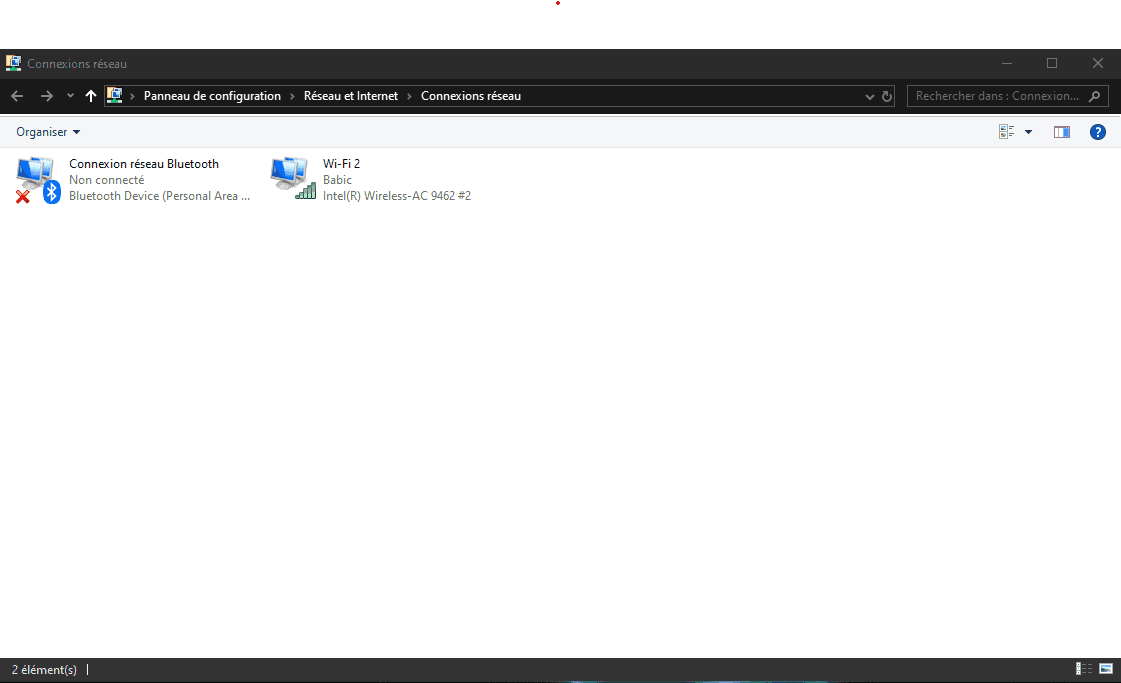
well, it seems that nothing has changed even after typing the commands... and I simply cannot perform the manip on the control panel because the ethernet box does not show up... so here's a screenshot -
What is strange is that we can't even see the Ethernet cable even when there is no connection.
We should see the Ethernet card even if there was a red cross indicating no connection or a yellow triangle.
Double-check your connections, unplug your Ethernet cable from your box, reconnect it firmly, and do the same on your PC. If that doesn't work, try other Ethernet ports on your box to see if any of them are defective; otherwise, try another Ethernet cable to make sure your cable works. -
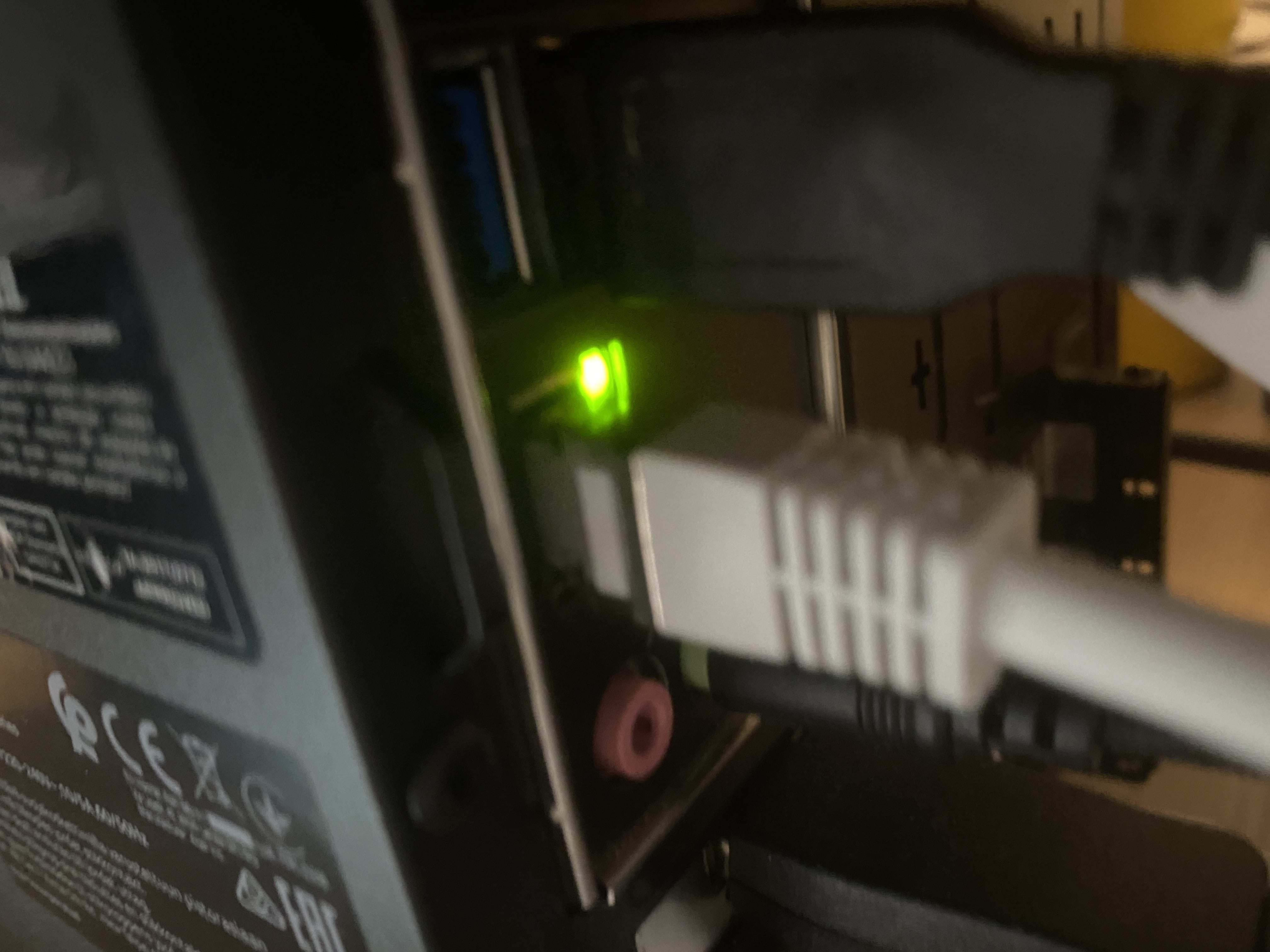
The cable is new! I received it yesterday because I thought the problem was indeed with the cable. On the box side, a light appears on all sides when the ethernet port is connected, and it definitely appears! And even directly on the computer's port, a blinking green light appears randomly! See for yourself...

-
Hi,
it seems that your Ethernet card is not recognized by Windows.
Does it appear in the Device Manager?
If Windows does not recognize it, you will need to add an external one (via USB or PCI) because this one appears to be integrated into the motherboard.
-
 I think the question is quickly answered...
-
that's not an answer,
this hardware can work without Windows, even when the PC is off, have you ever heard of Wake on LAN?
I asked you to check the device manager to see if Windows recognizes it. -
@brupalalook further down in the topic, I simply chose the wrong image.
-
-
crap bad image
-

-
-
@brupalabut it's not possible... A few weeks ago I had this problem but after a Windows update, it was fixed like magic and very recently the problem came back... I'm going to check the site where I bought the PC, usually there's the ethernet card and I will see if I can install the driver that goes with the card...
-
@brupalahttps://www.acer.com/ac/fr/CH/content/predator-model/DG.E11EZ.004 this is the PC I have and yeah I don't understand...
-
@CenskoHow do you plan to install a driver on a card that Windows doesn't recognize?
If I were you, honestly, I wouldn't waste my time with such a crappy Ethernet port; installing another one would cost you less than 20€, I don't know how much that is in CHF ;-) -
@brupalaSo if I understand correctly, I need to buy a new Ethernet card... it seems like it just blew out, I think...
-
-
Well, do you believe me if I tell you that I unplugged everything from my computer while it was off, plugged it back in, and when I turned it on again, it worked like magic???

-
So I understand better now why your Ethernet card wasn't showing up; there was indeed a hardware problem.
If your PC is recent and you bought it not long ago, contact the seller; it's not normal. Otherwise, follow brupala's advice; it's better to buy a reliable Ethernet card so you'll be at ease!