
Cannot install Media Player on Windows 11 PC
Hello, I am on Windows 11 and I can't install Media Player because Microsoft blocked it. How can I install it, please?
4 answers
-
Good evening,
Try this:
Open Settings
Search for "Optional Features"
Click on "Turn on optional features"
Click on "Show available features"
You should find "Windows Media Player"; click "Add"
-
Otherwise, I just installed the new Windows Media Player via the Microsoft Store and it works, but perhaps this method doesn't suit you?
-
Hello,
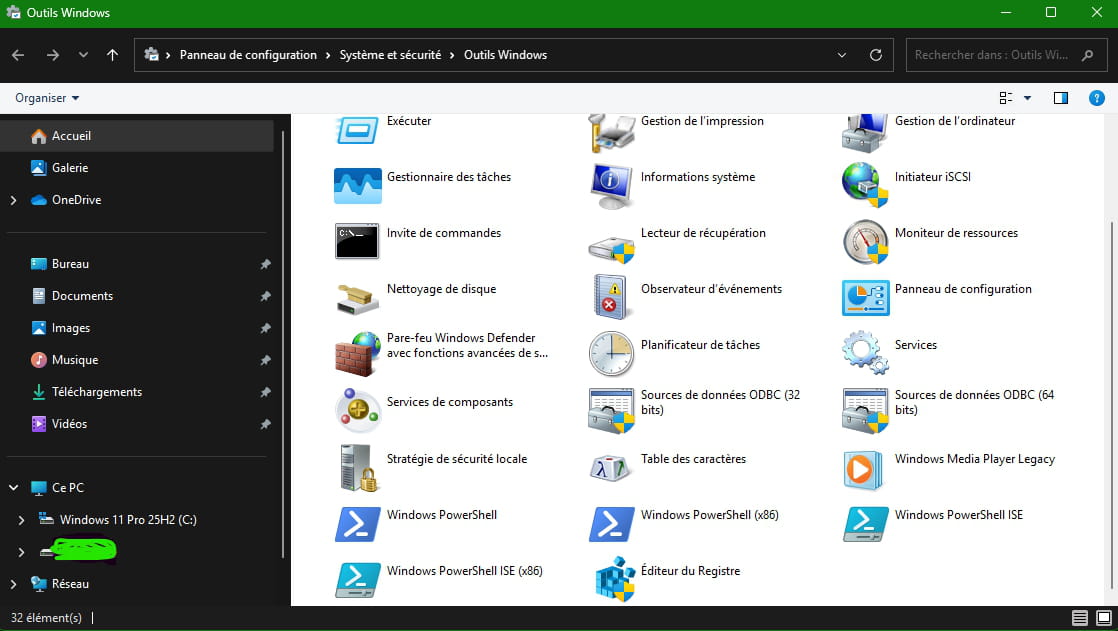
If it may interest you, in the "Windows Tools", Windows Media Player legacy
-
-
@spiralio
Personally I added nothing or modified nothing.
-
-
-
-
Hello,
Its activation by the optional features is not normally done anymore through the settings but through the Control Panel, Programs, Turn Windows features on or off, Media Features.
It is then not found in Windows Tools of the Start menu but in Windows Accessories and in the WindowsApps folder of the Programs folder whose contents are inaccessible; you must enter in File Explorer
shell:AppsFolder to access it.
If it is not found in these optional features, it is because you are using a Windows N version; if you don’t remember, it is normally easy to check by typing winver in the search/run box, and that is why Windows refuses to install programs except from the Microsoft Store.
You must then download Media Feature Pack either from the Microsoft Store if you can find it there, or directly from Microsoft, or via an administrator command line:
DISM /Online /Add-Capability /CapabilityName:Media.MediaFeaturePack~~~~0.0.1.0
-

