
How to put an icon on the desktop
brucine Posted messages 25275 Registration date Status Member Last intervention -
I’m trying to put an icon on the desktop
I click on the address https:......Ctrl + C , right-click on the desktop, new shortcut, Ctrl +
V, next, finish and it doesn’t work
5 answers
-
Hello
select the address in the address bar
left click then keep pressed and drag onto the desktop
If my answer helped you, click the Thanks button.
Mark as resolved if your problem is fixed.-
Hello,
We are not dealing here with a simple Edge address but with launching this address through the Mail application.
It is assumed that Windows 10 is now activated, otherwise things may become complicated.
We could therefore connect not via Mail but via the outlook.com address as long as we have a Microsoft account, in which case we don’t see the problem: we add this address to Favorites or, if we insist on having it on the desktop, right-click, new shortcut, we select this address and paste it there.
If there is Mail, it is strange since normally Windows has removed it in favor of New Outlook, but let's suppose.
The application shortcut must be in the Start menu, right-click, create a shortcut which will automatically be created on the desktop.
If for some obscure reason it has disappeared, enter in the shell explorer:AppsFolder and the same punishment, or try to create on the desktop a new shortcut toward the target explorer.exe ms-mail://
-
-
To respond to jfmimi, I reach this window by selecting the address bar as you mentioned
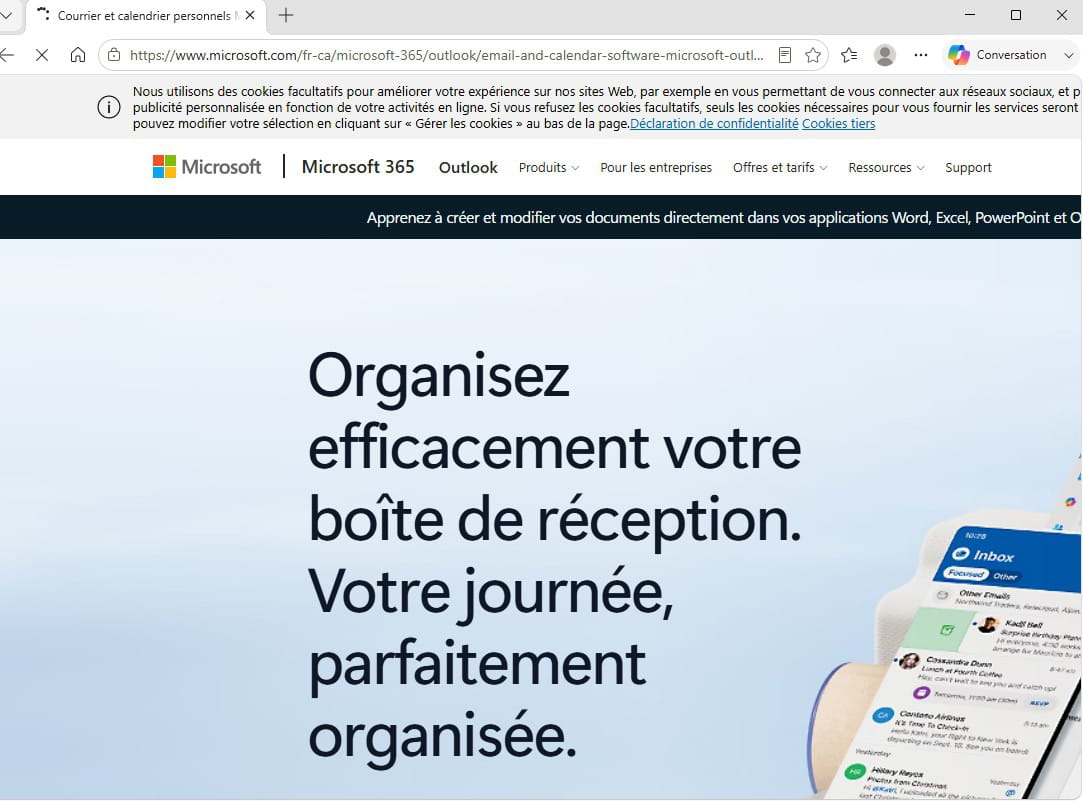
and not to my inbox
-
I don’t quite understand,
do you mean that the starting address isn’t the right one, the one starting with http//outlook.live.....
If I have to use the microsoft.com one, where can I find it!
sorry for my ignorance, I’m not a computer expert… thank you for your patience, I’d like to fix this little problem
-
fabul
if it's this one, it doesn't work
-
If it’s for the Outlook program non
With Firefox on the WEB it works.

