
Control of my PC
Solvedbazfile Posted messages 58538 Registration date Status Moderator Last intervention -
Hello everyone,
I have a problem, since yesterday it sometimes happens that I cannot contact that I no longer control my PC.
when I open a Word file the data disappears by itself.
when I open a browser, a window opens automatically and even prevents access to the address bar
6 answers
-
Hello,
Turn off the PC by holding the power button 3 times in order to boot into WinRE (Windows Recovery Environment), Recovery in French.
Boot into WinRE, then in Recovery, > Troubleshoot > Advanced options > Startup Settings (with network support), to check what’s going wrong with your PC.
You can start with ResetBrowser (part 3) for the browser, then see with part 1 for viruses, and also help with Autoruns to disable.
https://forums.commentcamarche.net/forum/affich-38206831-alors-vous-voulez-supprimer-les-virus-vous-meme-comment
-
Hello @okobrice StatusMember .
Download FRST .
Once downloaded save FRST to the desktop then right-click FRST and choose Run as administrator which gives this:
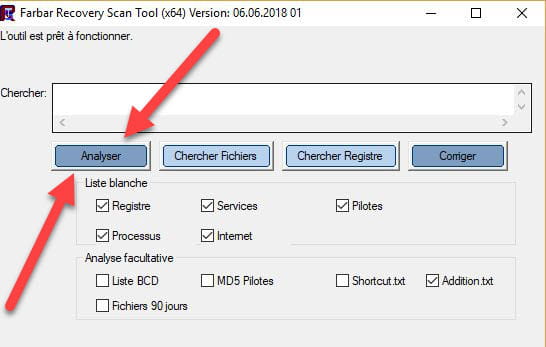

 Wait for the message the tool is ready to operate to appear and then click Analyze.
Attention, wait for the messages saying the analysis is finished to appear.
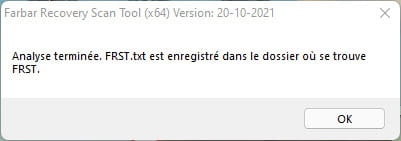
 At the end of the analysis the two reports FRST and Addition will be on the desktop.
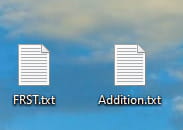
 Send the FRST and ADDITION reports to https://pjjoint.malekal.com/ .
Then attach the two links generated by https://pjjoint.malekal.com/ in your reply.
For information:
 If opening FRST triggers a Microsoft Defender alert, don't worry, click on More information then Run anyway, see below.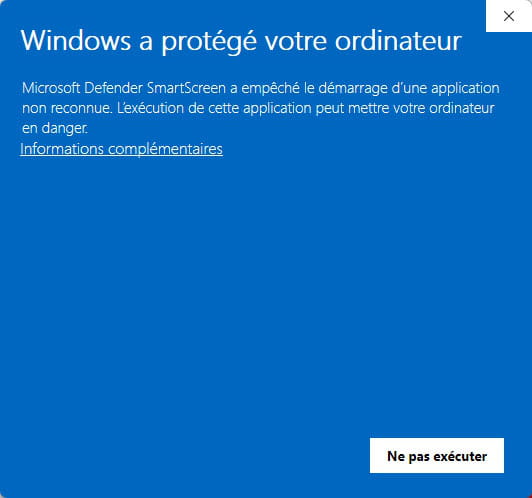


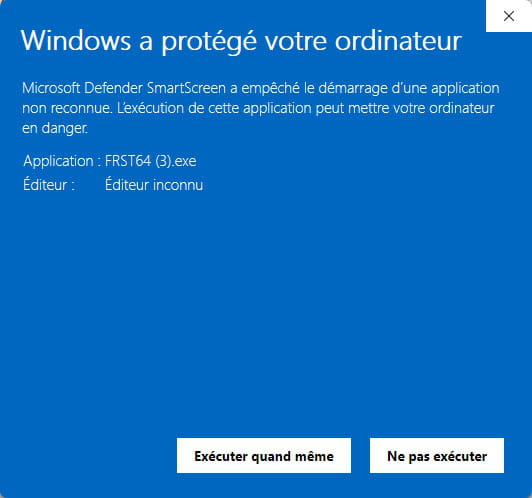
bazfile
Modérateur/Contributeur sécurité.
a hello, a reply, a thank you always brings pleasure. -
https://pjjoint.malekal.com/files.php?id=20260712_t15e12g5x7c10
https://pjjoint.malekal.com/files.php?id=FRST_20260712_g8v8u5u11w6
-
@okobrice StatusMember .
Not really an infection on your PC, Edge and Chrome have parasite extensions to remove them, do the following:
Reset Edge: comment-reparer-ou-reinitialiser-edge
Reset Chrome: https://support.google.com/chrome/answer/3296214?hl=fr
You downloaded KMSpico which generated quite a few Windows Defender alerts, avoid this kind of fraudulent tool.
You have a particularly underpowered PC, the processor is a very low-end processor that is completely outdated and you only have 4GB of RAM, here is what this looks like when compared to a simple I3 processor at 79€ the I3 processor is 170% more powerful than yours.
You have installed the antivirus Eset Security and also Malwarebytes, I think the problem comes from all these antiviruses which slow down and bug your PC which is too weak to support all that, plus you have Windows 11 on this PC which is not compatible.
My advice would be to uninstall Eset Security and Malwarebytes, Windows Defender will automatically take over, then check if it's better, you can always reinstall them if you wish, up to you to decide.
There are a few orphan/obsolete processes to delete, do the following.
Procedure to follow in the indicated order:
1- Open FRST as administrator, to do this right-click FRST and choose run as administrator
2 - Copy all of the script that is in the box below:Start:: CreateRestorePoint: CloseProcesses: Task: {CA2C3360-0AF2-4CD4-86A1-8B350D017F16} - System32\Tasks\Microsoft\Office\Office 15 Subscription Heartbeat => %ProgramFiles%\Common Files\Microsoft Shared\Office15\OLicenseHeartbeat.exe (No file) Task: {F3E6E7ED-A196-4E44-8803-55FAB3AD4E29} - System32\Tasks\Microsoft\Windows\UpdateOrchestrator\USO_UxBroker => %systemroot%\system32\MusNotification.exe (No file) AlternateDataStreams: C:\Users\DELL\Desktop\FRST64.exe:MBAM.Zone.Identifier [450] End::3- Once the script is copied, click Fix, FRST will automatically take the script from the clipboard.
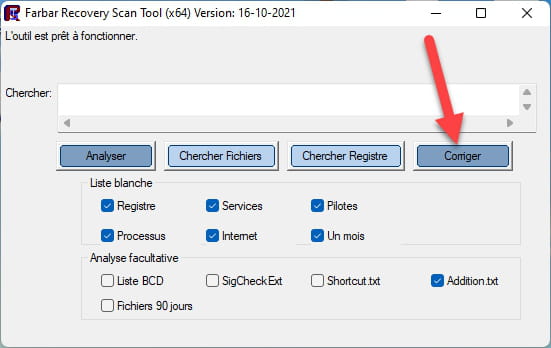

Let the repair run; once it finishes you will be prompted to restart your computer, do it as soon as it asks, see below.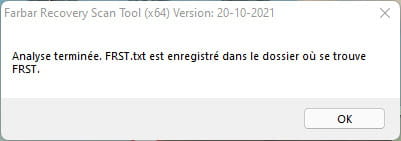
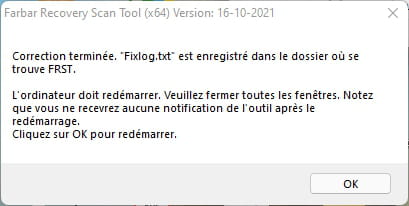

Then once your computer restarts:
4- You will have a Fixlog file on your desktop, then send this report fixlog to https://pjjoint.malekal.com/.Then give the link generated by https://pjjoint.malekal.com/ in your reply.
bazfile
Moderator/Security Contributor.
a hello, a reply, a thank you always please. -
https://pjjoint.malekal.com/files.php?id=20260713_u10b13m15n12d8
-
@okobrice StatusMember .
The fixlog is OK, nothing more to do.
bazfile
Moderator/Security Contributor.
a hello, a reply, a thank you always pleases.

