
Display issue in Google

brucine Posted messages 25323 Registration date Status Member Last intervention -
Hello,
When opening Google seems normal to me
The icon for displaying the various shortcuts saved as favorites no longer appears; instead I have an icon, a circle with 2 black shapes, identical for all favorites.
I tried to re-save all the favorites and the icon returns to the one for the site in question, but if I close Google and reopen it, I think the system icons are displayed in their place.
If someone has a solution please let me know.
1 answer
-
Hello,
We assume it is Chrome.
The behavior is normal (here for Firefox) if you have bookmarked a site you have not revisited yet.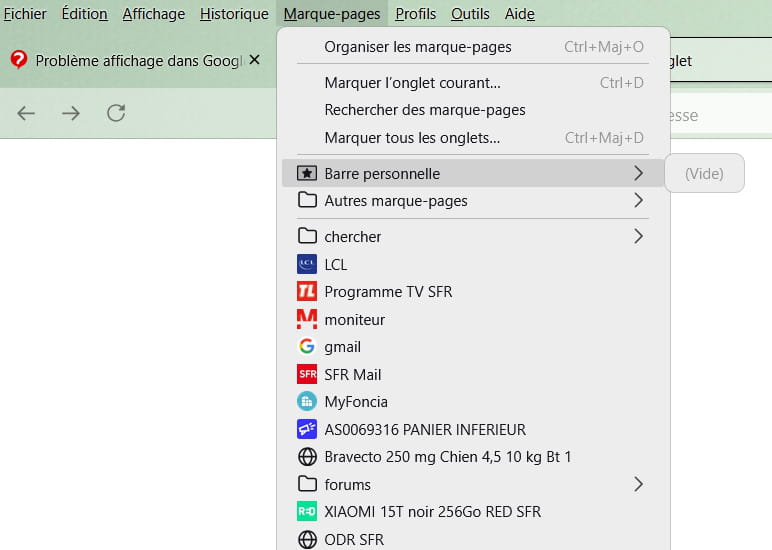
It can also be the case if we talk about recently visited sites on the homepage, history can be cleared after a certain time.
If you have really bookmarked these sites, the corresponding icons are found at
%LOCALAPPDATA%\Google\Chrome\User Data\Default\Favicons (choose the option to show hidden files) and access to this folder can be corrupted by indiscriminate cache cleaning or browser corruption in general.
You can delete the contents of this folder and then revisit each site, which is tedious when there are many, or you can make an external backup for safety and reset Chrome via Reset Browser or whatever you like, but this is likely to lead to the same result.
https://www.commentcamarche.net/telecharger/utilitaires/19335-resetbrowser/