
Black square desktop icons
fabul Posted messages 42276 Registration date Status Moderator Last intervention -
Hello,
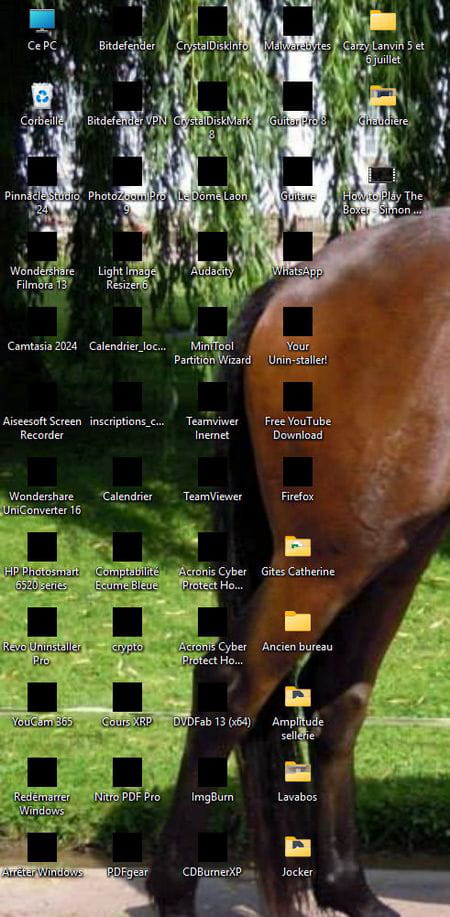
Since a Windows update, my desktop icons are black squares. Sometimes they return to normal, but today, for example, they remain black.
What can I do to get them back?
Thank you in advance for your advice, best regards.
JP
5 answers
-
-
-
Hello everyone. The problem has returned: I did correct key 29 by putting 51 instead of 50.
If you have another solution to propose to me.
Thank you in advance; JP
-
Hello,
We can try clearing the icon cache, but it probably won't change much. Copy the following into a text file that we rename test.cmd and run as administrator:
taskkill /IM explorer.exe /F CD /d %userprofile%\AppData\Local DEL IconCache.db /a shutdown /r
The situation is often due to an accidental manipulation aimed at removing the shortcut arrows on icons (if one wants, it can be done properly, for example with Winaero Tweaker, but I don't see the point; it's useful to distinguish shortcuts from files).
In this case, a registry key is created at:
HKEY_LOCAL_MACHINE\SOFTWARE\Microsoft\Windows\CurrentVersion\Explorer\Shell Icons
Which needs to be deleted (I don't have it and I'm doing just fine).
-
-
Thank you for your response.
I don't quite understand the end of your answer:
"In this case, a registry key is created at:
HKEY_LOCAL_MACHINE\SOFTWARE\Microsoft\Windows\CurrentVersion\Explorer\Shell Icons
Which needs to be deleted (I don't have it and I'm doing just fine)."-
If I search for regedit in the ad hoc window and run it, the Registry Editor opens.
I click on HKEY_LOCAL_MACHINE and on the arrow to the left to expand its subfolders, I click on Software, expand it, and do the same with Microsoft, Windows, Current Version, Explorer.
In the absence of any unfortunate tweaking of Windows shortcuts, I should not have a key (represented like a folder) ShellIcons on the left.
Otherwise, I right-click on the "folder" in question, Delete.
There is no confirmation prompt; any modification to the registry takes effect immediately without it.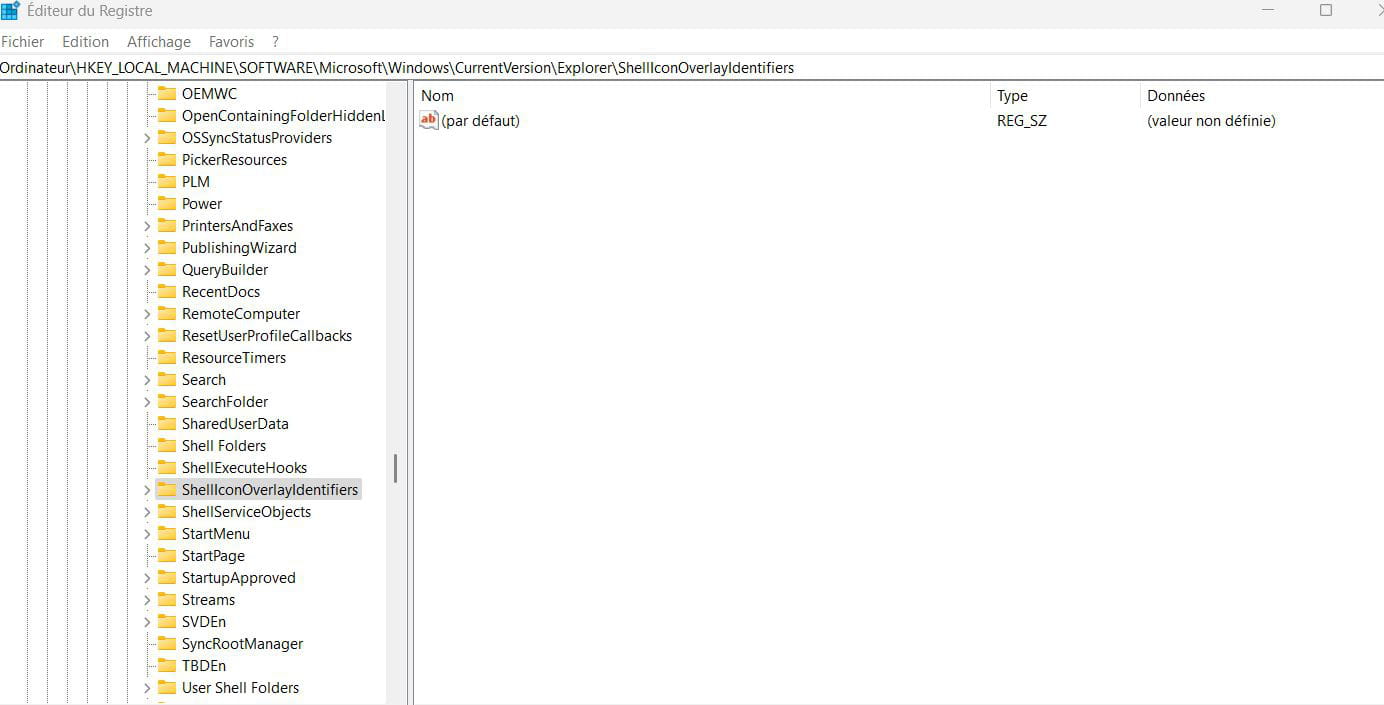
-
