
BIOS update issue - Dell Latitude 5320 (Button grayed out)
flo88 Posted messages 28533 Registration date Status Contributor Last intervention -
Hello,
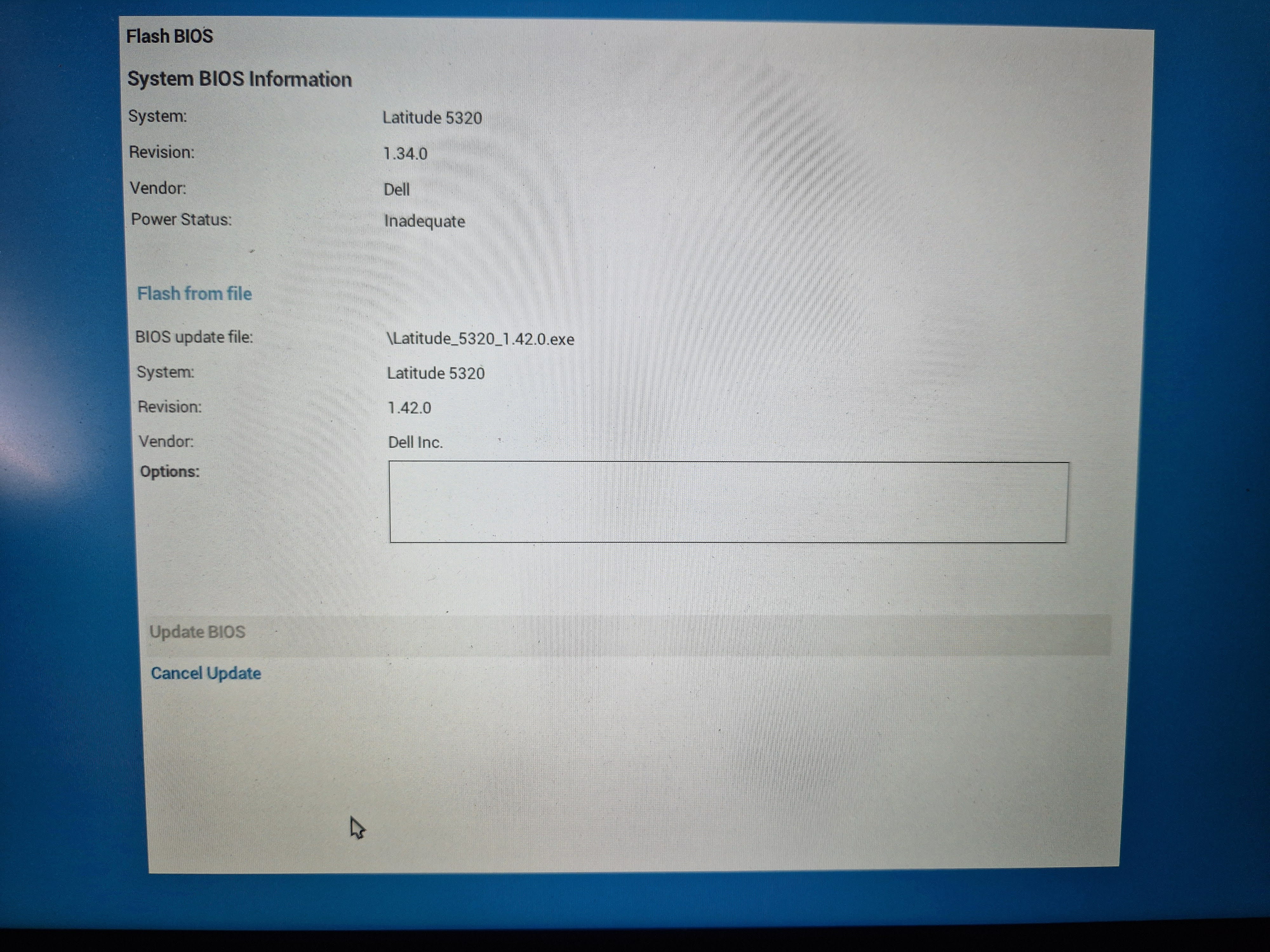
I am trying to update the BIOS on my Dell Latitude 5320, but the "Update BIOS" button remains grayed out when I select the file from my USB drive. Here’s what I have already tested:
-
No OS installed on the hard drive.
-
BIOS downloaded from the official site and copied to USB (tested with several BIOS versions, several USB drives of different sizes in Fat32).
-
Access to the Pre-Boot Tasks > BIOS Update menu, selection of the file possible but button blocked.
-
Power: tested with two official Dell chargers (same problem).
-
Battery detected with a communication error (Battery Level: 0%).
-
BIOS reset to default values (no effect).
-
Attempted update via F12, same problem.
-
Checked that BIOSConnect is disabled.
-
No admin password protection on the BIOS.
On the update screen, it states: Power Status: Inadequate even though the charger is properly connected.
Is it possible that this is a corporate locked BIOS preventing the update?
Thank you for your help!
1 answer
-
Hello
The power charging circuit of your PC is dead, not the charger but the power part on the motherboard, preventing the BIOS update; in my opinion, there is nothing to be done. Moreover, it's a risky move to flash the BIOS when the PC is not in a stable state.
And why flash the BIOS?? That won't fix your issue.
