
Secure BOOT Activation BIOS AORUS/GIGABYTE Windows 11
PierreCBL
Posted messages
1
Status
Member
-
flo88 Posted messages 28532 Registration date Status Contributor Last intervention -
flo88 Posted messages 28532 Registration date Status Contributor Last intervention -
Hello,
I can't activate Secure Boot in the BIOS of my PC.
Let me explain:
In the BIOS, I disable CSM support to unlock the Secure Boot option
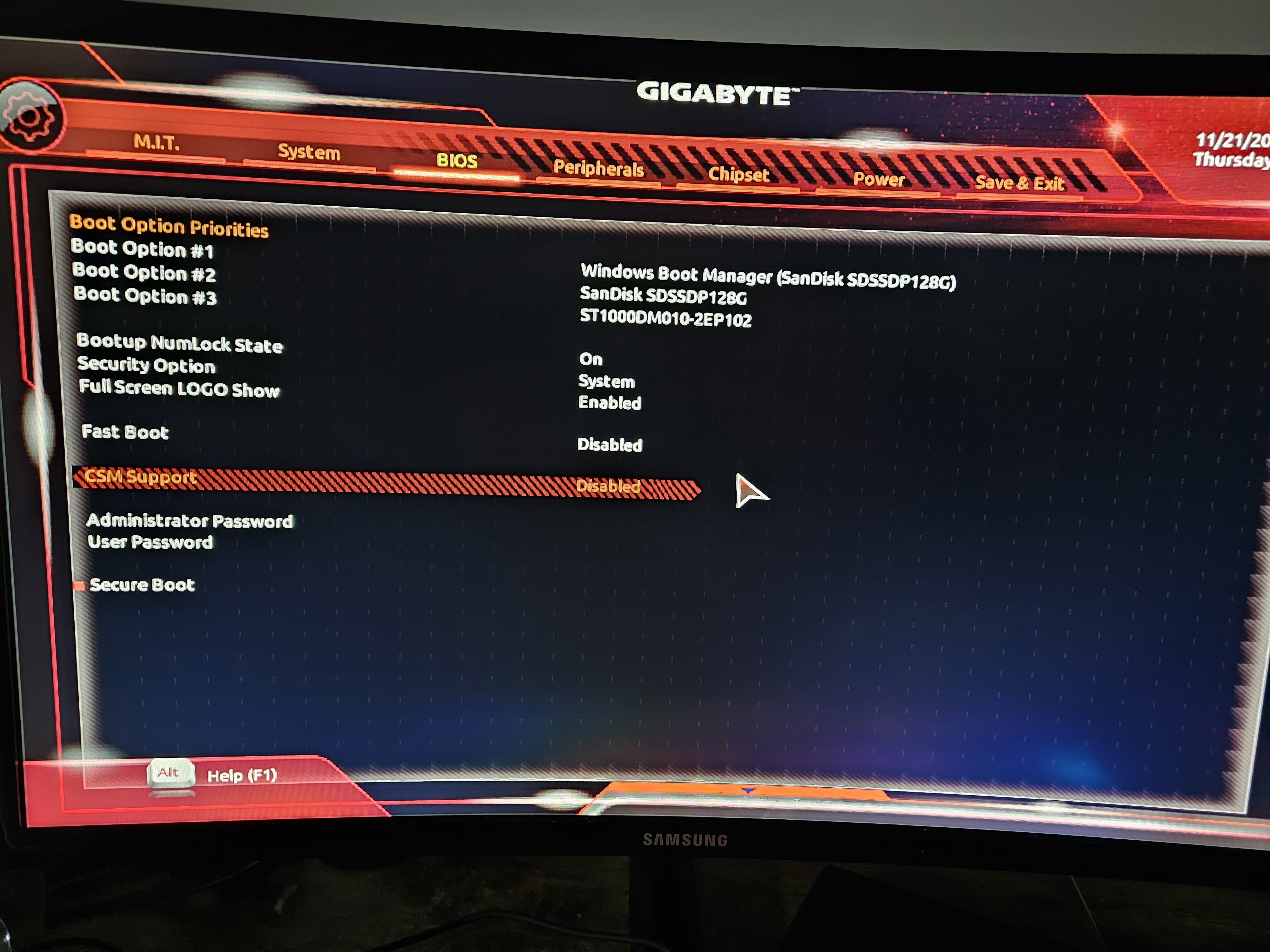
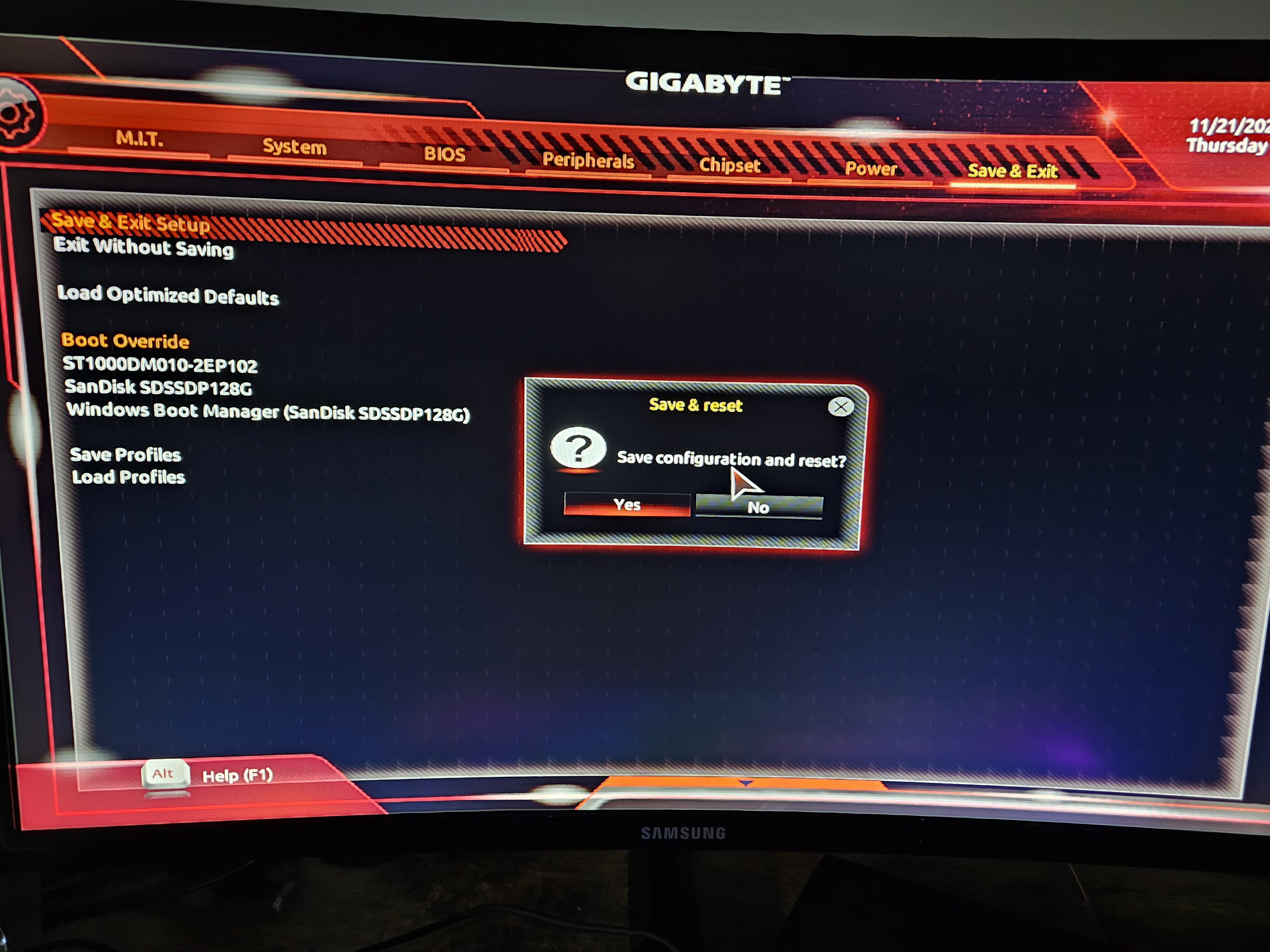
I save and restart:
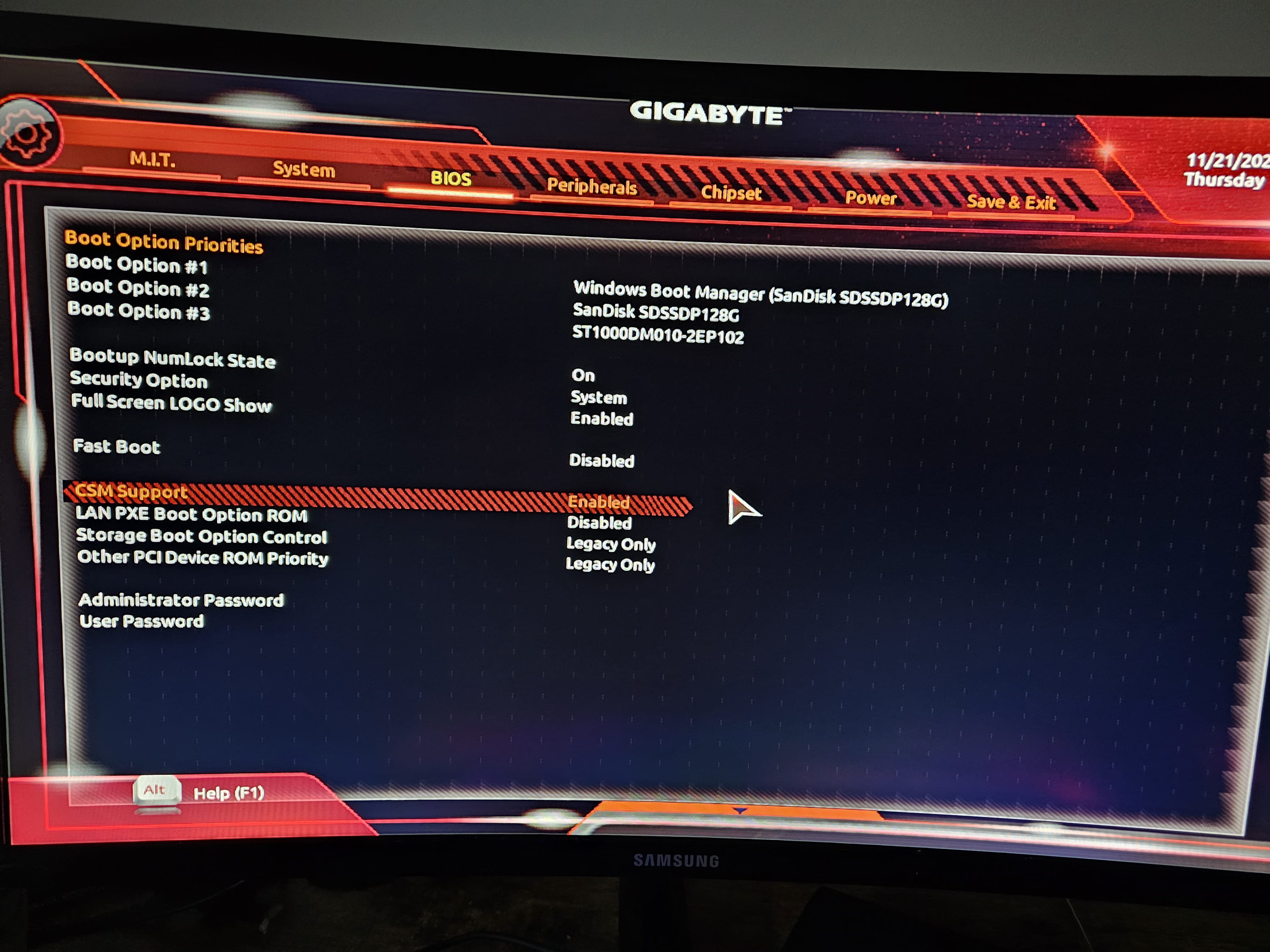
But every time, CSM support becomes active again:
I don't know what to do, I tried modifying another setting and it saved fine. Have you ever encountered this issue?
For your information: Model Name B450 AORUS ELITE
BIOS version F52
Thanks in advance for your feedback.
1 answer
-
Hello
3rd photo: You are in "legacy only", you need to switch to "UEFI only"
Secure Boot is not essential for Windows 11, it's the activation of TPM 2.0 that integrates it, and switching to UEFI that is crucial.
