Démarrer PXE sur IPv4
-
Hello,
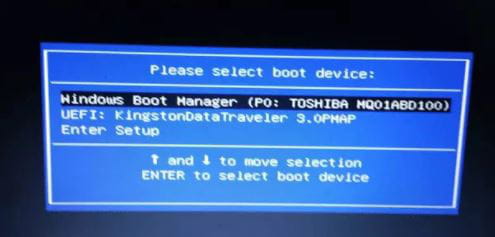
I wanted to reset my PC, so I followed a tutorial that involved deleting disk 0 with the "clean" command in "diskpart," and now when I try to restart my PC, it displays "start ipv4 ......." and then asks me to select a "boot device." But when I click on each of the 3 options, namely "windows boot device," "nvme: 85......," and "USB; HDD," it goes back to the same menu. I tried disabling secure boot, but nothing worked. I also removed start with IPv4 and all the other suggestions from various forums, but NOTHING. I even called a LENOVO technician, but he didn't know what to do. I'm stuck and I need your help. (By the way, my computer is a Lenovo 14w gen2)
Best regards
I wanted to reset my PC, so I followed a tutorial that involved deleting disk 0 with the "clean" command in "diskpart," and now when I try to restart my PC, it displays "start ipv4 ......." and then asks me to select a "boot device." But when I click on each of the 3 options, namely "windows boot device," "nvme: 85......," and "USB; HDD," it goes back to the same menu. I tried disabling secure boot, but nothing worked. I also removed start with IPv4 and all the other suggestions from various forums, but NOTHING. I even called a LENOVO technician, but he didn't know what to do. I'm stuck and I need your help. (By the way, my computer is a Lenovo 14w gen2)
Best regards
1 answer
-
ContributorHello
it's normal
the PC can no longer boot from the hard drive
you have reset it
it's empty, no more data or partitions
If my answer helped you, click on the Thank you button.
Mark as resolved if your problem is fixed.-
-
Contributor@Slaze-LZYou need to reinstall Windows from scratch using a Windows installation USB drive.
-
@jfmimiI already tried, but when I select the key in the boot device, it returns to the selection menu.
-
Contributor@Slaze-LZplug in the USB key, start the PC and tap the " F12 " key
you should have access to the boot menu
example :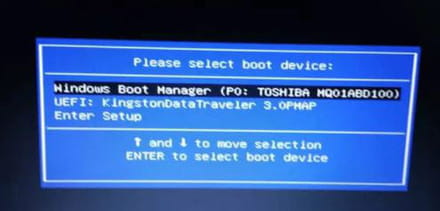
-
@jfmimiYes, but when I click on the USB drive or Windows Boot Manager, it goes back to the boot menu.
-