The page-by-page system on Scan-manga
Someone
-
LeSeul -
LeSeul -
Hello,
I have a problem on Scan-manga, I accidentally activated the page-by-page mode and it's really annoying. The issue is that I can't turn it off.. does anyone know how to switch back to continuous reading? Without having to click a button to change pages? Thank you.
I have a problem on Scan-manga, I accidentally activated the page-by-page mode and it's really annoying. The issue is that I can't turn it off.. does anyone know how to switch back to continuous reading? Without having to click a button to change pages? Thank you.
2 answers
-
pistouri Posted messages 19010 Registration date Status Contributor Last intervention Ambassador 8 732
Hello,
1- Scan-manga Reading Mode
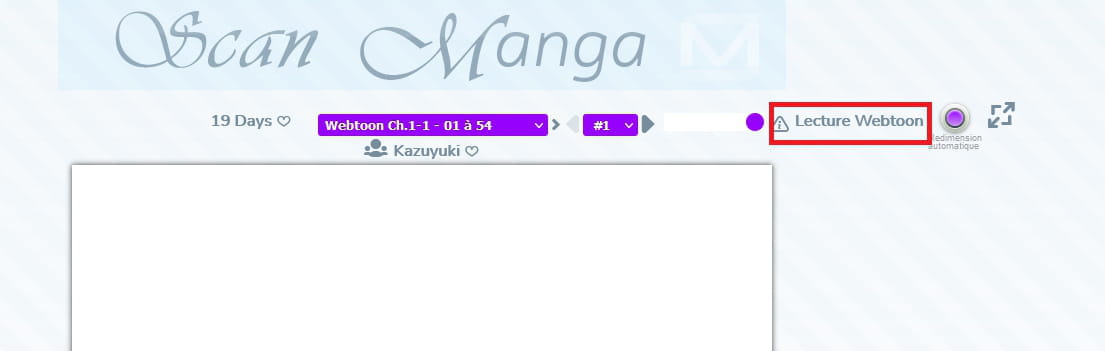
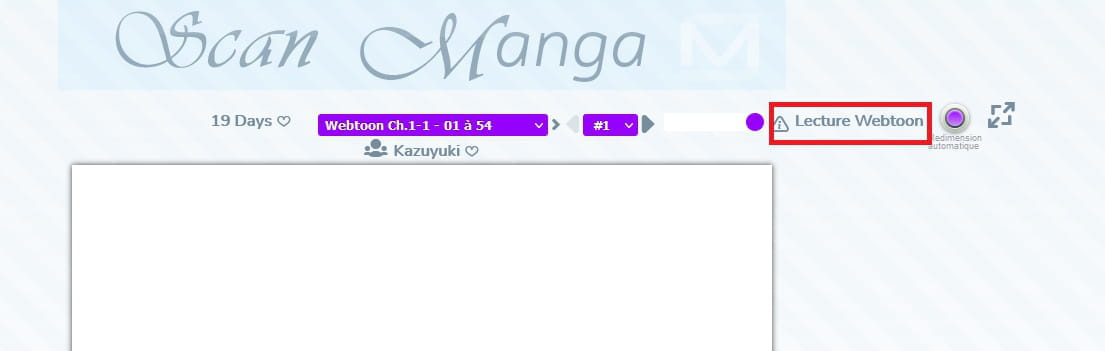
To return to reading mode, click in the upper right corner on --► Webtoon Reading
Once restored --► Page by Page Reading
2- Clear the History.
If the issue persists, clear your browser's history.
==► Clear History and Cache
Restart the browser.
See you later!
--
surgical tool -
Hello,
I have the same problem today, but since the site has changed a bit, that button is no longer there. Is there a solution because I really want to read my manga page by page and not vertically ????
Thanks in advance