Acer uppercase lock disappeared
Solved
claretain34
Posted messages
28
Registration date
Status
Member
Last intervention
-
Lambdaaaaa -
Lambdaaaaa -
Hello,
I've been having a problem for a little while with my Acer computer running Windows 10; the caps lock indicator is no longer showing, and I don't know why, which is annoying when I type a password.
How can I get it back? I've searched, but I haven't found anything.
Thank you for your help.
Configuration: Windows / Edge 88.0.705.56
I've been having a problem for a little while with my Acer computer running Windows 10; the caps lock indicator is no longer showing, and I don't know why, which is annoying when I type a password.
How can I get it back? I've searched, but I haven't found anything.
Thank you for your help.
Configuration: Windows / Edge 88.0.705.56
2 answers
-
pistouri Posted messages 19010 Registration date Status Contributor Last intervention Ambassador 8 732
Hello,

1- Acer products running Windows 10 use a program called Acer Quick Access to enable the Caps Lock and Num Lock keys (Caps Lock indicator...)
Open the task manager, check the Startup tab if you see Acer Quick Access (or QAAdmin)
Enable it.
There may also be an Acer Quick Access process still in the task manager.
2- Acer Quick Access Application.
To activate it, you need to open the "Acer Quick Access" application and enable the "On-screen notification for special keys" option.
Start button at the bottom left of the taskbar
Letter A ==►Acer Quick Access
Open it.
3- Registry key►Quick Access
Windows key + R then type -►regedit
Go to this key
HKEY_LOCAL_MACHINE\SOFTWARE\OEM\Quick Access
--► OSD
Change the value to -► 1
Restart the PC.
Info.
On this post on CCM, the contributor wanted to disable it.
4- Quick Access service
Type in the search box on the taskbar --►services
Open the services application.
Search for Quick Access service or service Quick Access.
Restart the service by right-clicking or set the startup type to manual or automatic then start the service.
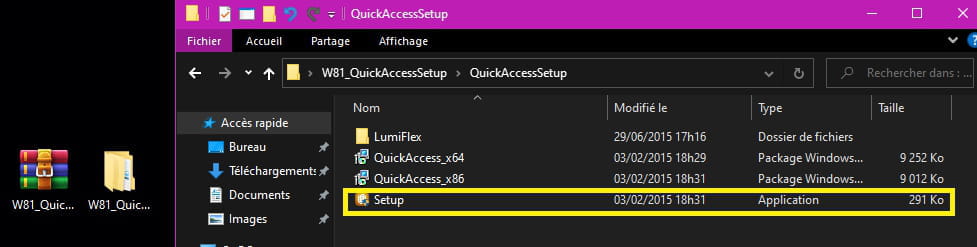
5- Download Acer Quick Access
==► QuickAccessSetup
Unzip the archive with 7-Zip for example and install the setup.
Only install if you do not have it in your programs.
If not compatible, see the Acer website.
A+
--
pistouri