
Receive daily Defender analysis notifications
soleil12
-
soleil12 -
soleil12 -
Hello
I'm trying to get the Defender analysis notifications every day, but they no longer show up automatically
I know there's the Task Scheduler with Defender scan, but I haven't seen anything in the documents.
Could you please help me
Thank you
I'm trying to get the Defender analysis notifications every day, but they no longer show up automatically
I know there's the Task Scheduler with Defender scan, but I haven't seen anything in the documents.
Could you please help me
Thank you
7 answers
-
pistouri Posted messages 19010 Registration date Status Contributor Last intervention Ambassador 8 732
Hello,
1- Focus Assistant.
Settings ► System
The line Focus Assistant in the left menu.
Selected to receive all notifications --► Disabled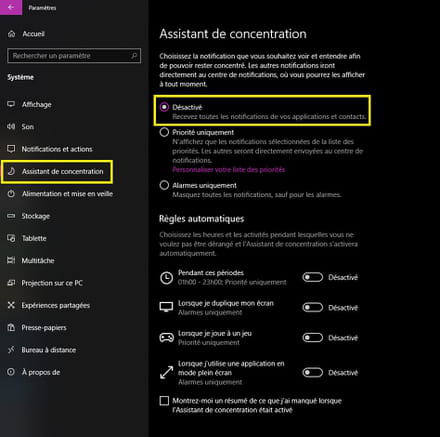
2- Notifications and actions
Settings ► System
The line Notifications and actions in the left menu.
Activate the section --► Get notifications from apps and other senders.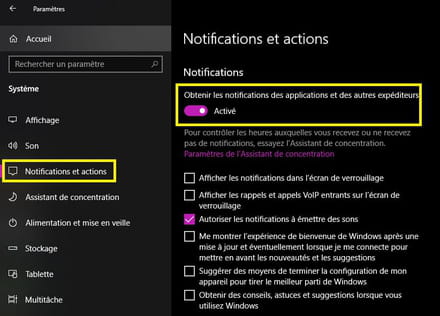
Then scroll down in the window section --► Get notifications from these senders
Select --► Security and Maintenance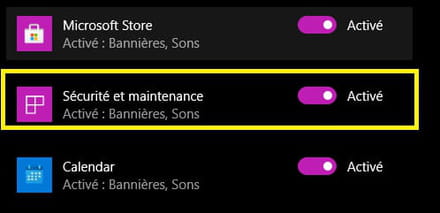
3- Windows Defender (Security Center)
Settings ► Updates and Security
The line Windows Security in the left menu.
Click on --►Open the Security Center
Or from the Windows Defender icon (Shield) in the notification area of the taskbar.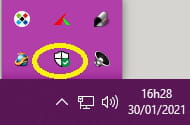
Click on --►Virus & Threat Protection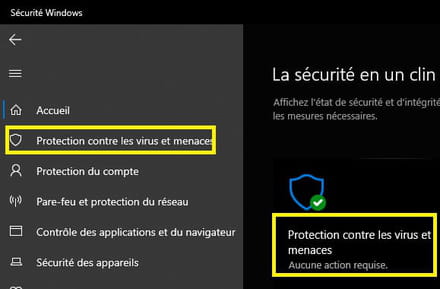
Section --►Virus & Threat Protection Settings
Click on --►Manage Settings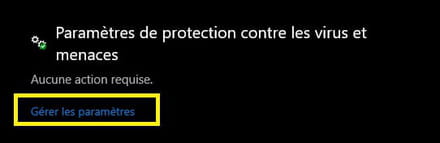
In the next window section -► Notifications
Click on -►Change Notification Settings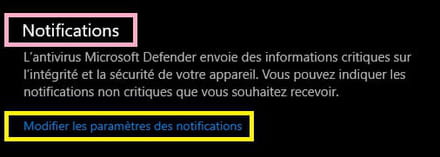
In the next window section Virus & Threat Protection Notifications
Highlight all the boxes.
The one that particularly interests us --► Recent Activity and Scan Results.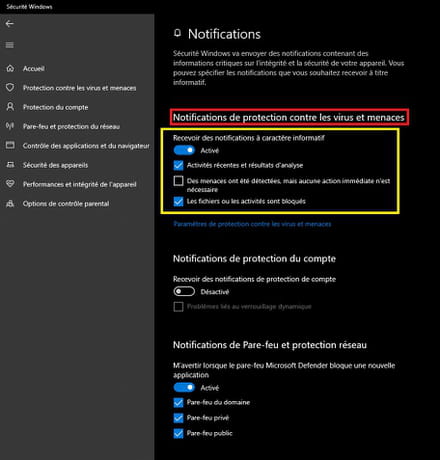
4- Run a scan or a (Quick) analysis with Windows Defender.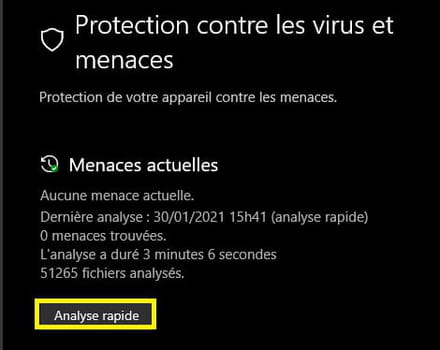
The notification is immediate after the scan, sometimes you may have to intervene if viruses or malware are detected.
To view the scan notification, click on the Notification Area to the right of the time on the taskbar.
Click on the item --►Windows Defender Scan Results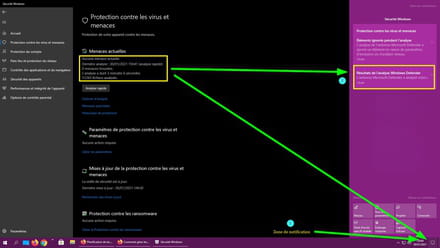
And on the item --► Items Ignored During the Scan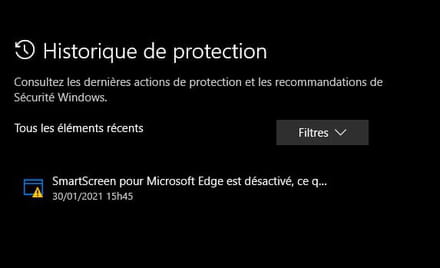
SmartScreen is disabled in the screenshot, deemed too intrusive.
This is with the latest current version of Windows 10 --► 20h2
A+
--
pistouri -
pistouri Posted messages 19010 Registration date Status Contributor Last intervention Ambassador 8 732
It is possible to schedule a scan in Microsoft Defender Antivirus
==► Schedule a scan in Microsoft Defender Antivirus
The scan notification should appear in the notification area once the scan is complete.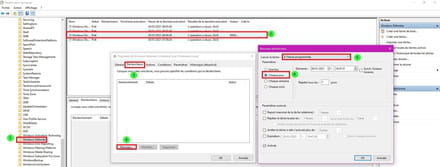
A+
--
surgical knife -
-
pistouri Posted messages 19010 Registration date Status Contributor Last intervention Ambassador 8 732
Do you have the latest version of Windows 10?
In the search box on the taskbar, type --► winver
Or use the keyboard keys Windows + R
Please provide your current W10 version in your next message.
See you!
--
pistouri -
Hello, I have the latest version of Windows and I must have touched something because the analysis no longer appears on the right in the notification center.
-
-
pistouri Posted messages 19010 Registration date Status Contributor Last intervention Ambassador 8 732
Hello,
1- Settings ►System
Select the Focus Assistant line from the left menu.
Check the box --► Show me a summary of what I missed while Focus Assistant was on.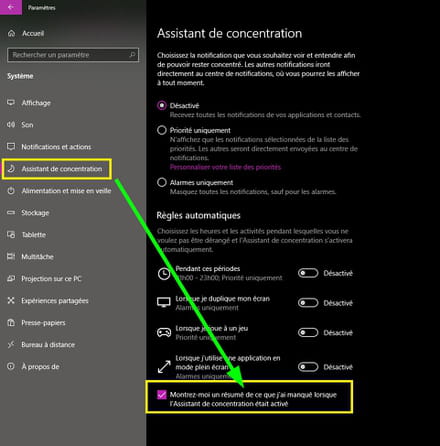
2- Right-click on the Windows Defender shield in the notification area --► Show notification options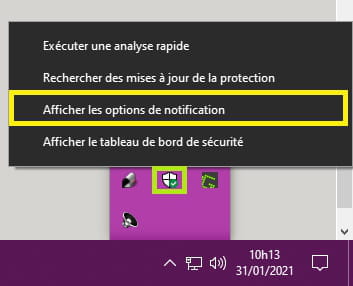
Click on the Privacy settings line in the right menu.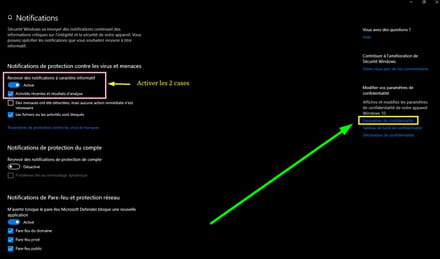
In the next window, in the right menu, the line --► Notifications
Enable the box Allow apps.....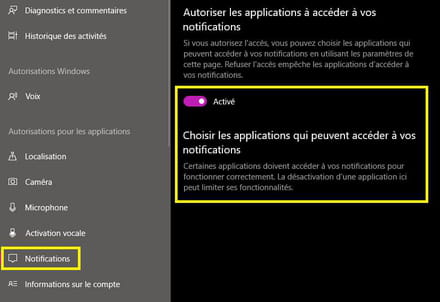
3- If you have tinkered with certain privacy settings, you have messed up the W10 settings.
You would need to restore the default privacy settings.
==► Tools to remove Windows 10 telemetry
There are options available to restore things back to normal.
Example with O&O ShutUp10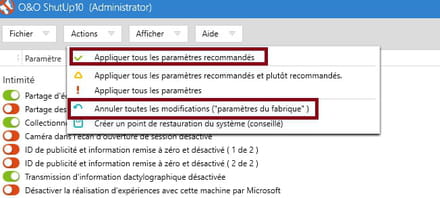
Or with Privatezilla
Once the archive is unzipped, launch Privatezilla.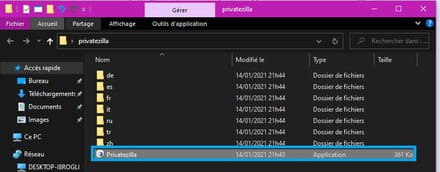
Check all the boxes ==►Restore selection
In the image below, it’s an example with just one box to check and restore (Notifications from the action center, where you see nothing for the Windows Defender analysis).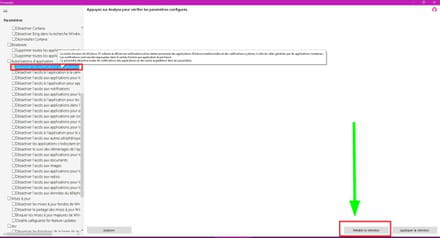
A+
--
pistouri



