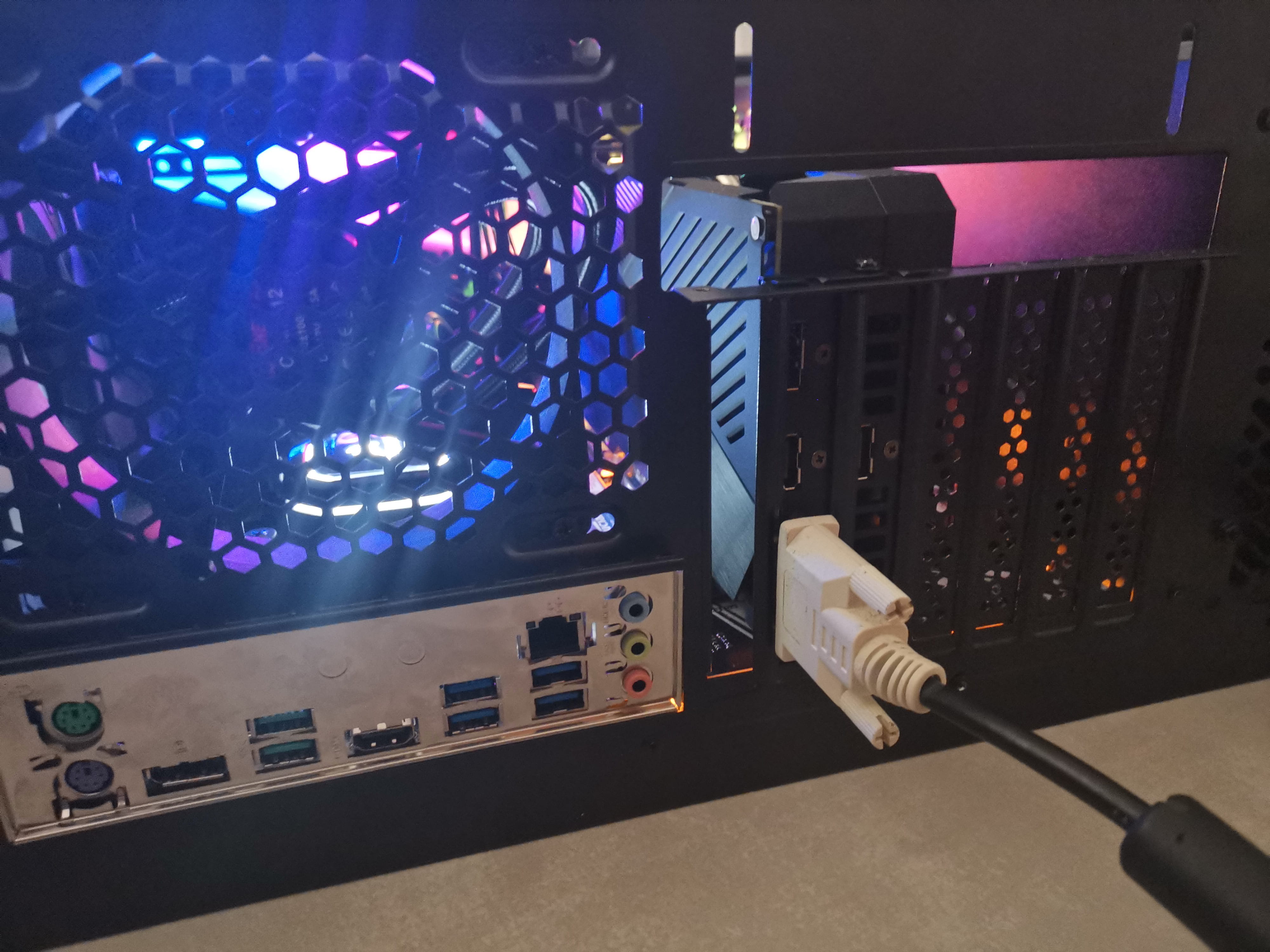
Screen issue: "Check video cable"
Solved
_WayzFX
Posted messages
10
Status
Member
-
gugu01 Posted messages 15669 Registration date Status Contributor Last intervention -
gugu01 Posted messages 15669 Registration date Status Contributor Last intervention -
Hello!
Recently, I built my PC, everything seems to be going well during startup except that the screen shows "Check video cable."
At first, I thought the problem was the monitor, but when I tested it on another screen, the same problem occurred: "No signal." However, the graphics card seems to be functioning well; I removed it and reinserted it just in case it was poorly connected.
Now I'm turning to you; I have no idea where the problem might be coming from. If anyone has solutions for this, I'd appreciate it! If you need different information such as photos or references, don’t hesitate to ask!
Thanks.
Recently, I built my PC, everything seems to be going well during startup except that the screen shows "Check video cable."
At first, I thought the problem was the monitor, but when I tested it on another screen, the same problem occurred: "No signal." However, the graphics card seems to be functioning well; I removed it and reinserted it just in case it was poorly connected.
Now I'm turning to you; I have no idea where the problem might be coming from. If anyone has solutions for this, I'd appreciate it! If you need different information such as photos or references, don’t hesitate to ask!
Thanks.
9 answers
-
Good evening,
Not simple ... it's vague, yes, sending a photo etc. would be good so we can visualize and get an idea.
No display ...
Are you properly plugged into your GPU outlet and not the motherboard one?
Is your RAM securely clipped in?
(new PC so no Windows, just the UEFI will be displayed)
Auto message
Without regular feedback from you... you can always refer to Article 22 ;-)
Mini Consideration towards the volunteers who are helping you: Respond, Respect, Politeness,...