Autocorrection
Solved
Hello.
I have some problems with my software; red squiggly lines (the ones that indicate mistakes) appear under all the words. I would therefore like to know how to remove them because it's very hard on the eyes. Based on the forums I have seen, I would like to clarify that I don't have a spell check or review button, and everything is in French (language, spelling, dictionary).. I don't understand it. Can you please help me?
I have some problems with my software; red squiggly lines (the ones that indicate mistakes) appear under all the words. I would therefore like to know how to remove them because it's very hard on the eyes. Based on the forums I have seen, I would like to clarify that I don't have a spell check or review button, and everything is in French (language, spelling, dictionary).. I don't understand it. Can you please help me?
5 answers
-
Hello,
Hover over the word with the cursor, a left click and the correction will be proposed
-
ModeratorHello,
This is not autocorrect but simply spell checking.
Which software, Open Office or Libre Office?
In Open Office, you need to go to;
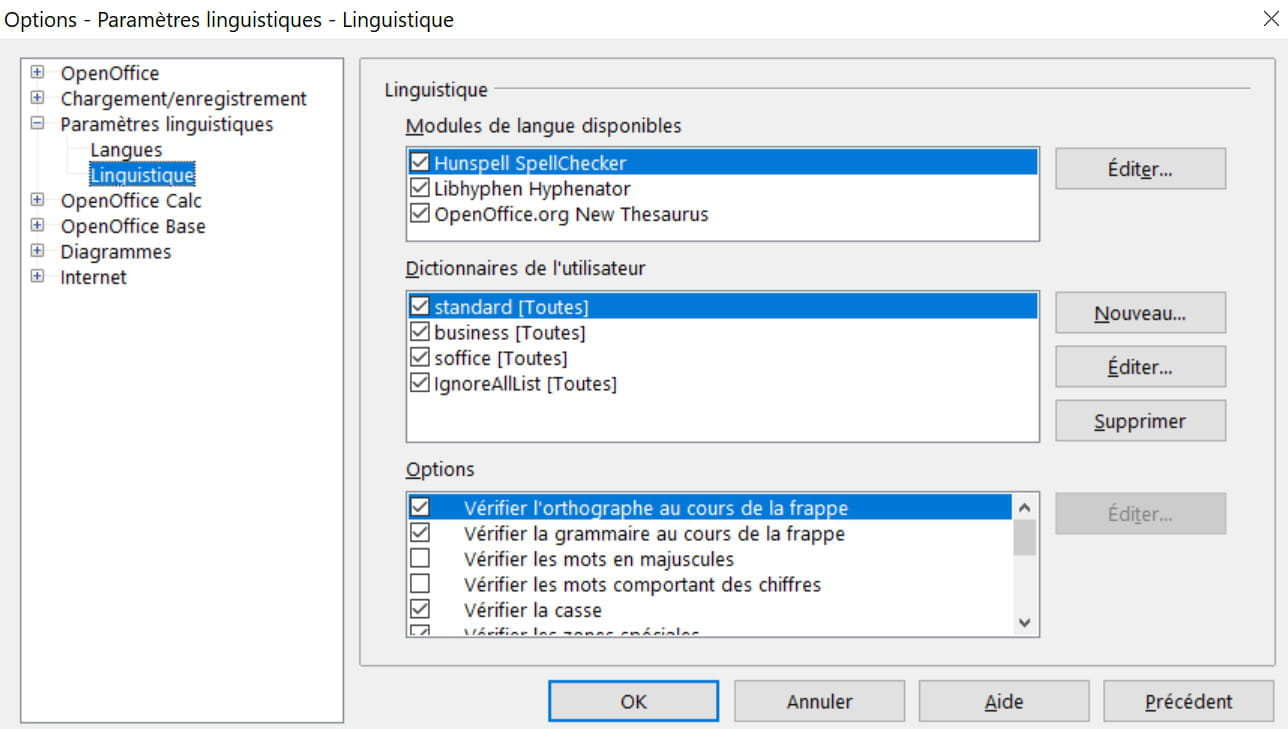
Tools - Options - Language settings - Languages.
It's very difficult to catch a black cat in a dark room.
Especially when it's not there... -
Hello,
displayed under all words
Recurring and well-known issue.
If all words are underlined in red, then there is a problem with the profile.
In this case, you need to purge the OpenOffice user profile:
See here: https://forum.openoffice.org/fr/forum/viewtopic.php?p=174616#p174616
You do not mention which system your machine is running, so you will choose the relevant section
Best regards
-
-
@baladur13As I said above, I don't understand because you tell me it's a bad language, but all the dictionaries and others are in French...
-
Moderator@vanesamaczI think you're talking about the dictionary for autocorrection and not for spell checking
Still check how the spell checking is
-
@baladur13Everything is as in your photo.
-
Moderator@vanesamaczAnd there?

-
-
Hello,
This is OpenOffice Writer and I can't request the correction of each word one by one otherwise it would take me all day..????
What I did was click on the ABC (underlined with a wavy line) to disable it but even though I’m good at spelling, it doesn’t stop me from making mistakes.. ???? -
It's Open Office 4.1.7
Thank you, I'll let you know if it works.