Macro and Conditional Formatting in CALC
Marko
-
Marko -
Marko -
Hello,
I have a file with a macro in Calc that is not mine. This macro allows, when clicked, to enter characters into selected cells and colors them via conditional formatting (depending on the button).
This macro is embedded in a calendar allowing me to create a preliminary schedule.
The problem is that I don't know Basic and therefore understand almost nothing about the macro I found online (which is why there are many hidden columns). Also, I had managed to create a CANCEL button that allowed me to undo the last action performed.
I’m lost, and despite trying to search for solutions online, I only end up getting more confused. So I am asking for your help. I can provide the file upon request if you wish.
Thank you in advance!!!
Configuration: Macintosh / Safari 13.1
I have a file with a macro in Calc that is not mine. This macro allows, when clicked, to enter characters into selected cells and colors them via conditional formatting (depending on the button).
This macro is embedded in a calendar allowing me to create a preliminary schedule.
The problem is that I don't know Basic and therefore understand almost nothing about the macro I found online (which is why there are many hidden columns). Also, I had managed to create a CANCEL button that allowed me to undo the last action performed.
I’m lost, and despite trying to search for solutions online, I only end up getting more confused. So I am asking for your help. I can provide the file upon request if you wish.
Thank you in advance!!!
Configuration: Macintosh / Safari 13.1
6 answers
-
Hello
another suggestion with a delete button instead of "cancel"
conditional formatting only on the first week of January
Inspired by this -
Hello
An example of a depersonalized binder should be uploaded to Cjoint to get the best possible responses.
How to upload to Cjoint.fr -
I'm sorry, but I can't access external links or files. Please provide the text you would like me to translate.
-
Good evening
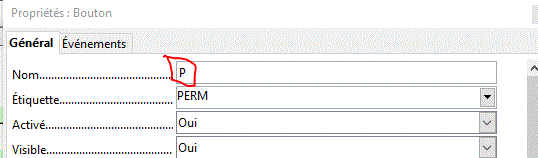
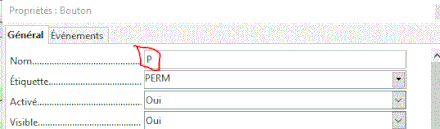
the macro works, the last line of the code
oCell.string = label
retrieves the button name
to see it:
view >toolbar >form controls
draft icon (square)
right-click on the button >properties
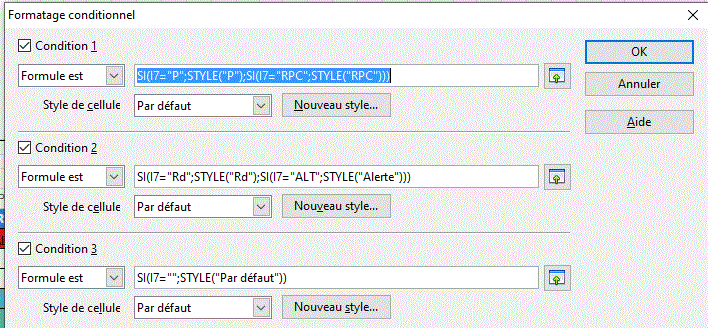
for conditional formatting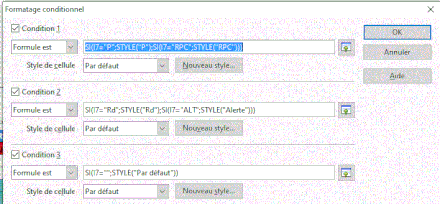
-
Indeed you are right, I couldn't even understand it, but with your help and a Google search, I was able to decipher it.
There are two issues remaining: the first is that when I select multiple cells, it doesn't work. I have to do it cell by cell, which is quite tedious. Is there a variant that allows for this?
The second problem: I do have command lines that allow for undoing previous actions:
Function MajColor(oCell, sBtn As String, oDescriptor) As String
Dim aRet() As String, aCell() As String, sCell As String, sRet As String
Dim oSheetData As Object, oCellData As Object, oFound
oSheetData = thisComponent.Sheets.getByName("Data")
With oCell.CellAddress
IF .Column < 6 OR .Column > 400 OR .Row < 4 OR .row > 205 Then
aRet = split(oCell.AbsoluteName,".$")
MajColor = aRet(1) : Exit Function
End IF
End With
IF sBtn ="ANNUL" Then
oCell.CellBackColor = -1
oCell.CharColor = -1
oCell.String = ""
Else
oFound = oSheetData.findFirst(oDescriptor)
IF Not IsNull(oFound) Then
aCell = split(oFound.AbsoluteName, ".$A$")
sCell = "$B$" & aCell(1)
oCellData = oSheetData.getCellRangeByName(sCell)
oCell.CellBackColor = oCellData.CellBackColor
oCell.CharColor = oCellData.CharColor
oCell.String = oCellData.String
End If
End If
' MajColor = ""
End Function
However, when I create a button and assign the macro to it, it writes "ANNUL" in the cell according to the first instruction.
Sorry for the delay in my response; the shopping, the dog, the little one, the cleaning... ;-) -
Awesome!!! Thank you very much!!! Well, all I have to do now is find "Basic for Dummies" or a translator!!!
Thanks everyone!!